
Syncing reporting lots of errors and Lightroom eventually freezes
I have about 17,000 images I'm syncing between Lightroom Classic CC 7.5 on the desktop, Lightroom Mobile on my iPad and my iPhone. Some of the images to be synced were to originate from the ipad or iphone. I am on an iMac on OS High Sierra.
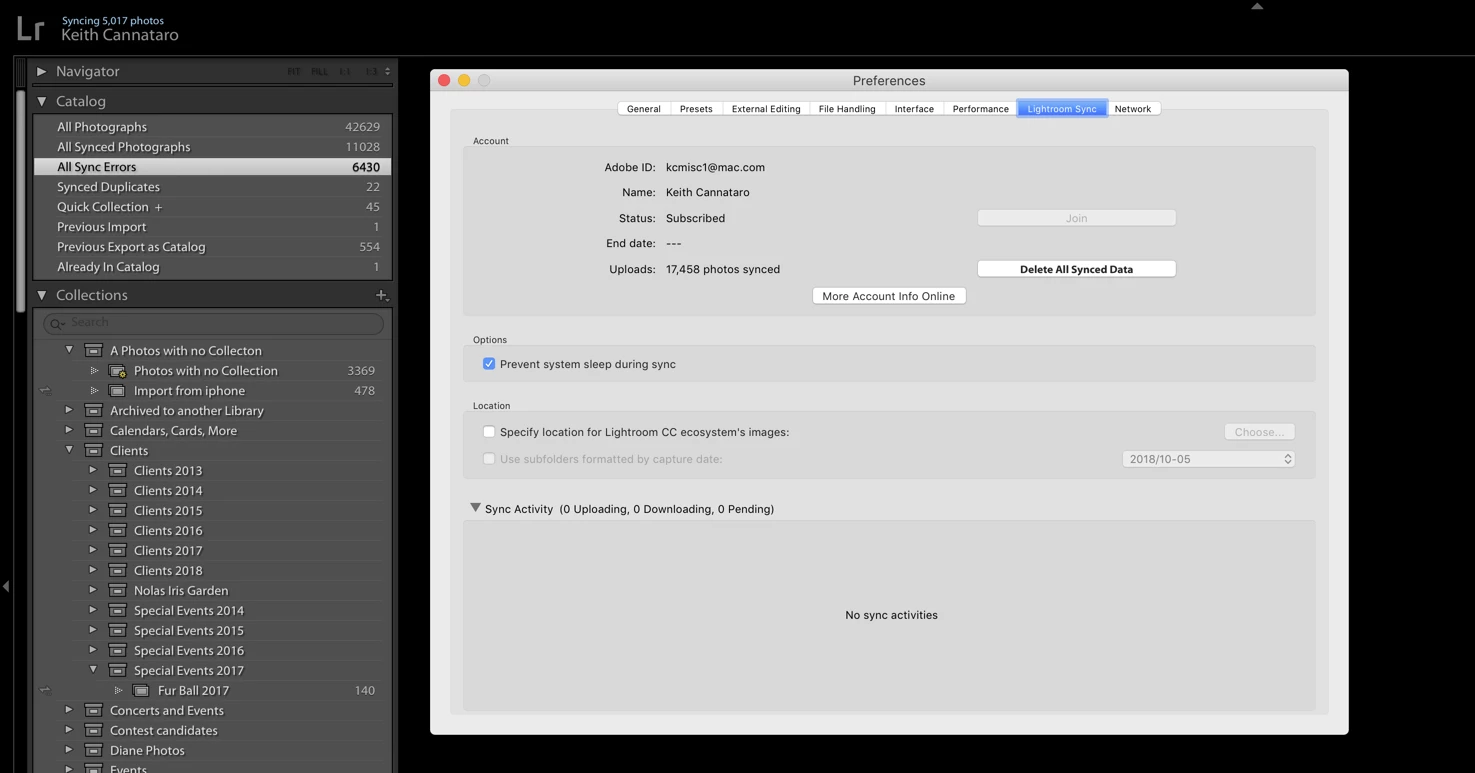
I can't tell you 100% since I started to try and fix the issues. I believe that there were just a maybe 50-60 images that were not syncing and they were showing as errors. I searched to try to figure out what to do. I found something that said to try Rebuild Sync Data, which I clicked.
Now what is happening is for the All Synced Photographs and All Sync Errors the numbers stay in a basic range but the go up, go down and then eventually Lightroom freezes and I have to use Activity Monitor to Force Quit.
I quit Lightroom and started it again and paused syncing. Meanwhile the numbers are still changing, which seems strange since I paused syncing unless LR is trying to work out the sync errors. Right now I'm watching the numbers going down. In the Lightroom Sync panel sync activity shows no info under Sync Activities. Its all running very slow but the number of errors has been gradually going down. Lightroom finally appears to have gotten stuck again. Activity Monitor shows Lightroom (Not Responding) right now and shows LR using 86+ GB.
I'm going to Force Quit LR now and start it back and see what happens this time.
 AdChoices