
Miguel Hortiguela
Inspiring
July 18, 2022
解決済み

Tethered Capture is not respecting orientation of capture

  • July 18, 2022
  • 返信数 1.
  • 748 ビュー

Hi Everyone:


I'm shooting tethered from a Nikon D5, directly to the most recent version of LR v/11.14.1.  The camera is shooting straight down and I'm framing horizontal.  However, when the image displays in LR it's vertical.


In the Camera Menu I've tried both that default orientation and Rotate Tall, and in both situations, the images arrive in LR as vertical.  Oh ya, I'm using Windows 10


Does anyone have a suggestion or better still a fix for this?


Is there a way to set LR to auto rotate while tethered?


Thanks for your time,

Miguel
このトピックへの返信は締め切られました。
解決に役立った回答 richardplondon

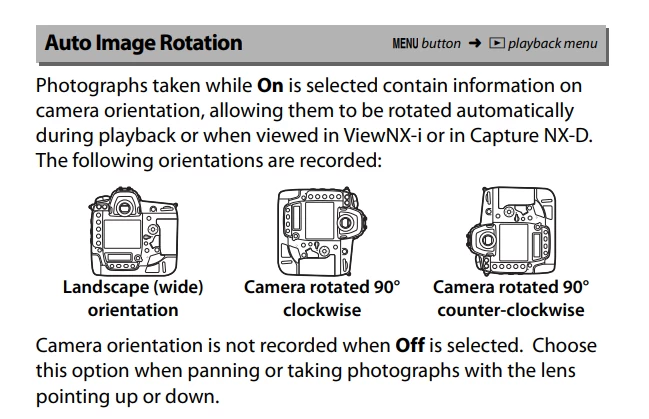
The more general fix for shooting aimed downwards, regardless of software considerations, is to set Auto image Rotation to "off" in the camera menu. The camera's tilt sensor cannot be reliably useful in this kind of shooting situation, and that is Nikon's recommendation in the menu guide manual.


返信数 1

Community Expert
July 18, 2022

The more general fix for shooting aimed downwards, regardless of software considerations, is to set Auto image Rotation to "off" in the camera menu. The camera's tilt sensor cannot be reliably useful in this kind of shooting situation, and that is Nikon's recommendation in the menu guide manual.


Miguel Hortiguela
Inspiring
July 18, 2022

Hi Richard:


I suspected that that might be the cause, so, thanks for confirming.


Thanks for your time,

Miguel