
Answered
Tethering Lightroom - urgent
Folks,
I'm on location and facing an issue with my new MAC Book.
We're using tethering to get the images directly imported into Lightroom. A second person is showing another customer the previous images in paralell and select some for printing.
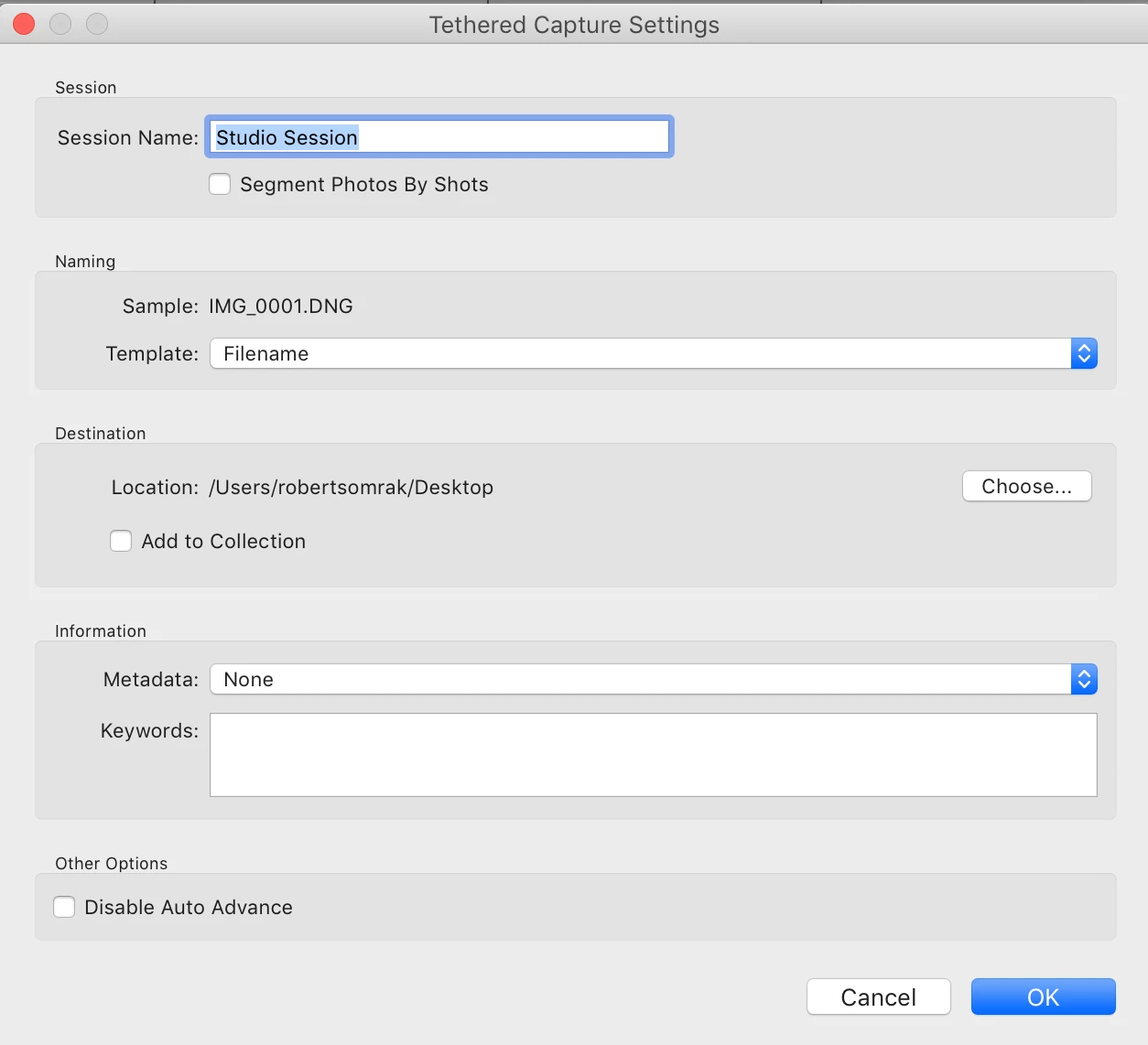
Problem is: Everytime if a new photo was taken the preview in lightroom is changed to it. Due to this, it is quite hard to work with previous images.
We hat this issue in the past and got it solved, but on the new MAC Book it appears again and I don't know how to switch these off.
Thanks in advance for your help.
Cheers
Andreas
PS: I'm using Lightroom in German, so a screen shot will be helpful to identify the right menu


 AdChoices