Participating Frequently
September 25, 2024
Question

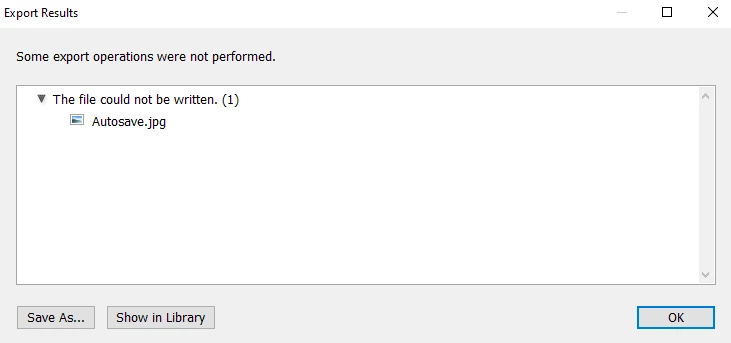
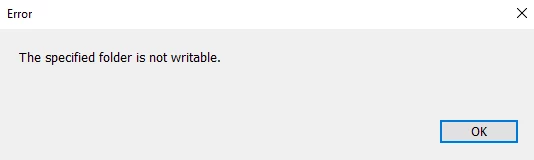
The specified folder is not writeable, no choose folder later workaround

  • September 25, 2024
  • 2 replies
  • 780 views

Hello, today i was trying some things with deep sky stacker I don't know if that does anything just in case of any conflicts and noticed lightroom classic (13.2 release) (subscription) cannot export into my external hard drive, while photoshop, acrobat, word and any other software I tried works, I have tried looking into a older thread but all I found was not working for me, I tried the choose folder later but I get an error, same with the regular export settings
Note: I also tried to replace original image, choose folder later, specific folder options and none worked since it was on my external SSD while it could export to my pcs internal storage easily

Additional Info: Lightroom classic (13.2 release) (subscription)
Windows 10 pro 
I have full administrator privileges, so there should be no permission problem
 

This topic has been closed for replies.

2 replies

GoldingD
Legend
September 27, 2024

Can you post a scrennshot of your Export dialog


example:

DlheDielyAuthor
Participating Frequently
September 28, 2024

this works all fine, but when i try to put same folder as original photo it puts an error:

or when I want to choose specific place on my disk (not even the root folder) it doesn't let me select it and reverts it back to previous chosen location because "specific folder not writeable"


GoldingD
Legend
September 29, 2024

im having trouble with all the folders within this one, and in the root


Ok, that had be wondering what the heck. Problem is caused by the drive format :

 As the drive is not formatted in NTFS, and is in fact in exFAT (FAT32 would also be an issue). When you look at the properties, the Security tab is missing:


For example:


Making it hard to actually edit the permissions. And apparently the rights are not correct. You may need to use PowerShell to correct the permissions.


https://woshub.com/security-tab-missing-file-properties-windows/


Was this drive formatted in exFAT as to allow cross use with a MAC?

GoldingD
Legend
September 25, 2024

You may have attempted the following as a diagnostic, but...


  1. In LrC, in the Import process, try to import one photo, via Copy, into that external SSD, into the desired folder.
  2. In LrC, in the Library module, move one unimportant photo to that external SSD, into same desired folder.


DlheDielyAuthor
Participating Frequently
September 27, 2024

i can do the second step, being moving a file from the library module to the desired location to the external SSD, it works no problem, but I cannot export the photo to desired folder, also in the first thing you asked: "

  1. In LrC, in the Import process, try to import one photo, via Copy, into that external SSD, into the desired folder."   

I don't know how you would do that, or what this means


GoldingD
Legend
September 27, 2024