Cynic.Creativ
Participant
September 4, 2020
Answered

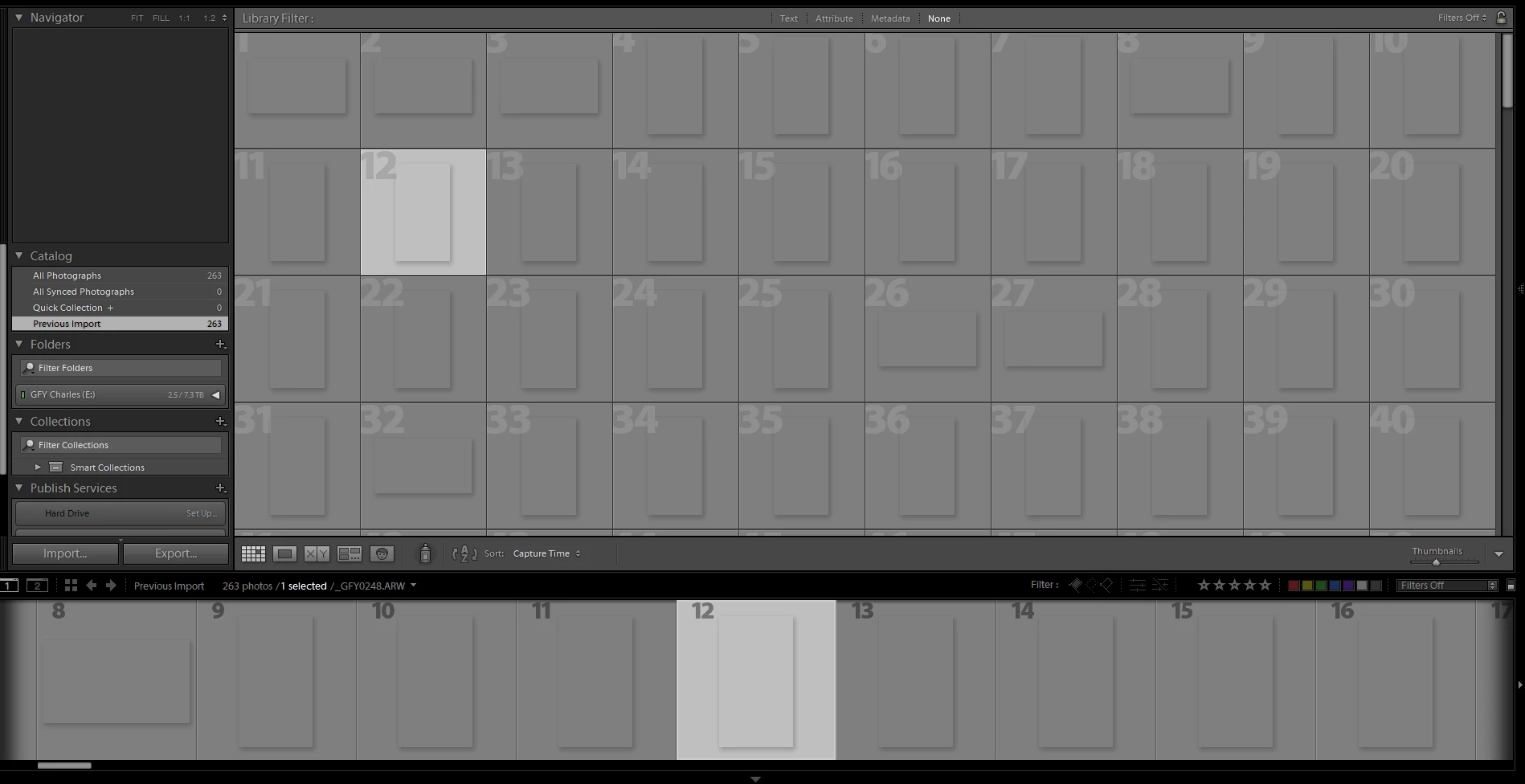
Thumbnails are grayed out

  • September 4, 2020
  • 3 replies
  • 727 views

Lightroom Classic:

Even when deleting the previews cache, rebuilding smart cache and build standard cache nothing is working. 
Deleted Cache folder. This is a serious problem.
 

This topic has been closed for replies.
Correct answer AxelMatt

It seems that your monitor profile is corrupted.

Please take a look here:

https://www.lightroomqueen.com/how-do-i-change-my-monitor-profile-to-check-whether-its-corrupted/


3 replies

Just Shoot Me
Legend
September 4, 2020

So people don't have to download the image you have attached to your post please Edit your post to remove the Attached screen shot and Include it in the body of the text of your post.

You do that by Clicking the "More..." link at the bottom of your post, Selecting "Edit Message" and then use the "Insert Photos" icon in the tool bar at the top of the Post/Reply/Edit dialog box like this.


Thank you.

AxelMatt
Community Expert
AxelMattCommunity ExpertCorrect answer
Community Expert
September 4, 2020

It seems that your monitor profile is corrupted.

Please take a look here:

https://www.lightroomqueen.com/how-do-i-change-my-monitor-profile-to-check-whether-its-corrupted/


My System: Intel i7-8700K - 64GB RAM - NVidia Geforce RTX 3060 - Windows 11 Pro 25H2 -- LR-Classic 15 - Photoshop 27 - Nik Collection 8 - PureRAW 6 - Topaz Photo AI
Cynic.Creativ
Participant
September 4, 2020

That would affefct only the thumbnails and previews?

I can still edit the photos. 

ManiacJoe
Inspiring
September 4, 2020

Which version of Windows?

Which exact version of Lightroom?

Which camera? JPG or raw files?

What are the details of drive E? Is it in power-save/sleep mode?

What do you see when you expand the E drive in the Folders panel?
