
annew93633510
Participant
September 18, 2023
Question

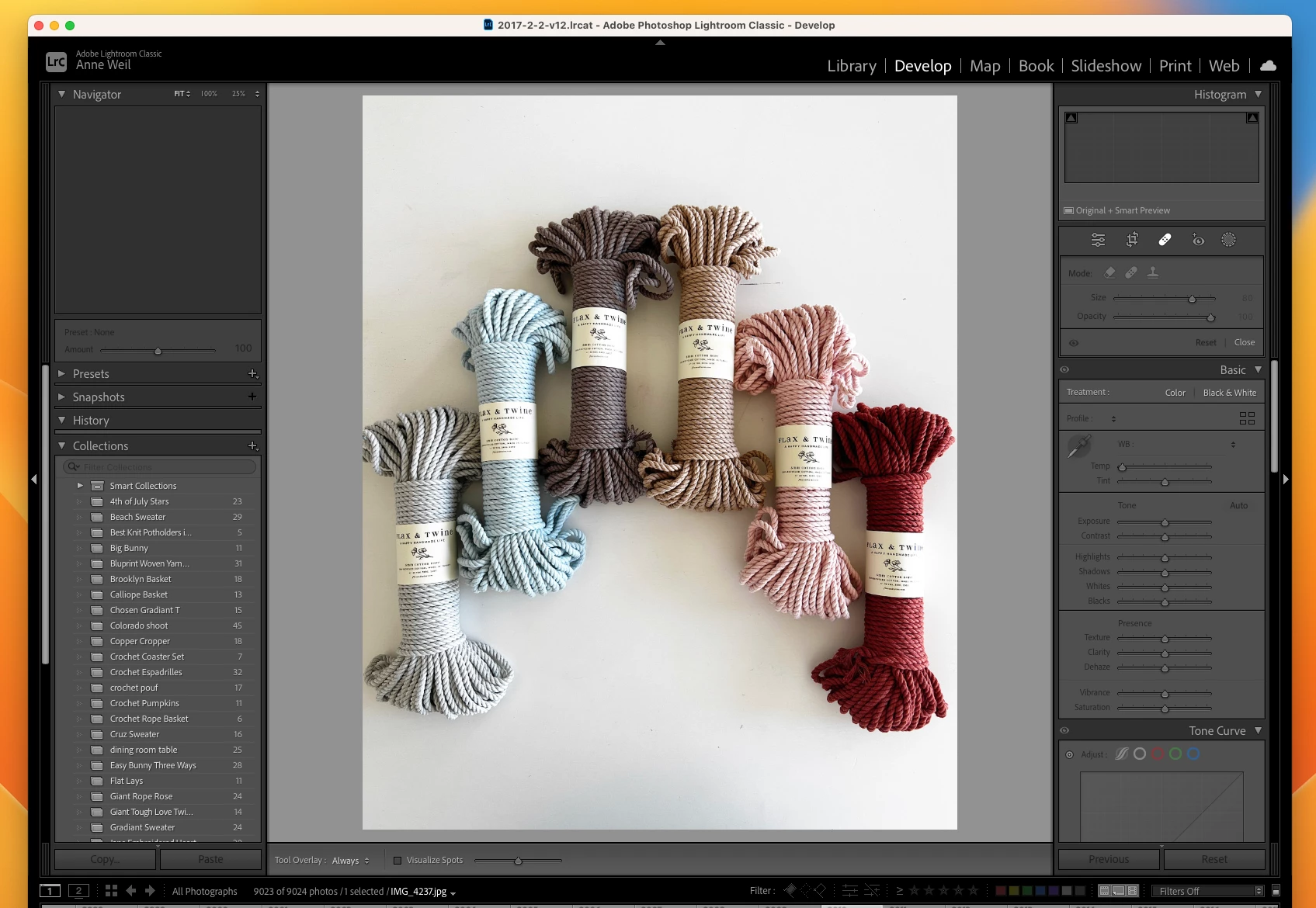
Tools in right side bar of Develop Mode are greyed out and don't function

  • September 18, 2023
  • 3 replies
  • 875 views

Hello, I am working on a MacBook Air 2019 with Ventura 13.4.1.  I an having trouble in the Develop Mode of Lightroom Classic. When I am on a photo and go to "Develop" mode, none of the tools in the right hand sidebar are available to use. (as in, exposure, cropping, white balance etc). All these tools to work on the photo are greyed out. I have tried adjusting the Graphics Processor to Off as suggested in a prior post, and restarting, but that did not work.  I have also tried uninstalling the app and reinstalling also which didn't work. I did recently delete the preview library for this catalog. I have built new previews for these photos and it doesn't change my ability to work on them.  Any help to get my editing capabilities up and running again would be most helpful!! Thanks!


This topic has been closed for replies.

3 replies

GoldingD
Legend
September 18, 2023


License: Subscription Ended


In your copy of the Adobe Creative Cloud Desktop App, are you signed in?


At any rate, if signed in, then sign out anyhow, and then sign back in (with correct account i'd ) Watch out for any errors or notifications, then see if LrC behaves.


Possibility's:


  • You we're signed out, for an extended period of time, probably more than 30 days if monthly payments, 90 if annual.
  • You we're signed in with the wrong account
  • Something fouled up with the Adobe Creative Cloud Desktop App authentication.
  • Something went wrong with payment for the subscription.


annew93633510
Participant
September 18, 2023

Lightroom Classic version: 12.5 [ 202308091523-68a7abd6 ]
License: Subscription Ended
Language setting: en-US
Operating system: Mac OS 13
Version: 13.4.1 [22F82]
Application architecture: x64
Logical processor count: 4
Processor speed: 1.6GHz
SqLite Version: 3.36.0
Built-in memory: 16,384.0 MB
Real memory available to Lightroom: 16,384.0 MB
Real memory used by Lightroom: 447.1 MB (2.7%)
Virtual memory used by Lightroom: 40,861.3 MB
Memory cache size: 40.5MB
Internal Camera Raw version: 15.5 [ 1595 ]
Maximum thread count used by Camera Raw: 3
Camera Raw SIMD optimization: SSE2,AVX,AVX2
Camera Raw virtual memory: 39MB / 8191MB (0%)
Camera Raw real memory: 41MB / 16384MB (0%)
Standard Preview Size: 1440 pixels
Displays: 1) 2560x1440, 2) 2880x1800

Graphics Processor Info:
Metal: Intel(R) UHD Graphics 617
Init State: GPU for Display supported by default
User Preference: Auto

Application folder: /Applications/Adobe Lightroom Classic
Library Path: /Users/annebweil/Pictures/Lightroom/2017/2017-2-2-v12.lrcat
Settings Folder: /Users/annebweil/Library/Application Support/Adobe/Lightroom

Installed Plugins:
1) AdobeStock
2) Aperture/iPhoto Importer Plug-in
3) Flickr
4) Nikon Tether Plugin

Config.lua flags: None

annew93633510
Participant
September 18, 2023

Okay - I see line 2. That is weird because I have 2 "Creative Cloud All Apps" Licenses!


GoldingD
Legend
September 18, 2023

Please post your System Information as Lightroom Classic (LrC) reports it. In LrC click on Help, then System Info, then Copy. Paste that information into a reply. Please present all information from first line down to and including Plug-in Info. Info after Plug-in info can be cut as that is just so much dead space to us non-Techs.


Mostly intetested in second line


License: Creative Cloud