
Known Participant
November 3, 2025
해결됨

Total number of pictures in a folder remain the same after mass deletion of rejected photos

  • November 3, 2025
  • 2 답변들
  • 113 조회

Version 15

Windows 11 PRO


I imported 6464 RAw files, marked 5096 as rejected and eventually deleted all jected photos with CTRL + BACKSPACE: I ended up with a folder that still says 6464 photos but in practuce only  1395 photos are present (verified from file explorer)
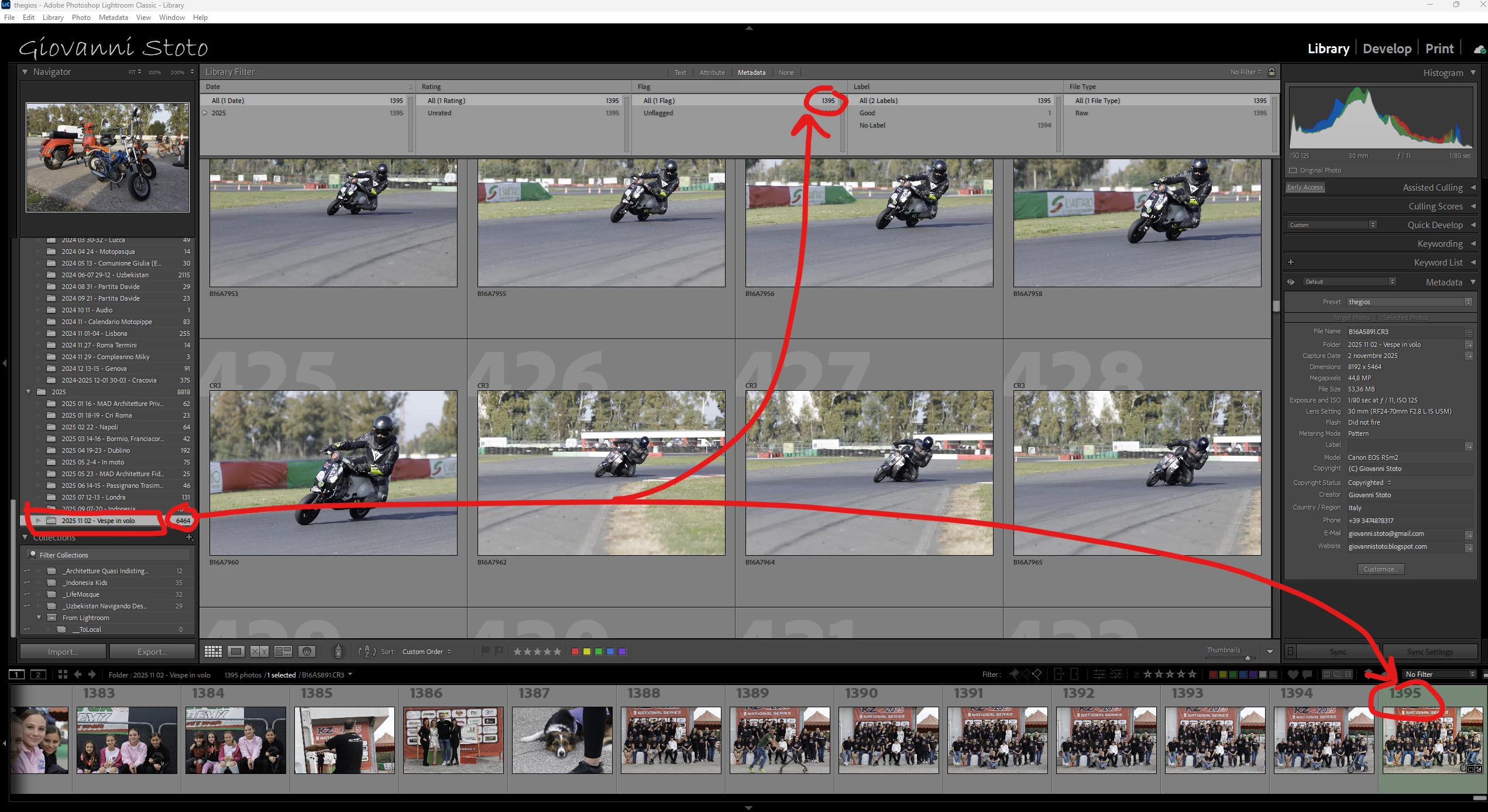
 

I then marked as rejected one more photo and deleted again all rejected photos: I ended up with a folder saying 6463 photos but in practice only  1394 photos are present (verified from file explorer).

To solve I had to remove the folder from catalog and reimport again.

최고의 답변: JohanElzenga

Most likely the 'catalogname helper.lrdata' got corrupted, so if it happens again, don't remove the image folder from the catalog. Instead quit Lightroom, delete the helper.lrdata from your catalog folder and start Lightroom again.


2 답변

JohanElzenga
Community Expert
Community Expert
November 3, 2025

Most likely the 'catalogname helper.lrdata' got corrupted, so if it happens again, don't remove the image folder from the catalog. Instead quit Lightroom, delete the helper.lrdata from your catalog folder and start Lightroom again.


-- Johan W. Elzenga
Known Participant
November 3, 2025

aha ok thx