
Participant
September 15, 2022
Question

Unable to Delete Rejected Photos in LrC

  • September 15, 2022
  • 3 replies
  • 375 views

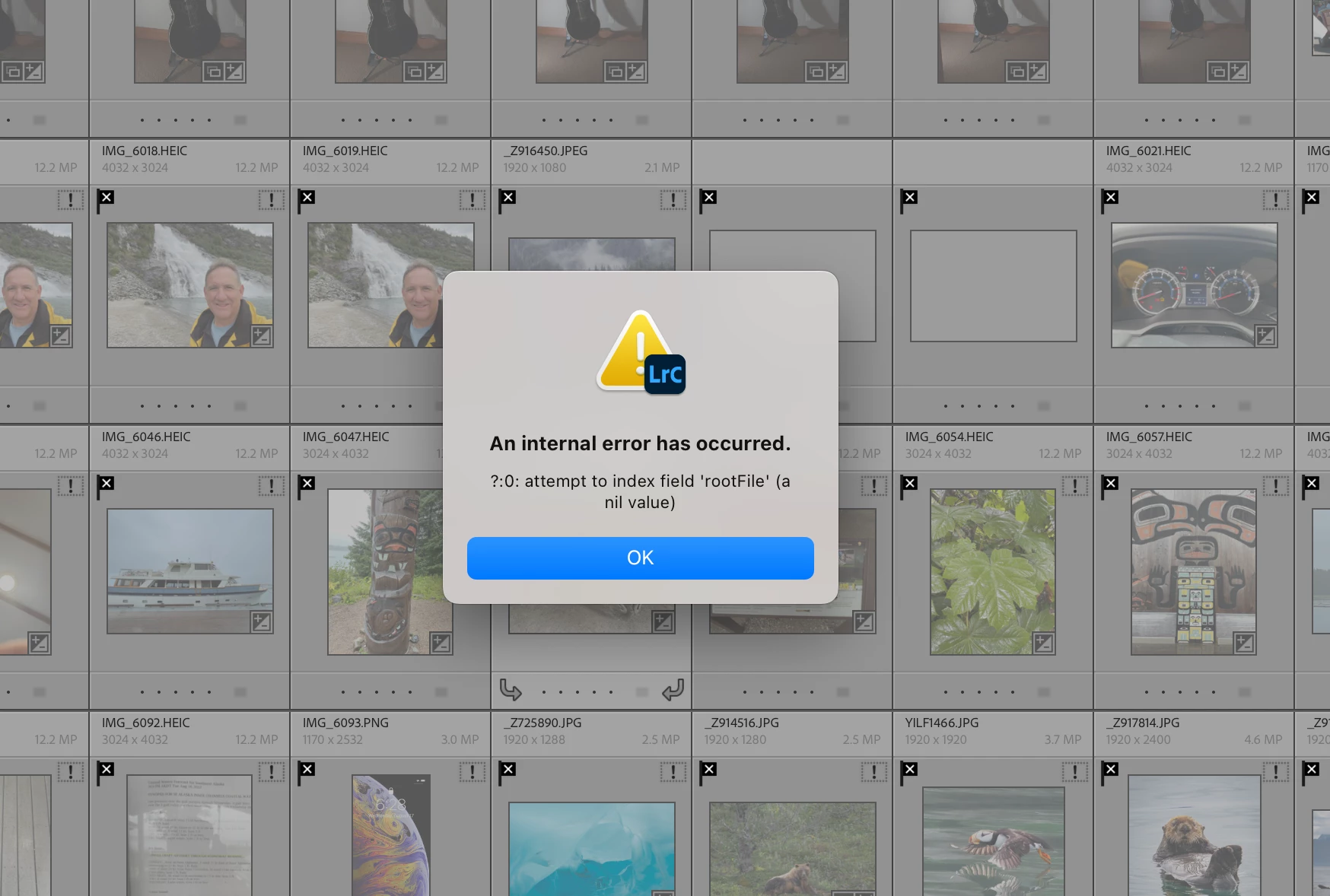
I'm unable to delete a handful of rejected photos in LrC.  The error message (shown below) is completely of no value whatsoever.  I've closed LrC and reopened with same result.  Have also tried optimizing the catalogue.  Suggestions appreciated!
 

This topic has been closed for replies.

3 replies

JohanElzenga
Community Expert
Community Expert
September 15, 2022

Looks like you have a problem with empty database records, meaning catalog corruption. The two empty thumbnails below the upper right corner of the error dialog are most likely what is causing this. Do you have a catalog backup without this problem? If not, you could try the following: create a brand new catalog, then choose 'File - Import from Another Catalog' and import your current catalog. Don't move the images during import, leave them where they are. With a little bit of luck this will import everything, except those empty records.


-- Johan W. Elzenga
GoldingD
Legend
September 15, 2022

Please post your System Information as Lightroom Classic (LrC) reports it. In LrC click on Help, then System Info, then Copy. Paste that information into a reply. Please present all information from first line down to and including Plug-in Info. Info after Plug-in info can be cut as that is just so much dead space to us non-Techs

Please post your System Information as Lightroom Classic (LrC) reports it. In LrC click on Help, then System Info, then Copy. Paste that information into a reply. Please present all information from first line down to and including Plug-in Info. Info after Plug-in info can be cut as that is just so much dead space to us non-Techs


AxelMatt
Community Expert
Community Expert
September 15, 2022

In a first step please try resetting the preferences of Lightroom Classic:   https://helpx.adobe.com/lightroom-classic/help/setting-preferences-lightroom.html


It's recommended to backup your preferences before you reset the preferences to the default settings: 

https://helpx.adobe.com/lightroom-classic/kb/preference-file-and-other-file-locations.html


If this doesn't help take a look here: 

🔎 Quick Tips: How to give Full Disk Access to Li... - Adobe Support Community - 12913413

and check the permission rights


My System: Intel i7-8700K - 64GB RAM - NVidia Geforce RTX 3060 - Windows 11 Pro 25H2 -- LR-Classic 15 - Photoshop 27 - Nik Collection 8 - PureRAW 6 - Topaz Photo AI