
Known Participant
May 18, 2023
Question

Unable to import .MOV files into LR Classic 12.3

  • May 18, 2023
  • 3 replies
  • 927 views

Hello.

I am unable to import .MOV files from my iPhone 14 Pro into LR Classic 15.3 on my Mac running Ventura 13.3.1(a). When I attempt to do so I get this error message:13.3.1(a)
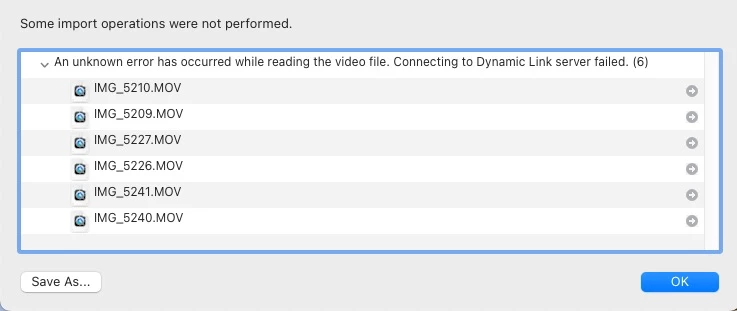
I made a 2 second video on my phone and when I attempted to import it into LR Classic 15.3 I get this error message:
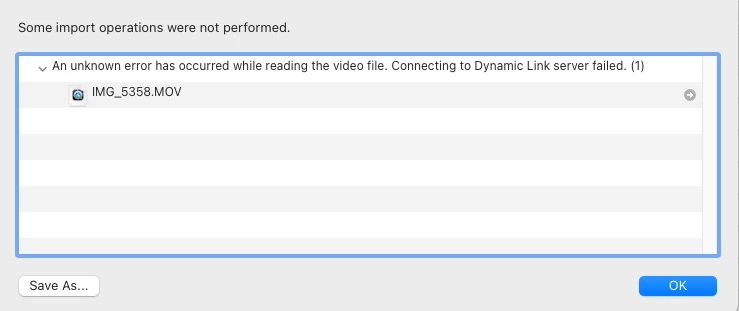
Does anyone know why I am unable to import these .MOV files?

Thank you in advance.

This topic has been closed for replies.

3 replies

Known Participant
May 22, 2023

Hello. I have not tried yet to work with Dropbox to get a file downloaded to this discussion. I'm not a fan of that program but if it is the only way to resolve my issue I will certainly have to try it. Thank you for the suggestion. But before I do that I'm wondering if anyone can give me some information on this phrase in the error messages I get when I try to download a .MOV file from my phone to LR 12.3 on my Ventura running Mac: "Connecting to Dynamic Link server failed." Does that offer any clues as to my difficuly in getting my files downloaded? I have absolutely no idea what those words mean.

I have discovered that LR Classic 12.3 on my new Mac Mini M2 Pro running Ventura 13.3.1 (a) will not play any of my existing .MOV files now. When I double click on them they open up in a view where I can see the opening scene but the controls are grayed out and unresponsive. When I go to that .MOV file in the Finder and double click on it it will play fine in the QuickTime Player.

So .MOV files cannot be download into LR from my iPhone and existing .MOV files which previously played in LR can no longer be played there.

Earlier someone suggested I make a 2 second video with my iPhone and post it here. It is attached. I also tried once again to import it into LR and got this familiar error message:

I'm hoping someone can make sense of this for me. Thank you for any help with this.

Firislaner

Participant
May 20, 2024

Following. Same issue here. Also getting the error "preview unavavailable for this file" when i am on the import screen. Mac Studio 2023 running Sonoma 14.3 LRC 13.2. 

Rikk Flohr_Photography
Community Manager
May 20, 2023

I've updated your post title from 15.3 to 12.3 (Lightroom Classic's current versions)

Rikk Flohr: Adobe Photography Org
Known Participant
May 20, 2023
Thank you, Rikk. I mistakenly entered the Camera Raw version.
TheDigitalDog
Inspiring
May 19, 2023

I've got hundreds of .MOV's imported from various iPhones without issue. Also, on Ventura. 

Can you upload one or two that you're having issues with to something like Dropbox so we can test on our side? 

Author “Color Management for Photographers" & "Photoshop CC Color Management/pluralsight"
Known Participant
May 19, 2023

Hello. Thank you for this reply. I also have hundreds and hundreds of .MOV files imported from a host of iPhones for decades now without a problem. I'm not new to this and have even been able to download .MOV files to my new Mac running Ventura. But now I am getting these error messages and am mystified as to why this is so.

I don't use dropbox. Is there another way to attach a short video to this reply (as was suggested in reply to a post about this problem some weeks ago) so that one could examine it?

Thank you again for your response. I appreciate it.


TheDigitalDog
Inspiring
May 19, 2023

You can sign up for a free Dropbox account. Otherwise, you'll need a similar service to upload such files for others to download.

Author “Color Management for Photographers" & "Photoshop CC Color Management/pluralsight"