
Participating Frequently
June 17, 2020
Answered
Uninstall plugins Lightroom
- June 17, 2020
- 3 replies
- 4719 views

So, if I wanted to get rid entirely a plug-in
1. First up bring up Plug-in Manager
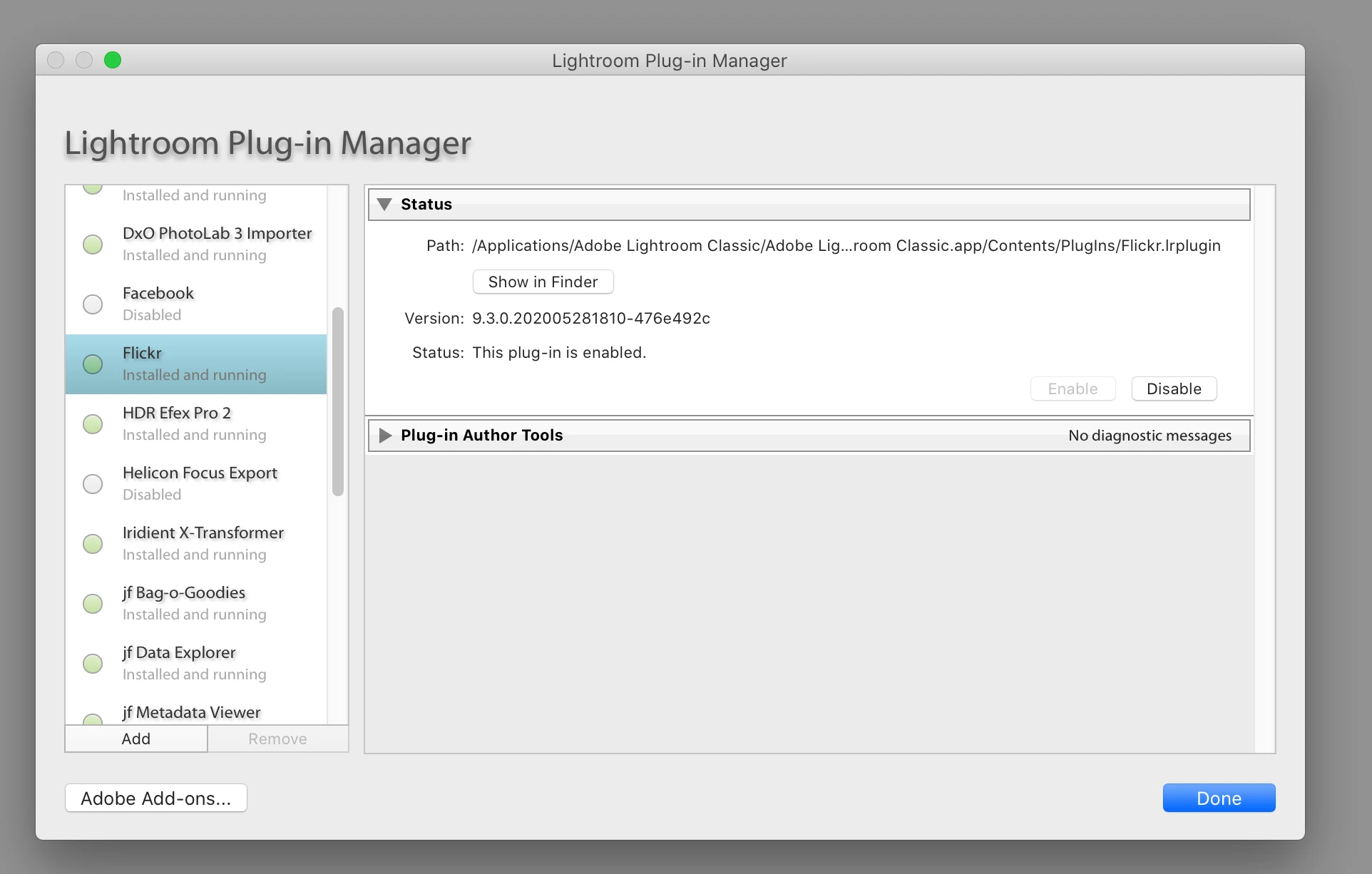
Scroll down to the Plug-in desired (Flickr in my example, I do not use it, only had it for a test)
And click on that Disable Button
Resulting in
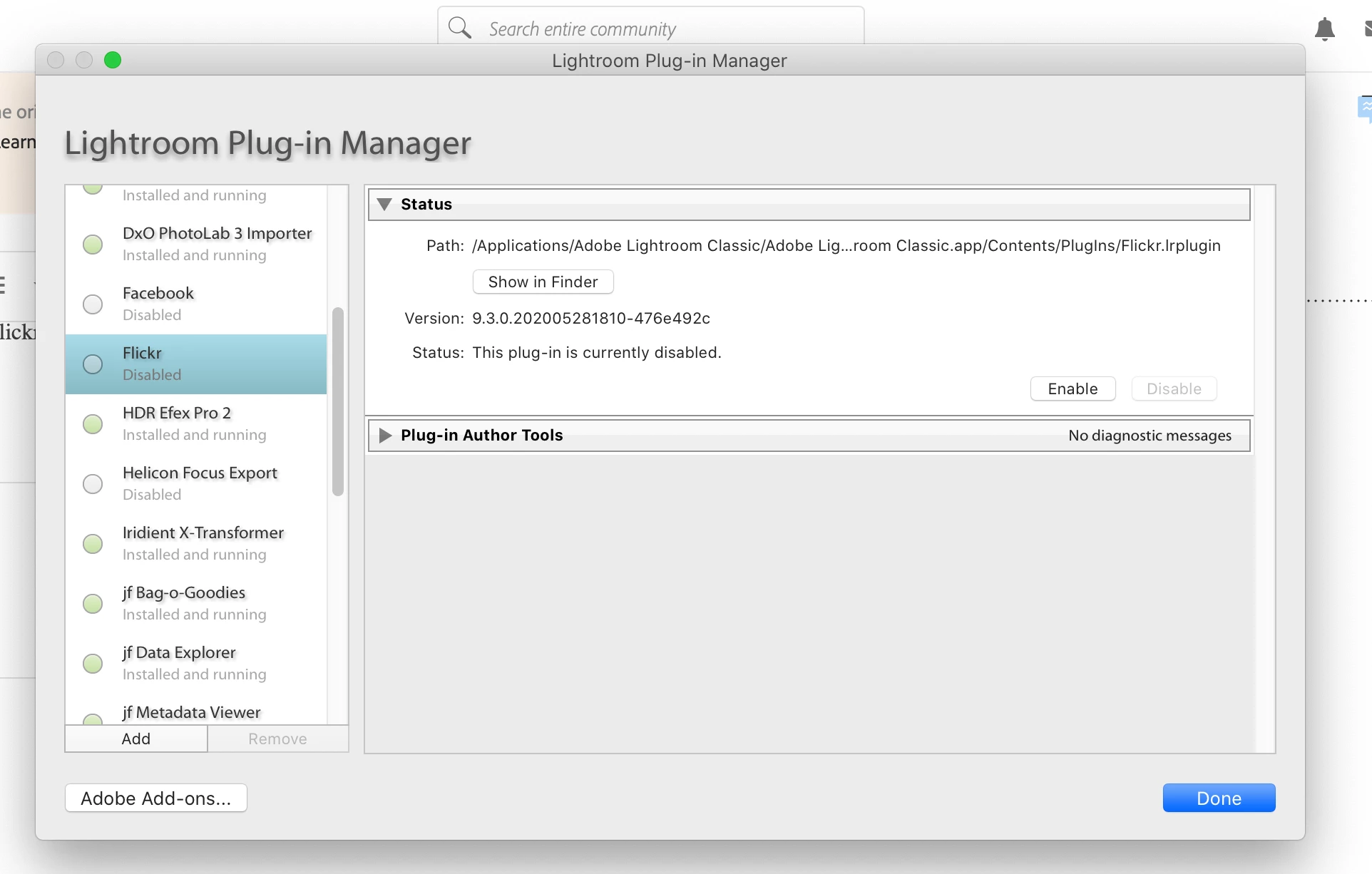
Then, I could look at the path indicated, or select to show in Finder
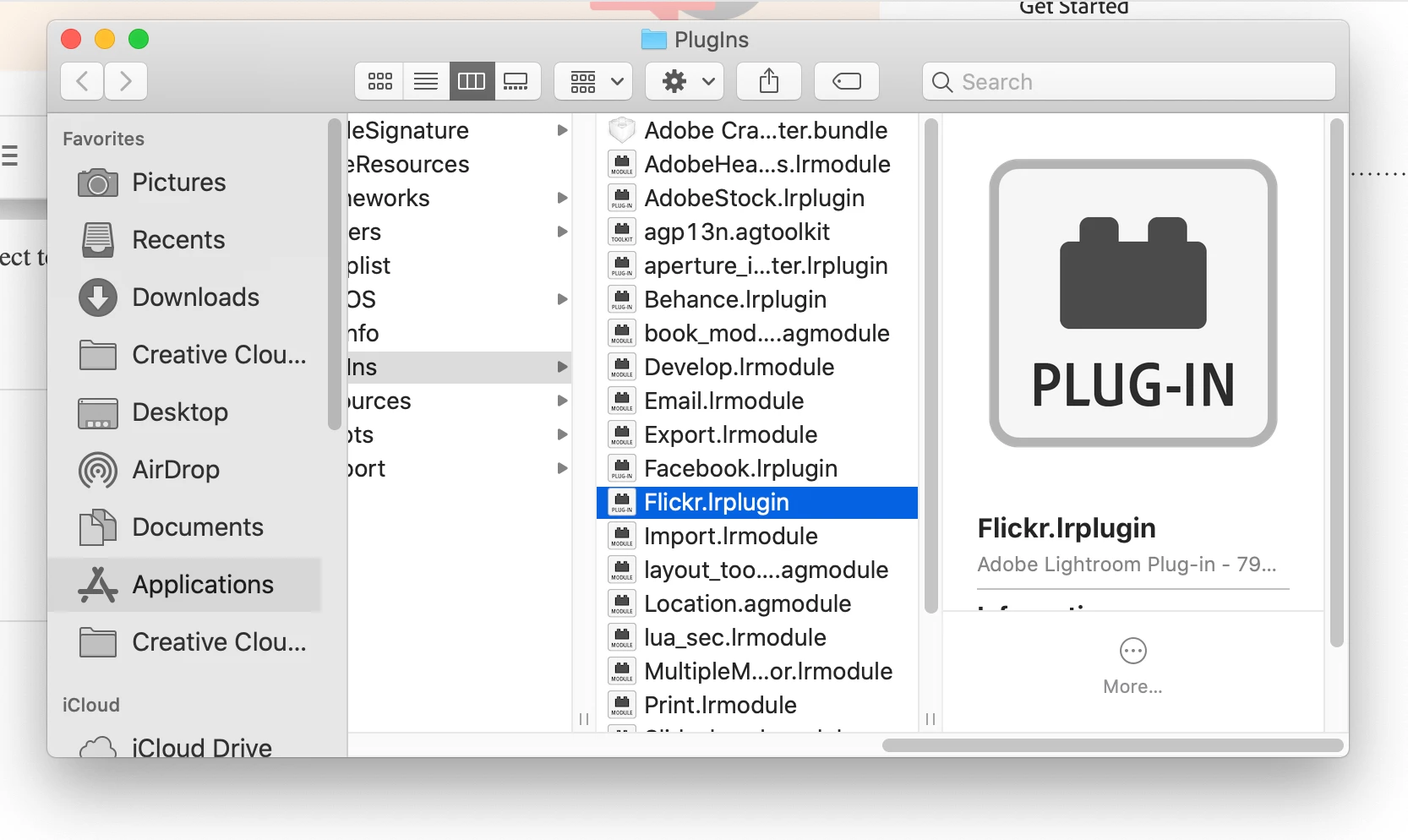
And then drag that file to the trash.
After I restart LrC, then it will be gone
Already have an account? Login
Enter your E-mail address. We'll send you an e-mail with instructions to reset your password.
 AdChoices