
Inspiring
April 10, 2024
Answered

Update ALL AI Masks

  • April 10, 2024
  • 2 replies
  • 7081 views

Any idea how to update ALL of my AI masks at once?  I have thousands of images that need updated masks.


The Library>Develop Settings>Update AI Settings only updates 1 image (which makes it utterly useless).


I've already had to reprint albums because the exported files did not have the AI masks applied.   I do realize others have posted about this, just hoping a new thread might reveal an actual solution.


TIA!
Correct answer johnrellis

[This post contains formatting and embedded images that don't appear in email. View the post in your Web browser.]


I didn't get a forum notification of your reply with the screen recording, sorry. 


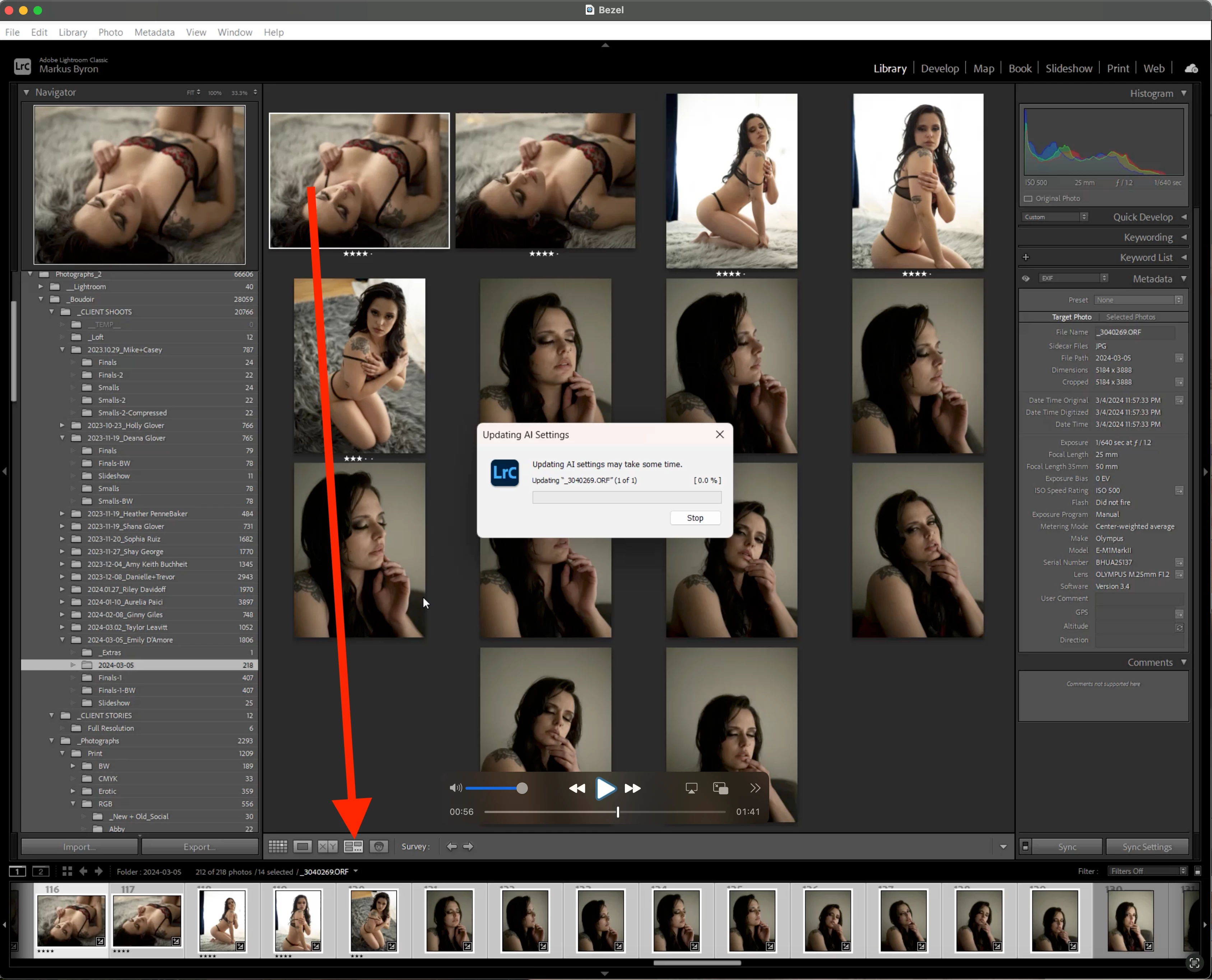
The recording makes clear what's going wrong -- you're in Survey mode:


 Even though you have multiple photos selected in the film strip, only one thumbnail is highlighted above.


Switch to Grid view (type G) and Update AI Settings will apply to all selected photos.


LR's rules for handling multiple selected photos is a hopeless mess and confuses many people -- not even experts can remember all the rules:

https://community.adobe.com/t5/lightroom-classic-ideas/p-consistent-behavior-when-multiple-photos-selected-in-loupe/idi-p/12360578

2 replies

Participant
November 10, 2024
received_1074824797187879.jpg
johnrellis
Legend
April 11, 2024

Make sure you're in Grid view (multiple thumbnails showing in the main panel) before invoking Photo > Develop Settings > Update AI Settings. When you're in Loupe view (one large preview of the current photo showing), only the current photo is updated.


Alternatively, in either Grid or Loupe view, right-click one of the selected thumbnails in the filmstrip and do Develop Settings > Update AI Settings.


LR's handling of multiple selected photos is inconsistent and weird:

https://community.adobe.com/t5/lightroom-classic-ideas/p-consistent-behavior-when-multiple-photos-selected-in-loupe/idi-p/12360578

Inspiring
April 11, 2024

That worked on one folder, but not on other ones (it updates 1 image at a time).

johnrellis
Legend
April 11, 2024

I think we'll have to see a full-resolution screen recording of the entire LR window to see what might be going wrong.