Participant
November 9, 2025
Answered

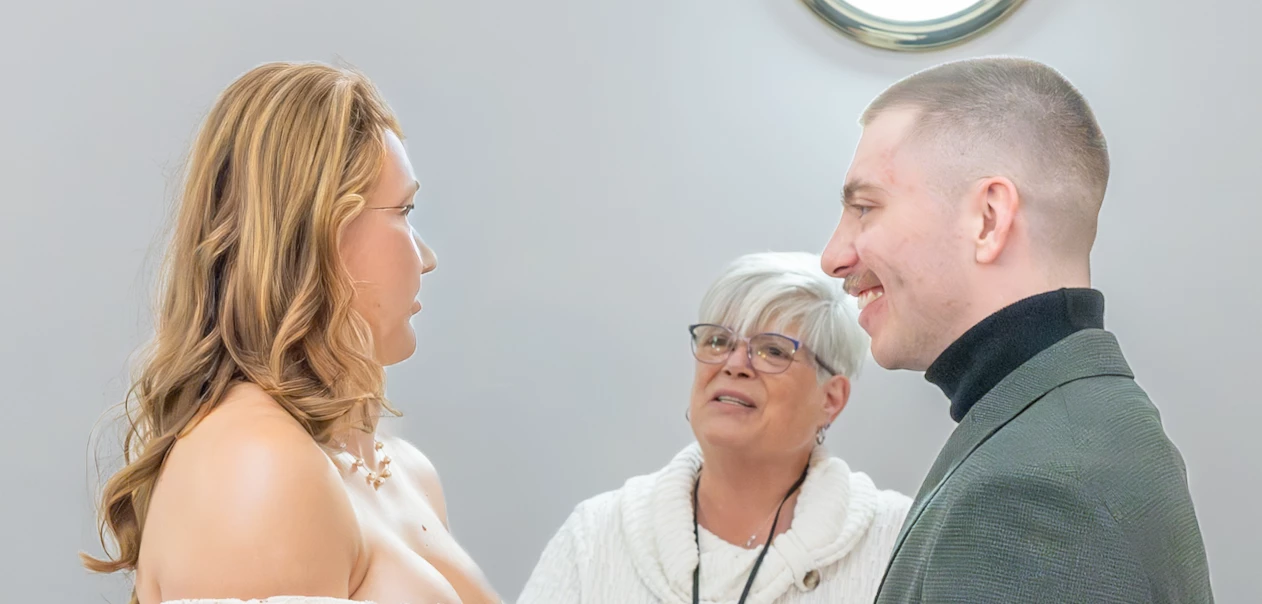
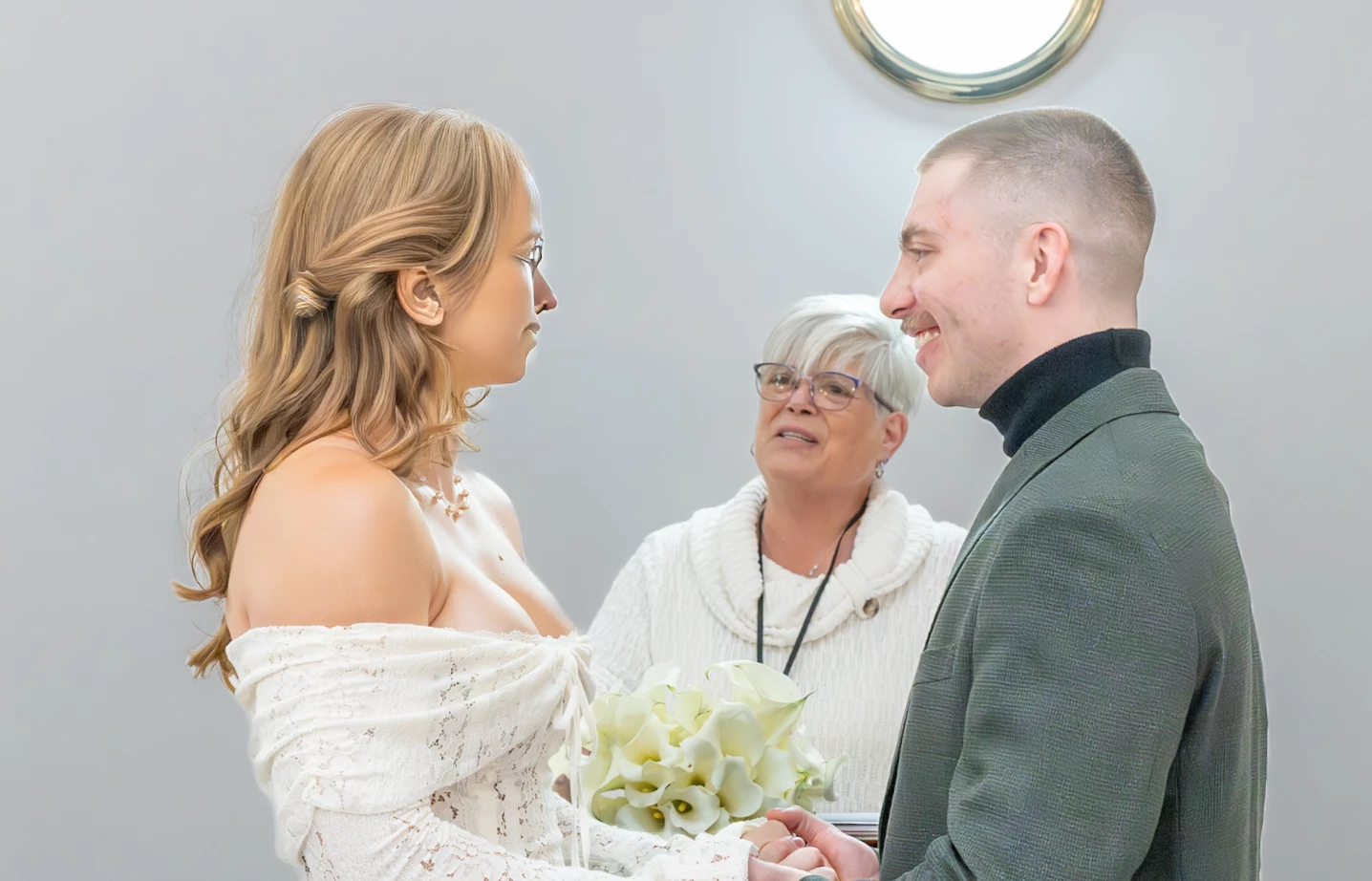
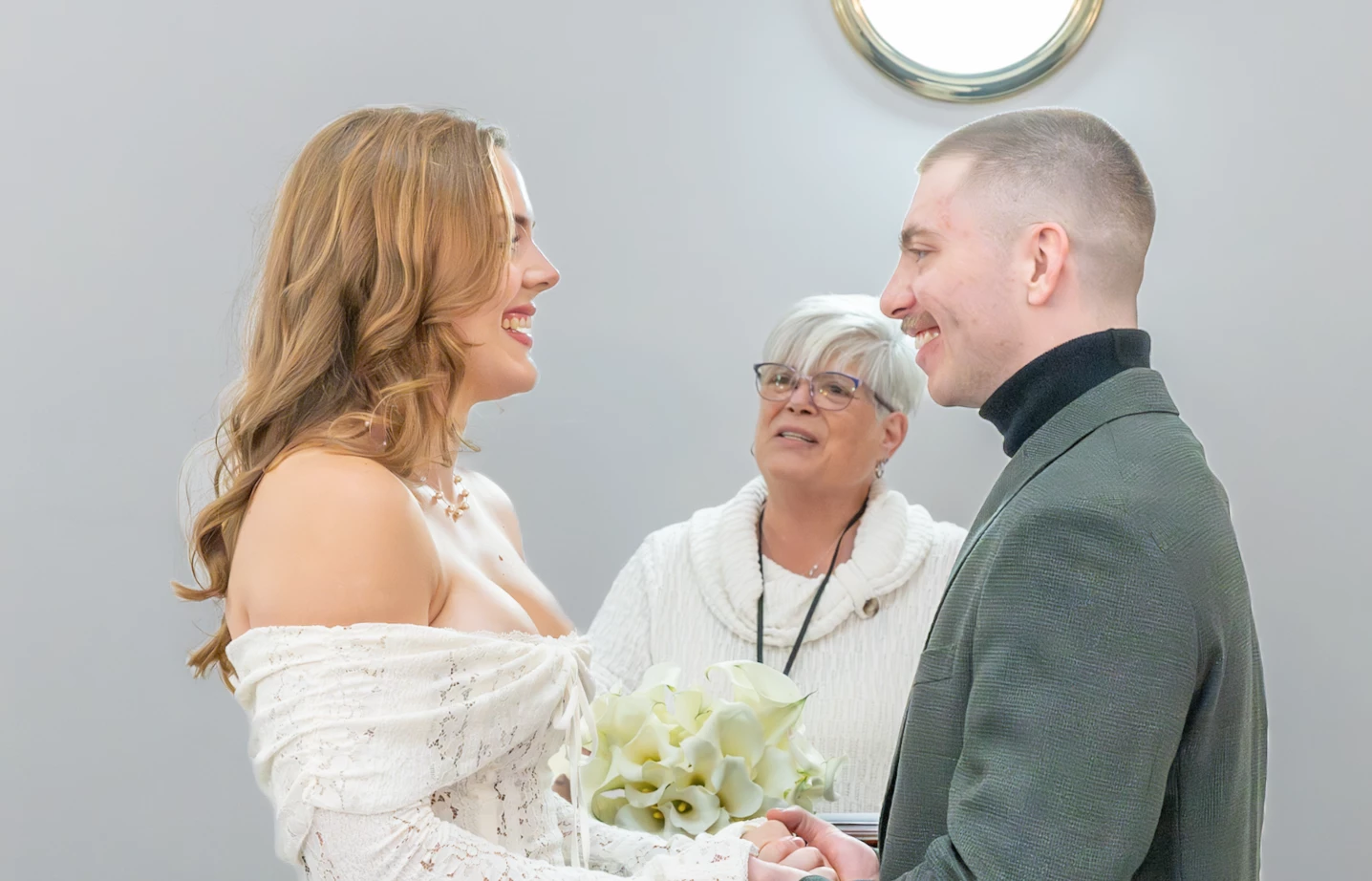
Update Settings changes subject's face

  • November 9, 2025
  • 1 reply
  • 118 views

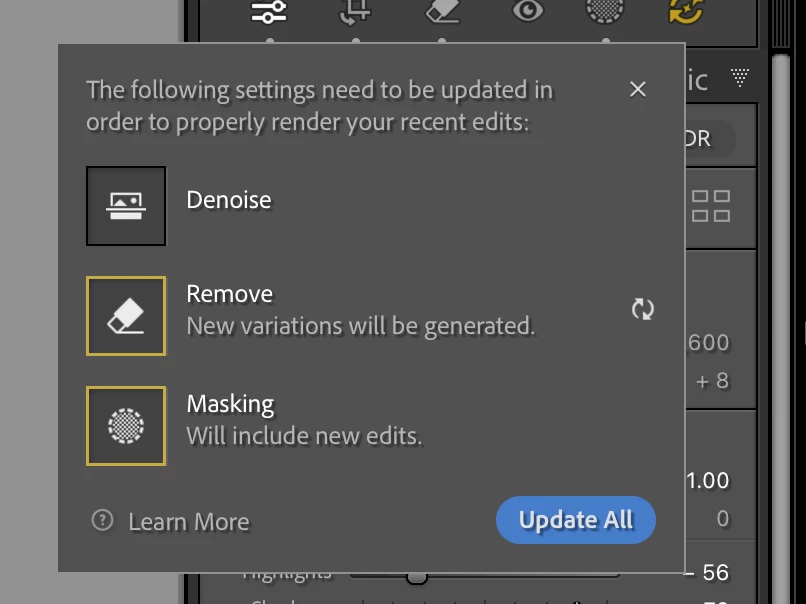
Using LrC 15.0, PS 27.0 and CR 18.0, Mac OS 15.6.1 - While working with an image of my niece, when I hit the "Update Settings" icon (to the right of "Masking" in the Development module, it mentions under the "Remove" section that "New variations will be generated". Upon hitting "Update All", my niece's face is replaced with an unknown person/variation. I have repeated this behavior multiple times - different face each time.
 

Correct answer Bob37739293skxr

Rikk - You nailed it !!!  I have NO idea how, but there was a remove area that encompassed her head...  I have absolutely no idea how I created that - obviously an error.  Once I trashed that remove area, all is now fine. 

Thank you for your prompt answer and helping me find the error on my part.

Bob

1 reply

Rikk Flohr_Photography
Community Manager
November 9, 2025

Greetings, 


  1. Can you share a screenshot like the one included that shows all of your Remove pins? 
  2. Would it be possible for you to export this file as a DNG and share it with our engineering team to review?


Rikk Flohr: Adobe Photography Org
Bob37739293skxrAuthorCorrect answer
Participant
November 9, 2025

Rikk - You nailed it !!!  I have NO idea how, but there was a remove area that encompassed her head...  I have absolutely no idea how I created that - obviously an error.  Once I trashed that remove area, all is now fine. 

Thank you for your prompt answer and helping me find the error on my part.

Bob

Rikk Flohr_Photography
Community Manager
November 9, 2025

Glad to hear it is resolved. 

Rikk Flohr: Adobe Photography Org