
Participant
January 24, 2023
Answered

Upgraded catalog missing edits

  • January 24, 2023
  • 2 replies
  • 1741 views

Hi, 

Lightroom Classic asked me to upgrade a catalog

I agreed.

It created an upgraded copy of the original catalog in the same folder of my original catalog.

It opens up the ugraded catalog but there are no edits. Just the ratings in stars.


I went on my laptop which has the older version of Lightroom Classic and I tried to open up the original catalog and there are no edits there too.


What should I do to get my edits back?


Catalog day 4 is the orignal catalog where I have edited my photos.
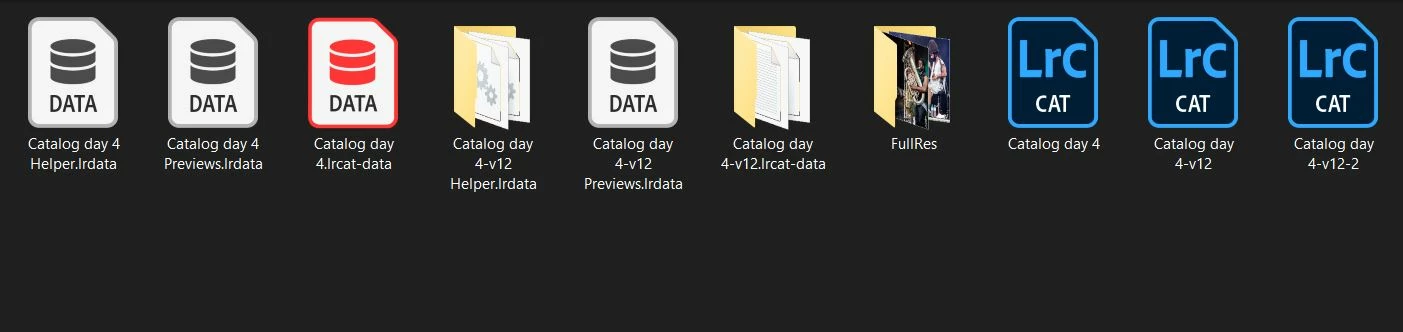
Correct answer GoldingD

Are you sure that the catalog in that folder, the v4 one, not the v12 one, is the catalog in use before the upgrade?

Do you have additional catalogs elsewhere?

When you look in that folder,what are the dates associated with the files? 


2 replies

GoldingD
GoldingDCorrect answer
Legend
January 24, 2023

Are you sure that the catalog in that folder, the v4 one, not the v12 one, is the catalog in use before the upgrade?

Do you have additional catalogs elsewhere?

When you look in that folder,what are the dates associated with the files? 


Participant
January 25, 2023

Exactly! I've found the right catalog with all my edits by going to this directory:
macOS: /Users/[user name]/Pictures/Lightroom

Abambo
Community Expert
Community Expert
September 2, 2023

Boa tarde, na atualização de um catálogo ele perde o path dos arquivos originais que estão no catálogo, (não tenho backup), mas aparecem as imagens dos arquivos, como solucionar? 

Grato 


quote

Good afternoon, when updating a catalogue it loses the path of the original files that are in the catalogue, (I have no backup), but the images of the files appear, how to solve it?

Grateful


By @Maurizio32004601m8ow

No, the catalog does not lose connection with the original file. The original catalog has lost access, probably because they were deleted or moved outside of Lightroom.

ABAMBO | Hard- and Software Engineer | Photographer
JohanElzenga
Community Expert
Community Expert
January 24, 2023

If the original 'Catalog 4' has no edits, then it's obvious that an upgraded copy also won't have edits. You need to replace the original by a backup copy and then upgrade again.


-- Johan W. Elzenga
Participant
January 24, 2023

I have no backups of that catalog. Aren't catalogs saving the edits that I do along the way? Where are my edits gone then? If I don't backup everytime where are the edits normally? So, is baking up mandatory? 

JohanElzenga
Community Expert
Community Expert
January 24, 2023

Edits are stored in the catalog automatically. I can't tell you why your catalog has lost them. Making a catalog backup each time you made changes is highly recommended for exactly this reason. Something could go wrong and then a backup may be the only way to solve it. So no, it is not mandatory for saving edits, but it is wise to do it.


-- Johan W. Elzenga