
Question
User presets for file exports: How to import the presets instead of configuring?
This question is not about develop presets.
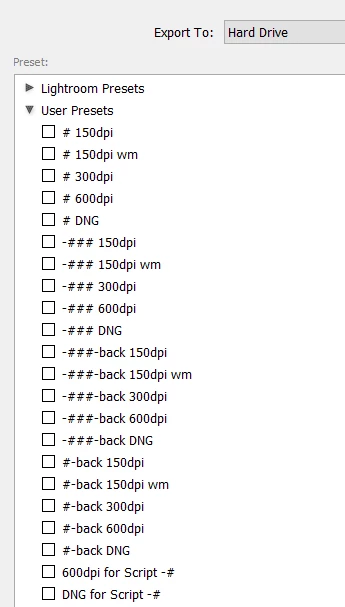
I have created several user presets for exporting images (e.g. each for different settings including image sizes, file name conventions, etc.). I would like to share these with coworkers, who do not use my account/computer.
Because we use many presets to export different kinds of files, I want to avoid having them create each from scratch (i.e. the typical select settings method that ends with clicking the Add button at the bottom of the Preset panel).
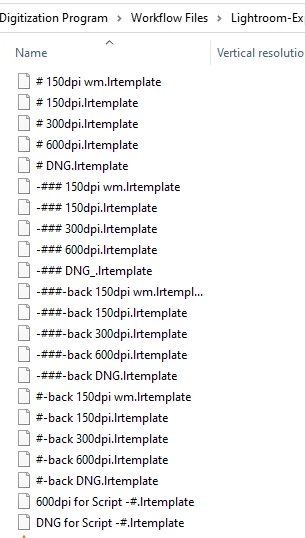
I have been able to export my presets/templates as files with .lrtemplate extensions. Is there a way my coworkers can upload these template files, or add them to the Preset panel, in lieu of recreating each manually?
The screenshots below show how the user presets appear for me in LrC, and how I have exported each as an .lrtemplate file.
We are using Lightroom Classic, and Windows 10. Please let me know if you'd like more details.
Thanks!
Vanessa
 AdChoices