Exit
  • Global community
    • Language:
      • Deutsch
      • English
      • Español
      • Français
      • Português
  • 日本語コミュニティ
  • 한국 커뮤니티
0

User presets missing from Develop

Community Beginner ,
Jun 03, 2018 Jun 03, 2018

Hi,

Since the update , my User Presets are missing from the Develop module.

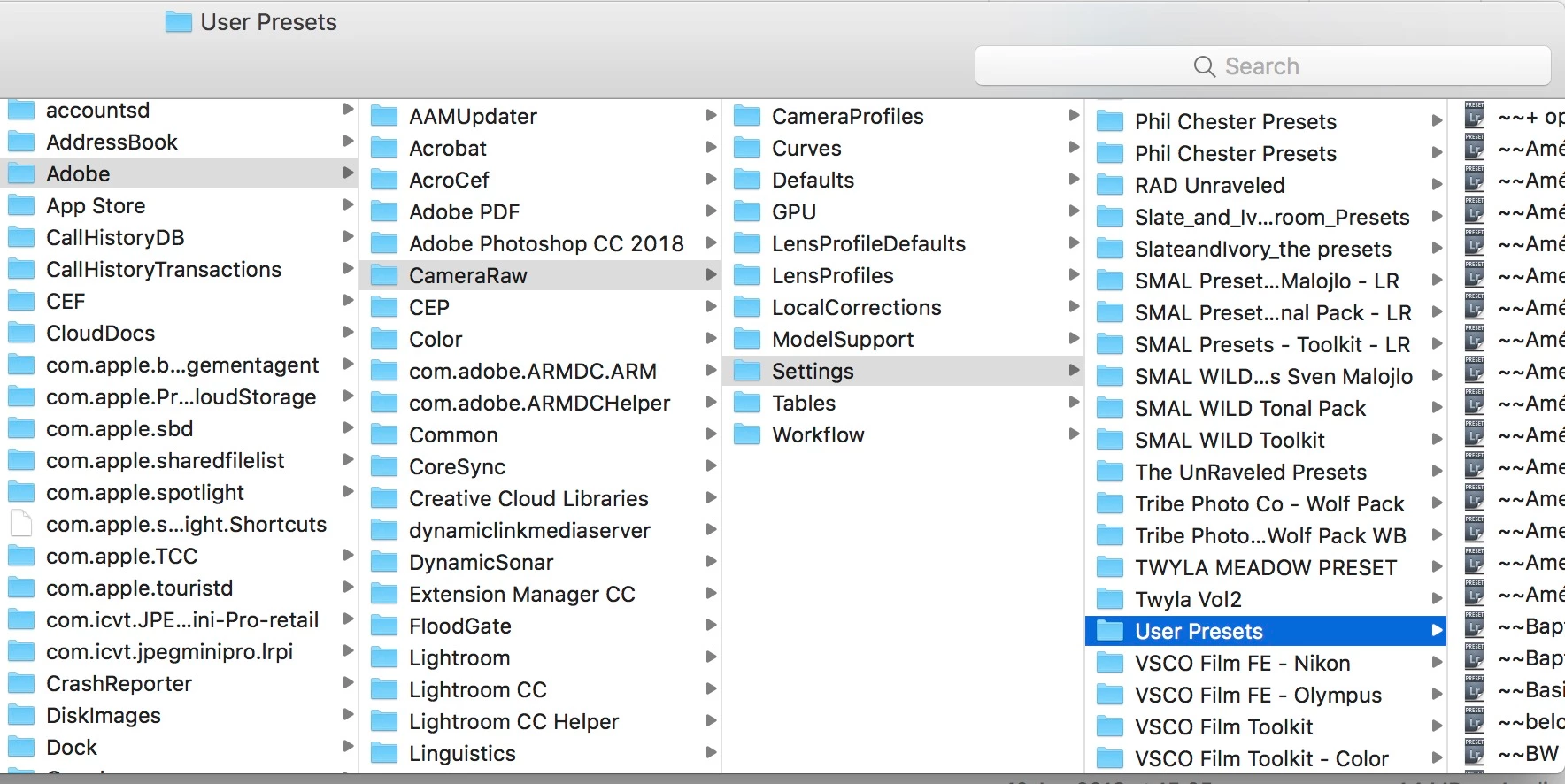
They are present in my Library>Application Support>Adobe>Develop presets>User Presets and in Library>Application Support>Adobe>Camera Raw> Settings>User Presets, but don't show up in the Develop Module

I have tried deleting and copying again with no success. Thanks for your suggestions.
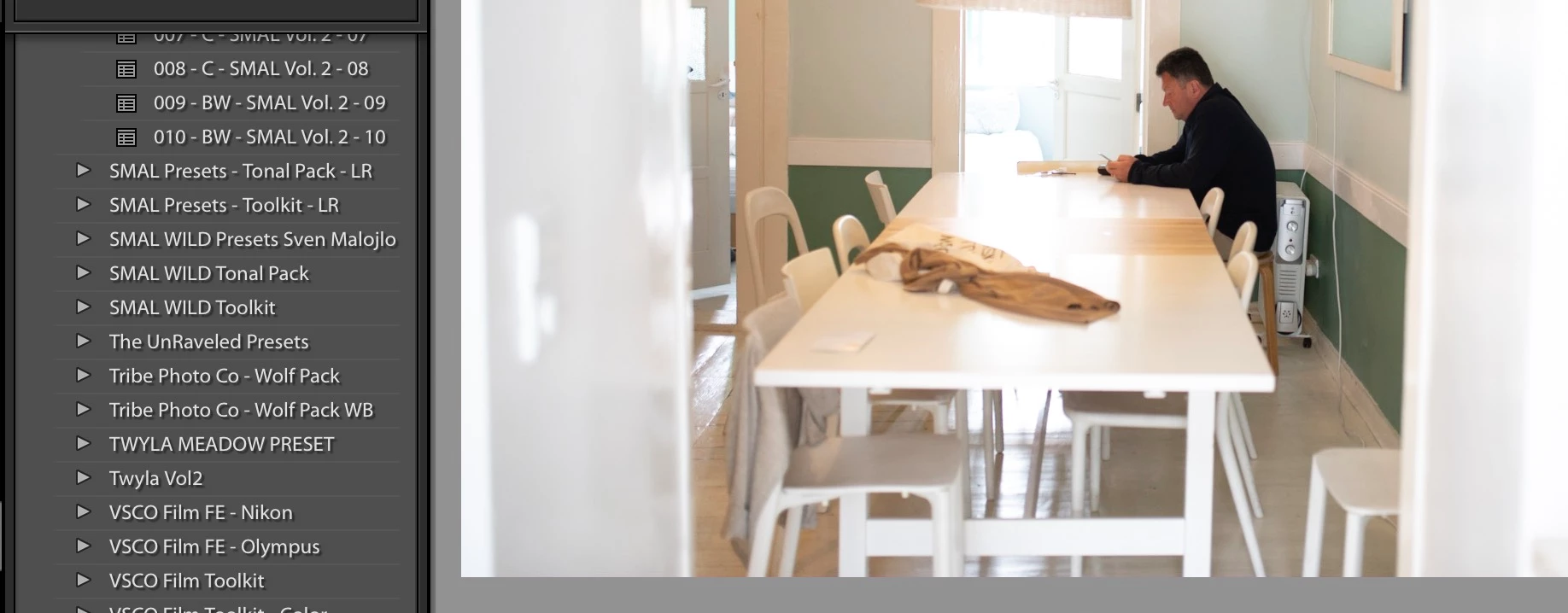
Screen Shot 2018-06-03 at 11.11.55.jpeg

Screen Shot 2018-06-03 at 11.12.21.jpeg

Screen Shot 2018-06-03 at 11.12.21.jpeg

844
Translate
Report
Community guidelines
Be kind and respectful, give credit to the original source of content, and search for duplicates before posting. Learn more
community guidelines

correct answers 1 Correct answer

Community Expert , Jun 03, 2018 Jun 03, 2018

Did you manually copy/move them? Your screenshot does not show the full name of the presets, but it does show that the names start with '~~'. That suggests that these are not presets which were converted to XMP, but the old .lrtemplate presets. They should not be copied to this folder.

What you should do is move these back to their original place (~/Library/Application Support/Adobe/Lightroom/Develop Presets) and remove the ~~ in front of the names. Then start Lightroom. Lightroom should now conv

...
Translate
Community Expert ,
Jun 03, 2018 Jun 03, 2018

Did you manually copy/move them? Your screenshot does not show the full name of the presets, but it does show that the names start with '~~'. That suggests that these are not presets which were converted to XMP, but the old .lrtemplate presets. They should not be copied to this folder.

What you should do is move these back to their original place (~/Library/Application Support/Adobe/Lightroom/Develop Presets) and remove the ~~ in front of the names. Then start Lightroom. Lightroom should now convert these presets to xmp and place the converted copy in the CameraRaw/Settings folder. The old presets get ~~ in front of their name so Lightroom knows they have already been converted. Leave them where they are!

-- Johan W. Elzenga
Translate
Report
Community guidelines
Be kind and respectful, give credit to the original source of content, and search for duplicates before posting. Learn more
community guidelines
Community Beginner ,
Jun 03, 2018 Jun 03, 2018
LATEST

Thank you very much Jonan, It worked!

Translate
Report
Community guidelines
Be kind and respectful, give credit to the original source of content, and search for duplicates before posting. Learn more
community guidelines