

Very oversaturated red in HEIF 4:2:2 HLG photos
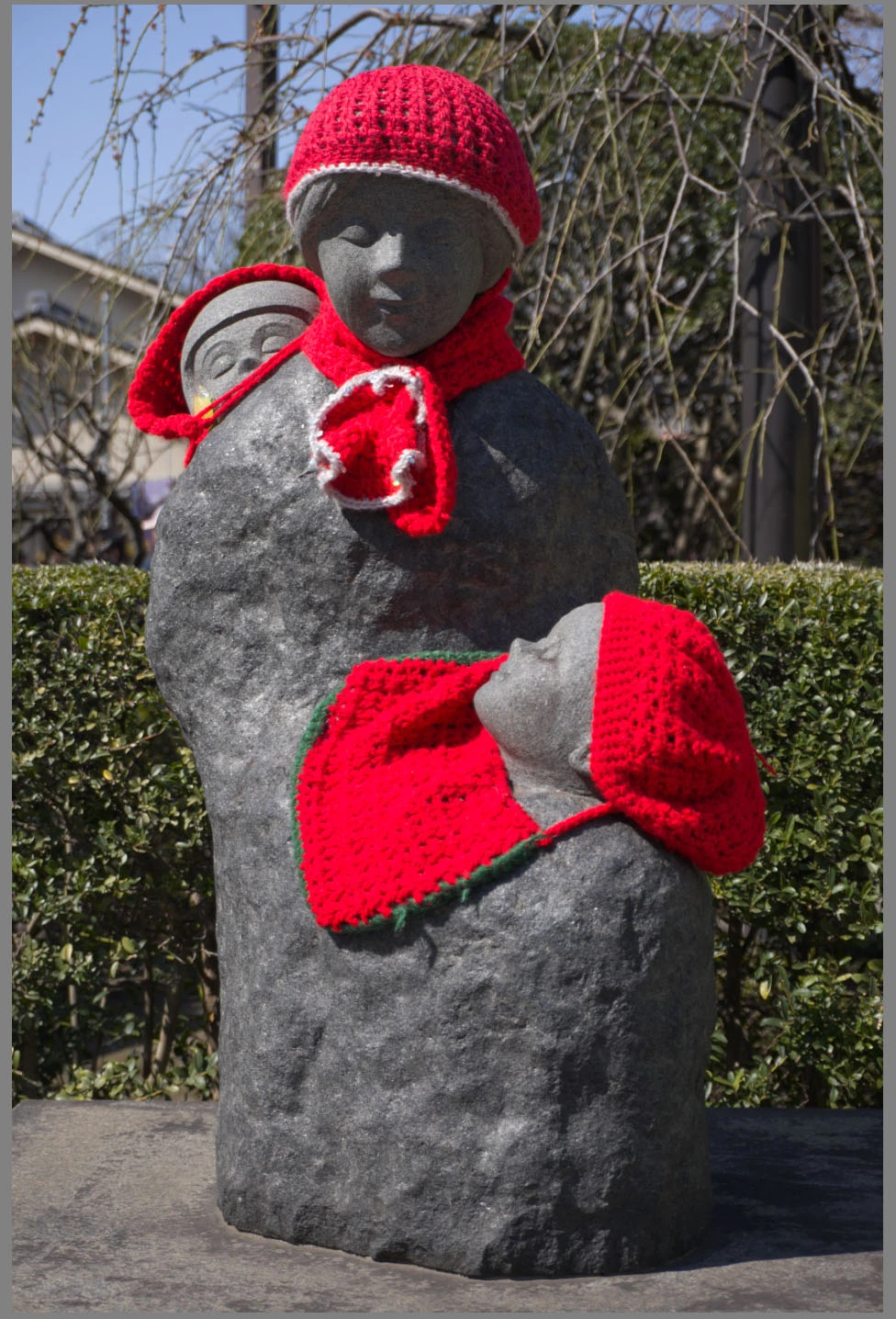
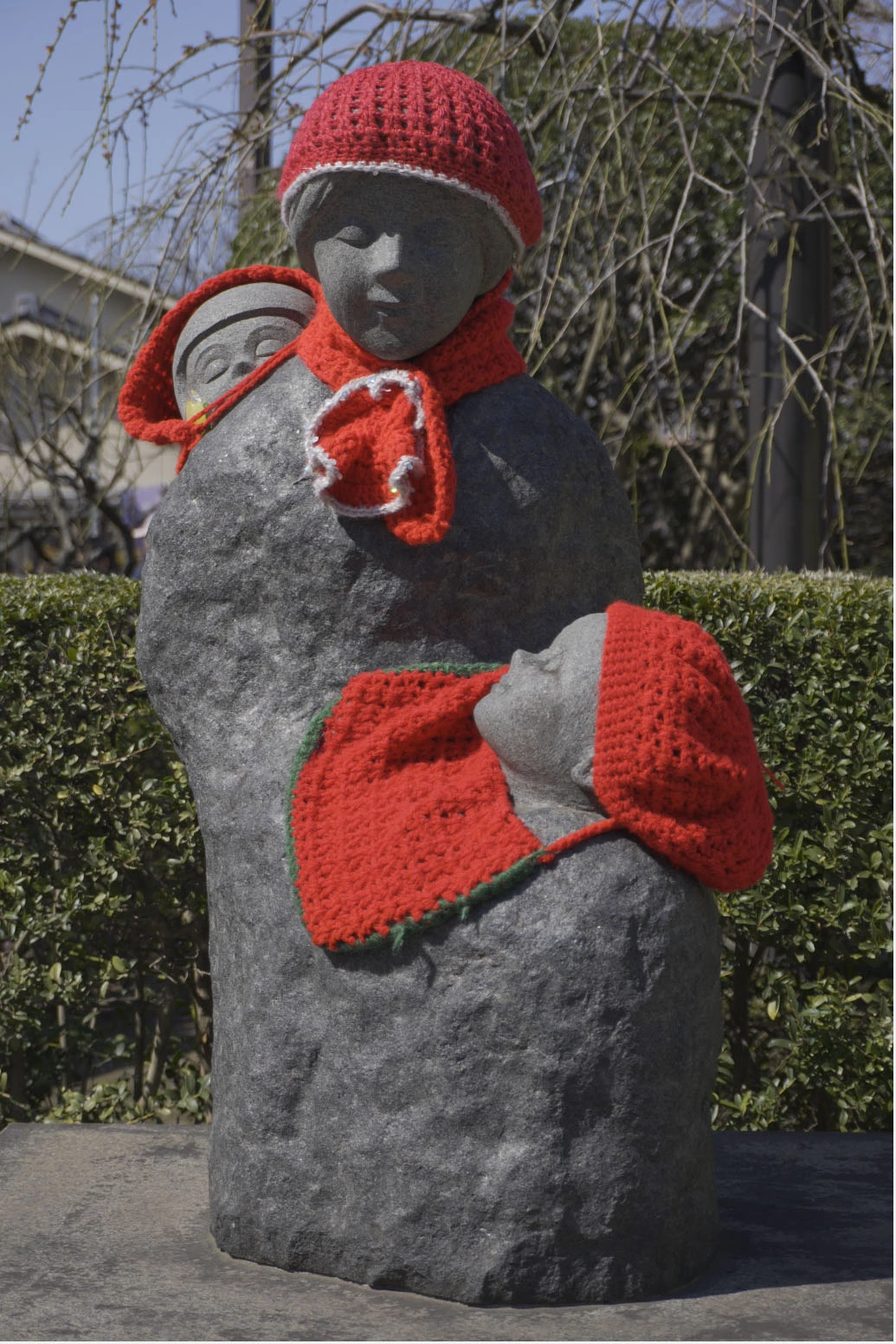
Bug in handling of HEIF photo files. I have been using HEIF 4:2:2 HLG (Hybrid Log Gamma) with my Sony A6700. I have noticed that red is extremely oversaturated and blown out when I import into LrC (currently using 13.2). But it is displayed properly in XnView MP (currently 1.6.5). Here are screenshots to show what I mean. LrC is doing something weird and wrong here. I have not found a setting that turns off their bad, incorrect behavior in LrC.
For quite some time Sony, Canon, Nikon, Fuji, Panasonic, etc. produce these 3 photo file types: raw, JPEG, and HEIF. Adobe which makes the premiere, industry standard photo applications is expected to, at least, properly handle the 3 photo file types all the major camera makers produce. But they don't.
Recently when I saw that I could import HEIF files and noticed that they seemed to look okay, I could edit, export, etc. I thought I was good to go. I didn't notice any big problem until I imported this photo with lots of red yesterday and saw something was seriously out of whack. Adobe, please fix this.
LrC 13.2:
XnView MP 1.6.5:
 AdChoices