Known Participant
February 23, 2024
Answered

Watermark Editor Fonts changed after 13.2 update

  • February 23, 2024
  • 3 replies
  • 635 views

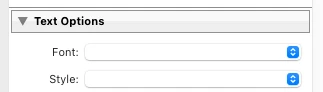
My watermark presets previously had specific fonts, but as you can see the pulldown menu isn't showing it after the 13.2 update. If I click it, I get a list of all my fonts, but the one I used, "Myriad Pro" isn't in the list. I've opted for Adobe Clean.


Anyone else having this issue?

TIA


LrC 13.2

MacOS Sonoma 14.3

This topic is closed to new replies. Start a new post to keep the conversation going.
Correct answer Rob_Cullen

I checked my watermarks in Classic v13.2 and found this-

-Most of my watermark presets were intact with their defined Font. (eg. Papyrus)

-Myriad Pro font was missing, not available, in the watermark editor font selector.

-Myriad Pro was not even installed in my Windows-11 system!

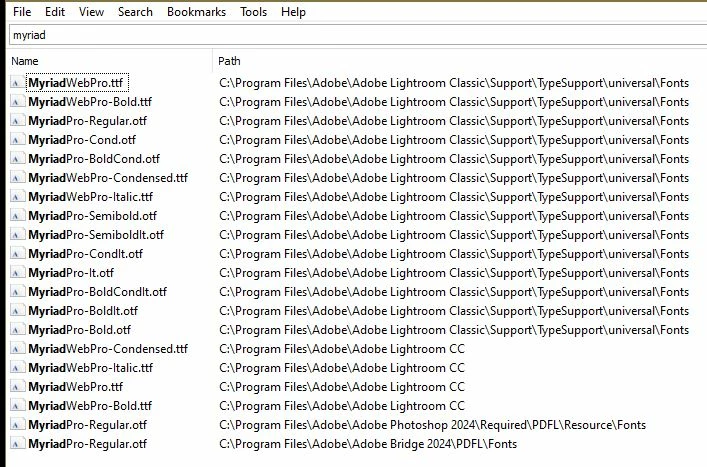
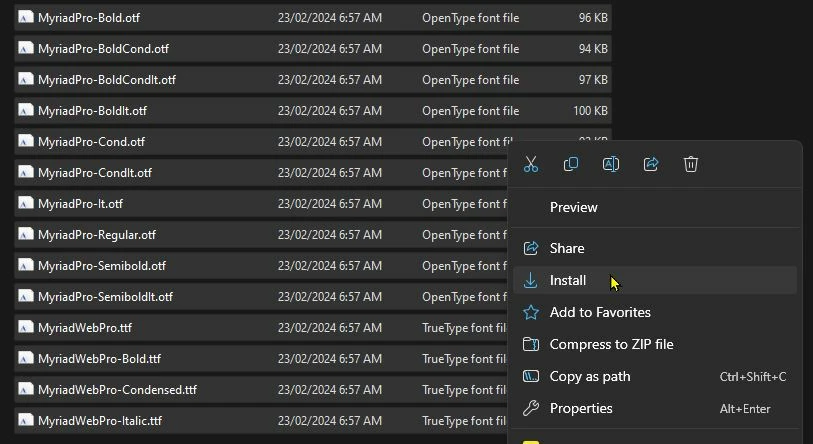
-I found the Myriad font files in a Lightroom folder and 'Installed' them to my system.

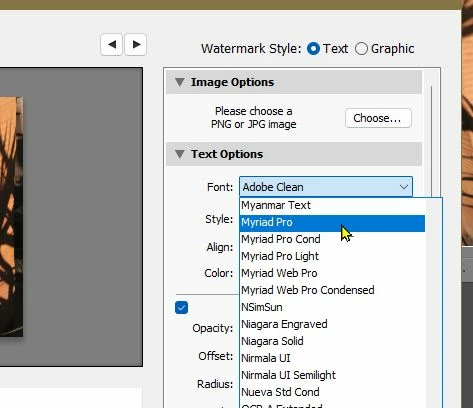
-Now they are available in the watermark editor!

What removed them from my system I have no clue.


Screen-clips are-

1) A search for fonts in folders-
2) Selected and INSTALLED those found from the search-
 

3) Fonts (Myriad Pro) previously missing now appears in the watermark editor (after a LrC restart!)
3 replies

Rob_Cullen
Community Expert
Rob_CullenCommunity ExpertCorrect answer
Community Expert
February 23, 2024

I checked my watermarks in Classic v13.2 and found this-

-Most of my watermark presets were intact with their defined Font. (eg. Papyrus)

-Myriad Pro font was missing, not available, in the watermark editor font selector.

-Myriad Pro was not even installed in my Windows-11 system!

-I found the Myriad font files in a Lightroom folder and 'Installed' them to my system.

-Now they are available in the watermark editor!

What removed them from my system I have no clue.


Screen-clips are-

1) A search for fonts in folders-

2) Selected and INSTALLED those found from the search-


3) Fonts (Myriad Pro) previously missing now appears in the watermark editor (after a LrC restart!)

Regards. My System: Windows-11, Lightroom-Classic 15.4.1, Photoshop 27.8, ACR 18.4, Lightroom 9.4, Lr-iOS 10.4.0, Bridge 16.0.3 .

Ian Lyons
Community Expert
Community Expert
February 23, 2024

I just opened the Watermark Editor and found that 'Adobe Clean' is the default font. I also checked for Myriad Pro in the list of available fonts and it's not present. 

Known Participant
February 23, 2024

Thanks for your reply and confirmation. And I see large centered watermarks like a © filling the image are still being placed above center. That happened a few updates ago.