
Answered
Weird pixel / image artifacts with DNG photos on Develop module (Windows 11/ AMD 5800X / 6950XT GPU)
Hello everyone,
This is my first time here, please excuse me if I'm not following the guidelines to correctly create a post about my issue.
My problem can be easily seen on these screenshots :
- You can see on the left hand the photo (main screen) without weird pixels vs right screen with some coloured pixels.
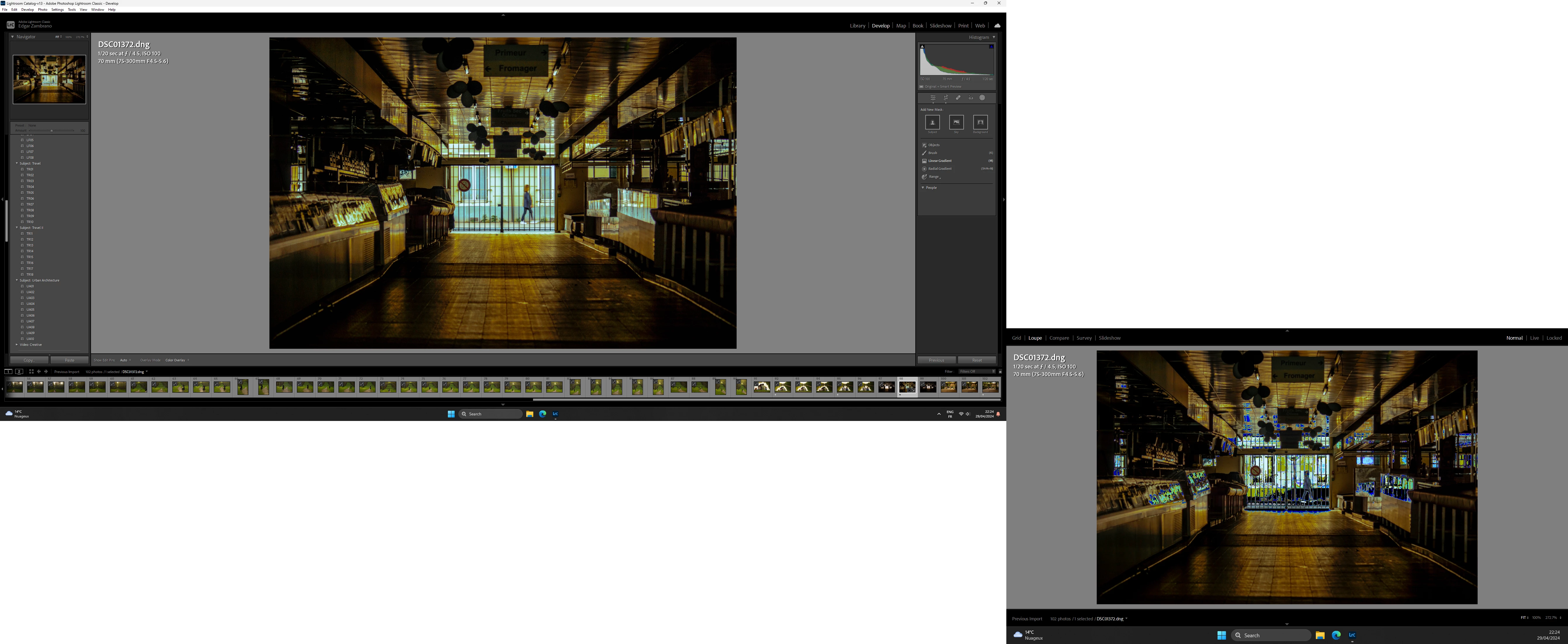
- Sometimes it happens on both monitors :
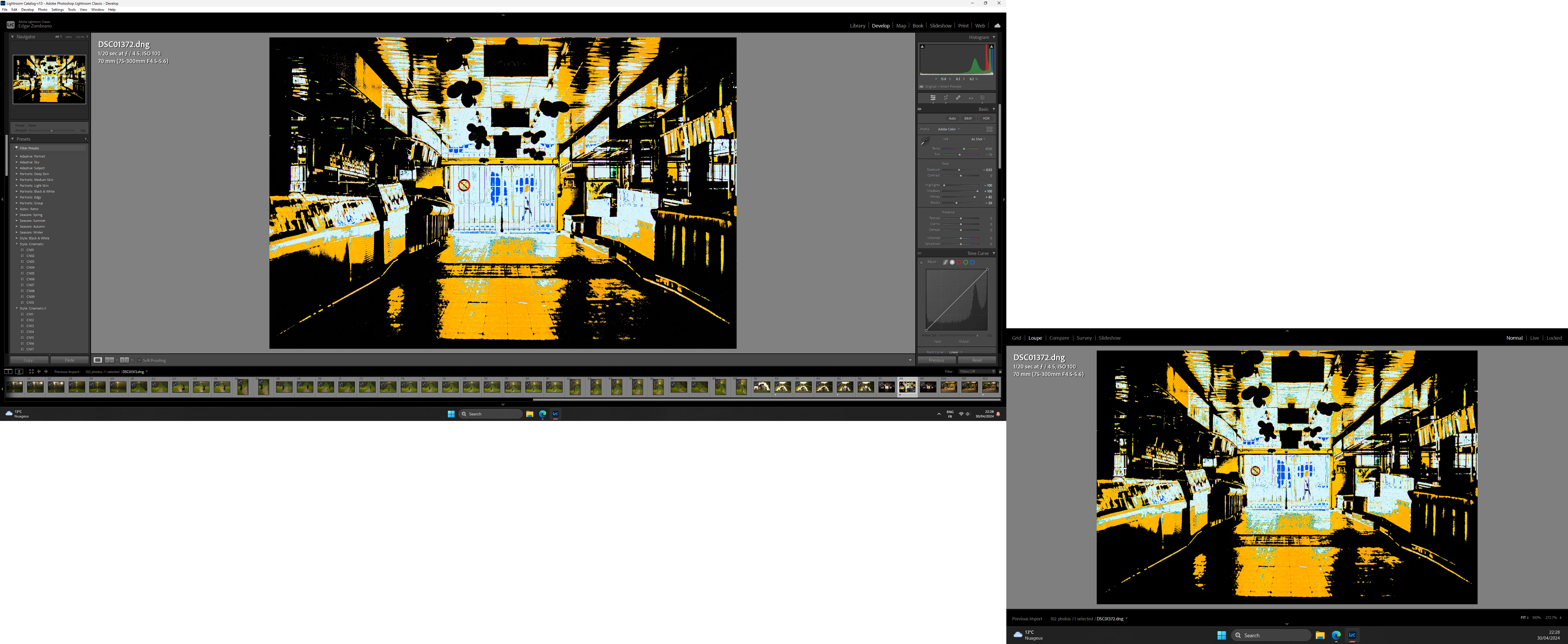
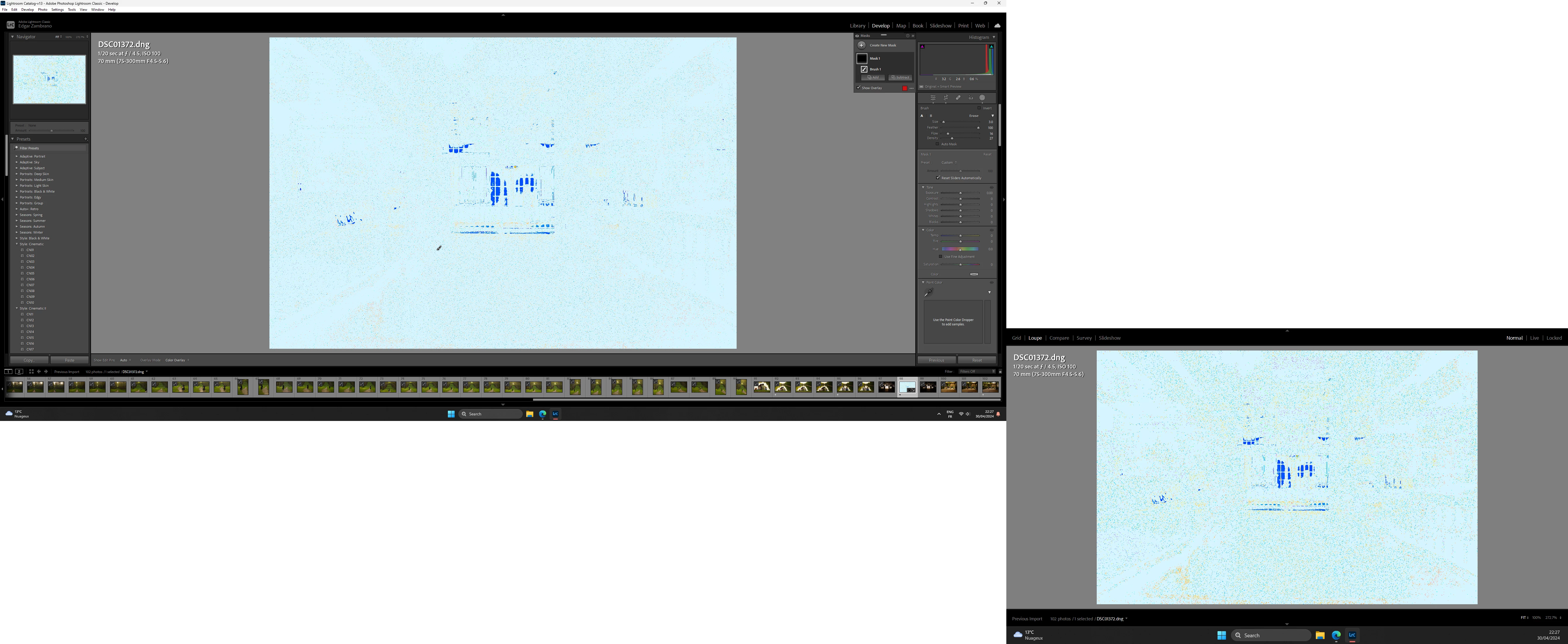
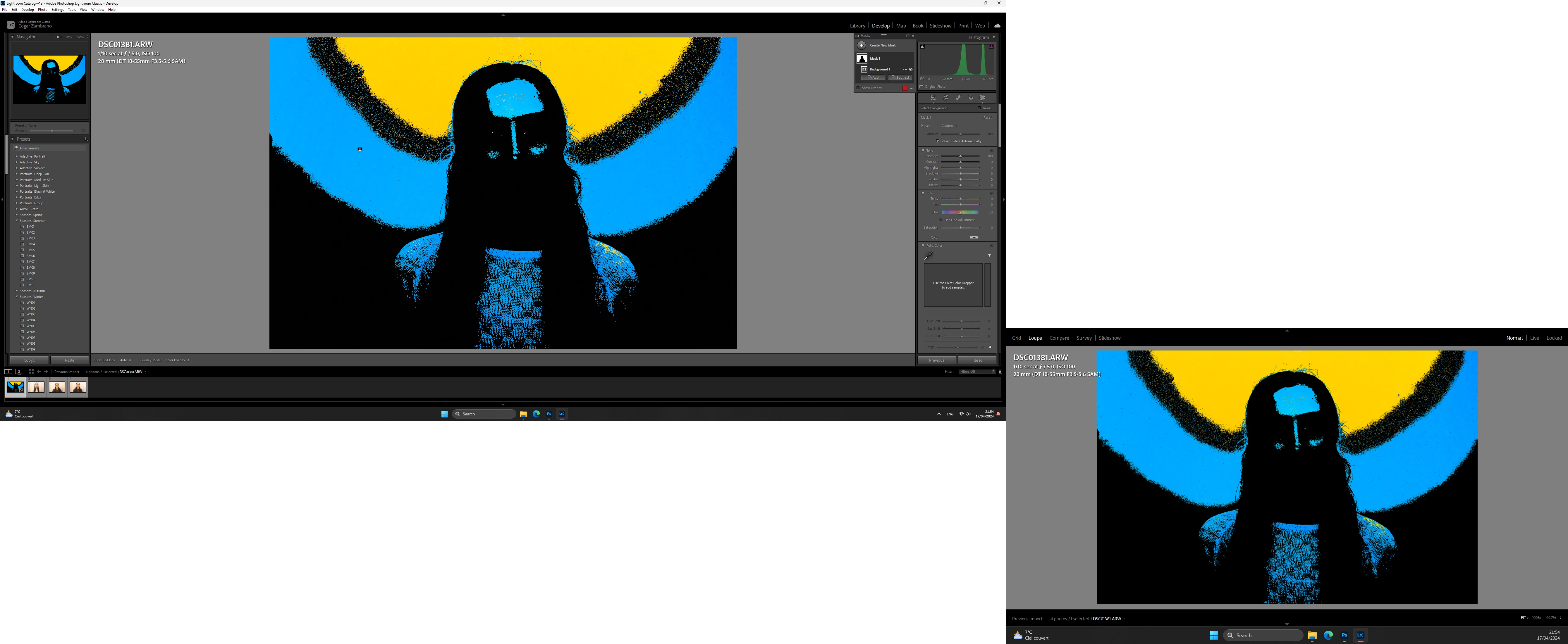
What I've noticed :
- It happens randomly and sometimes it crashes until i force the task to end.
- It started after updating to V13, maybe a bit after but not before.
- It only happens while on Develop module and it is triggered by doing an action (through the sliders, creating a mask, etc.)
What I've tried :
- Delete and reinstall LrC through Adobe Creative Cloud.
- Use Graphics Processor = Off
I don't know if this issue is related to this post :
P: (GPU) Develop/Edit view & Export artifacts afte... - Adobe Community - 14563606
Any idea on how to correct it will be appreciated. Thank you for your time.
Ps. I leave my full specs on a separate comment to keep the post clean
 AdChoices