
Known Participant
March 25, 2023
Answered

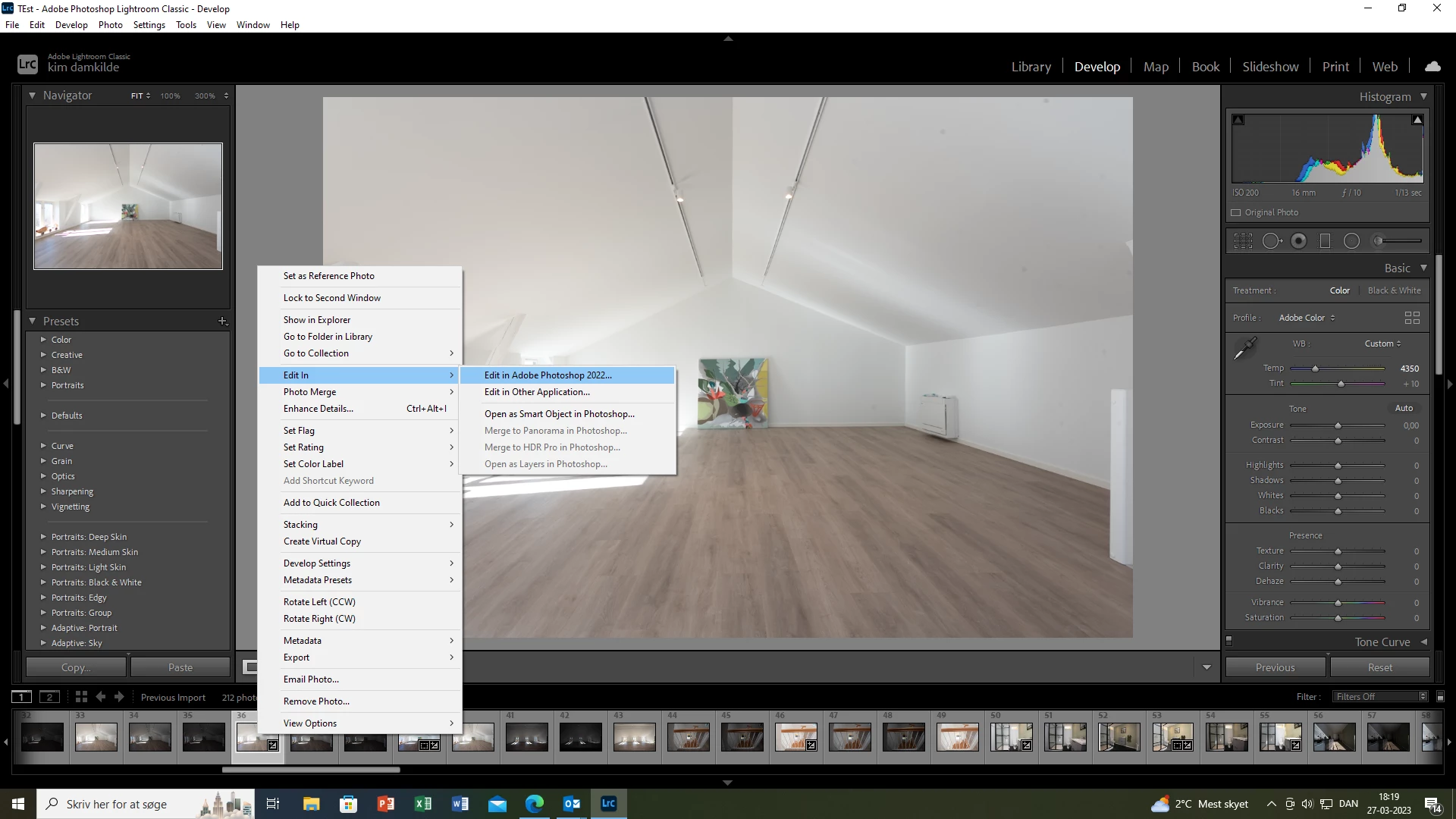
when i transfer to photoshop the edges get round again

  • March 25, 2023
  • 2 replies
  • 2577 views

Hey.

When i work in lightroom and make my pictures straight in the side its fine, but when i transfer to photoshop the edges get round again.

I have talked to adobe many times and they have taken over my computer to fix it.

But the cant fix it.


pls. help
This topic has been closed for replies.
Correct answer melissapiccone


The choice I posted as a screenshot should open after you choose your screenshot. Try opening as Smart Object in Photoshop... I agree with Bob - maybe your Adobe Camera Raw - which your image needs to pass through as a RAW file is older and doesn't have the camera Profile to keep the settings. You are using PS 2022 - can you update? You should be able to update ACR as well. 

2 replies

melissapiccone
Community Expert
Community Expert
March 26, 2023

Can you post a screenshot? I'm not understanding how the edges can possibly be round.

Melissa Piccone | Adobe Trainer | Online Courses Author | Fine Artist
Known Participant
March 27, 2023

Bob Somrak
Legend
March 27, 2023

I dosent show me that page you attached


@kim28649024vtu1 


What is the version of your Adobe Camera Raw.

M4 Pro Mac Mini. 48GB
Nancy OShea
Community Expert
Community Expert
March 25, 2023

[Moderator moved from Using the Community forums to LR.]

Which version of Lightroom?

Which verion of Photoshop?

Which operating system?

What type of image file are you editing?


Nancy O'Shea— Product User & Community Expert
Known Participant
March 25, 2023

Hey.

I use windows 10 

Its raw pictures

Lightroom is 12.2.1

Photoshop 24.3

I know that there is a new version of lightroom, but i dont like to use it.

And normaly i dont have this problim with not straight edges when i transfer from lightroom. so what can the problem be ?

Known Participant
March 25, 2023

I dont get it, why 2 adobe programs dont work together. that is strange ??