janh42250827
Known Participant
December 2, 2024
Answered

Which old catalogs to delete

  • December 2, 2024
  • 1 reply
  • 1008 views

I am sorry to be asking this again. I know this has been discussed many times on here and I have read the answers, but the more I try to figure it out the more confused I get.

I am not computer savy. My husband died unexpectedly this year and he was the one that did all the tech stuff.

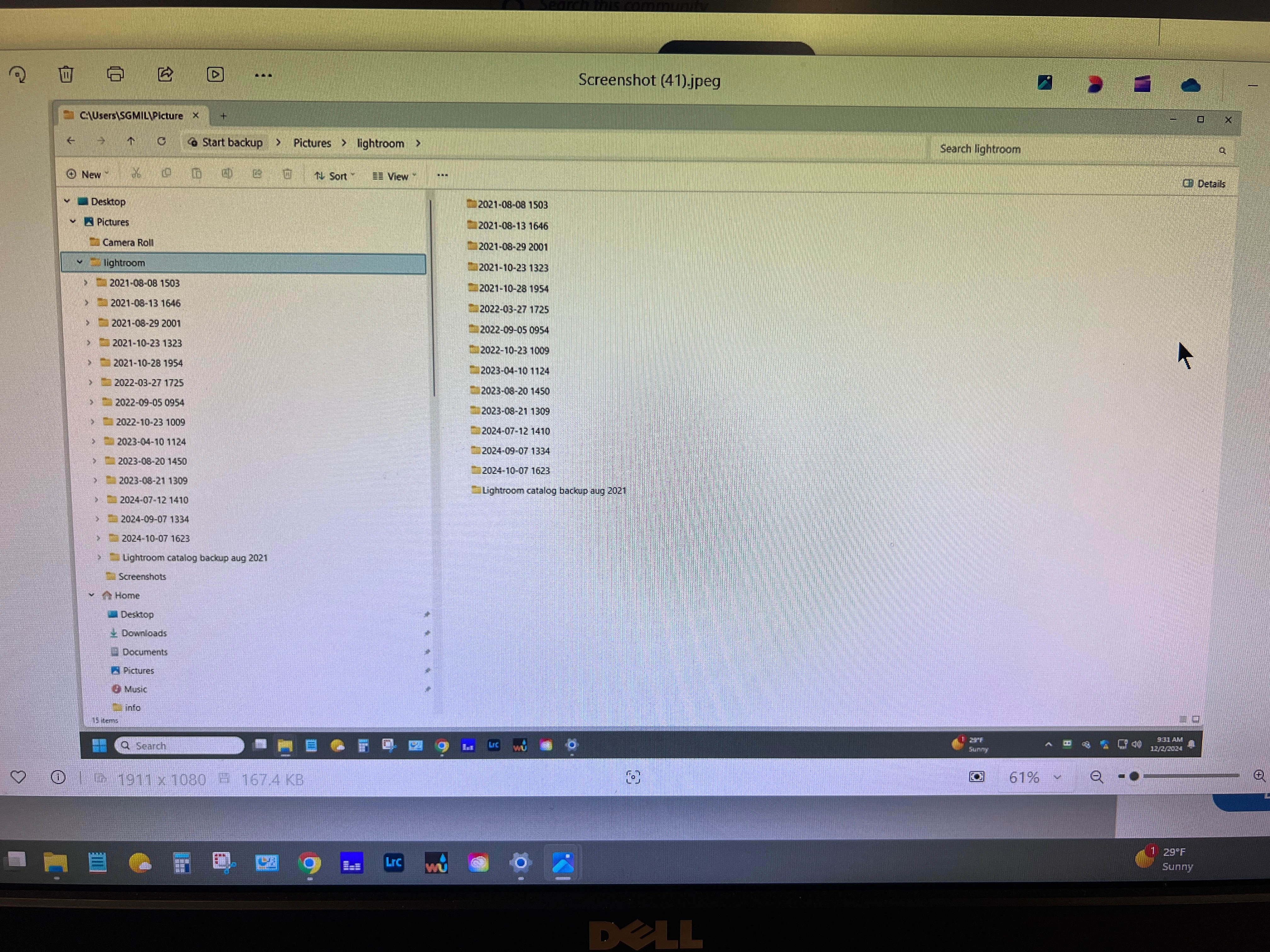
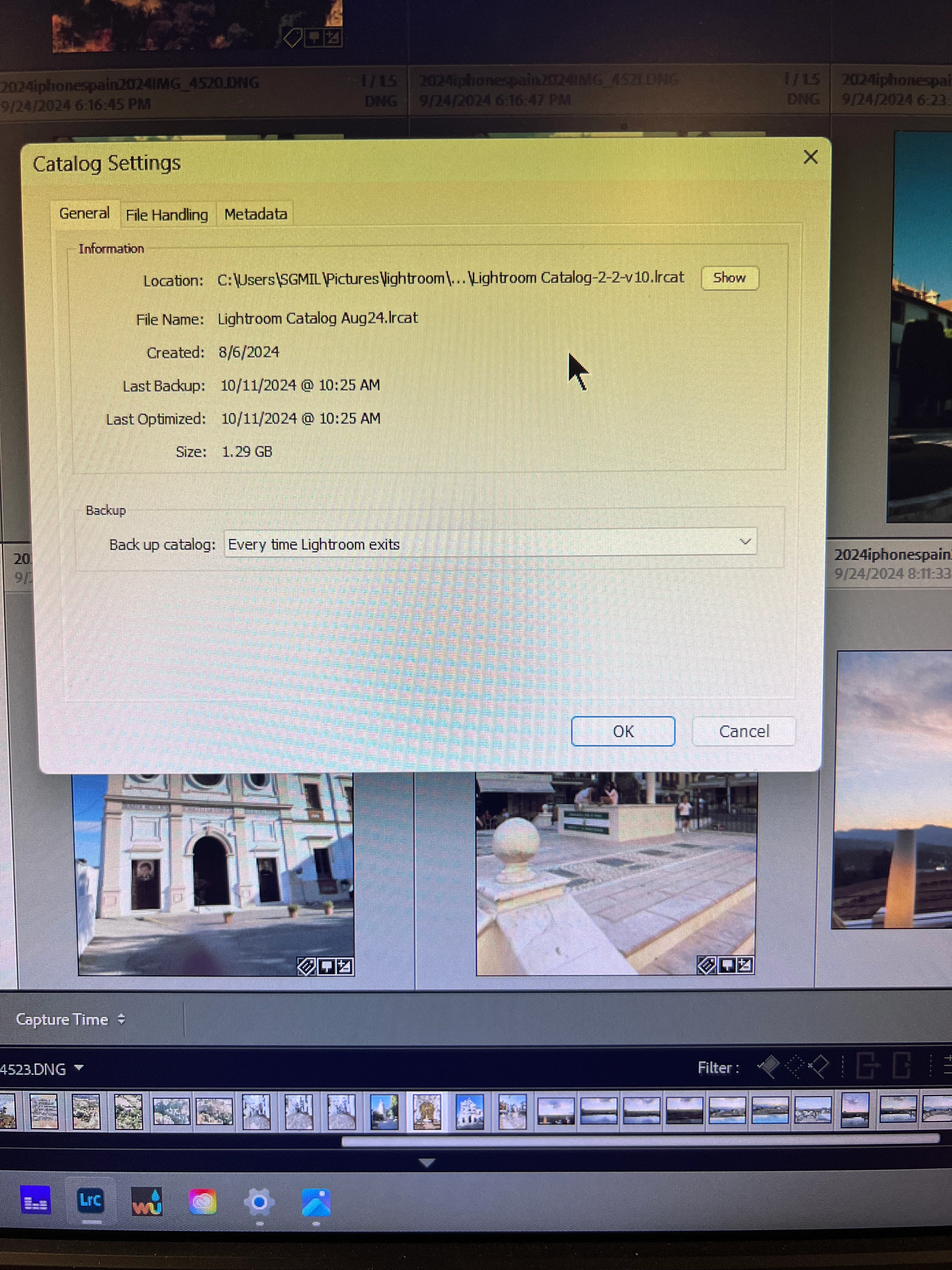
Here are the screenshots of what I think you need to help me know where to get started.

I can't even figure out which folders are the right ones to keep or delete. Each folder has so much stuff in it. 

Can someone help me out?
 

This topic has been closed for replies.
Correct answer dj_paige

Are you saying that none of these files are my original lightroom catalog? All are just backups of my catalog? If so, where is my actual catalog located?  The first post showing the location of the catalog takes me to these files. 


The actual catalog can be found by opening Lightroom Classic, then go to Catalog Settings and click on the General tab, as shown in your first post. The files in your folder that are .zip files are the actual backups. If you have a .LRCAT file that is not part of a zip archive then that is not a backup.

1 reply

dj_paige
Legend
December 2, 2024

The second screen capture probably contains Lightroom Catalog BACKUPS (I say "probably" but it would be nice to actually know what is in these folders with dates as the folder name). Can you please open one of these folders and show us what is in it?


Assuming these are catalog backups, you certainly don't need three years of backups, I would keep the 2024 backups.


However ... this is mandatory and critical and not optional ... backups must be stored on a different physical disk (like an external disk or in the cloud). Backups must not be on the C: drive.

janh42250827
Known Participant
December 2, 2024
IMG_5686-JPG.jpg
dj_paige
Legend
December 2, 2024


Please make the NAME column in your Windows Explorer wider so we can see the full name of these files.