
Inspiring
January 22, 2023
Question

Why can't I find my Lightroom library with photos?

  • January 22, 2023
  • 2 replies
  • 873 views

I can't find my Lightroom library from my Macbook Pro. Yet, I can find it from my iPhone.


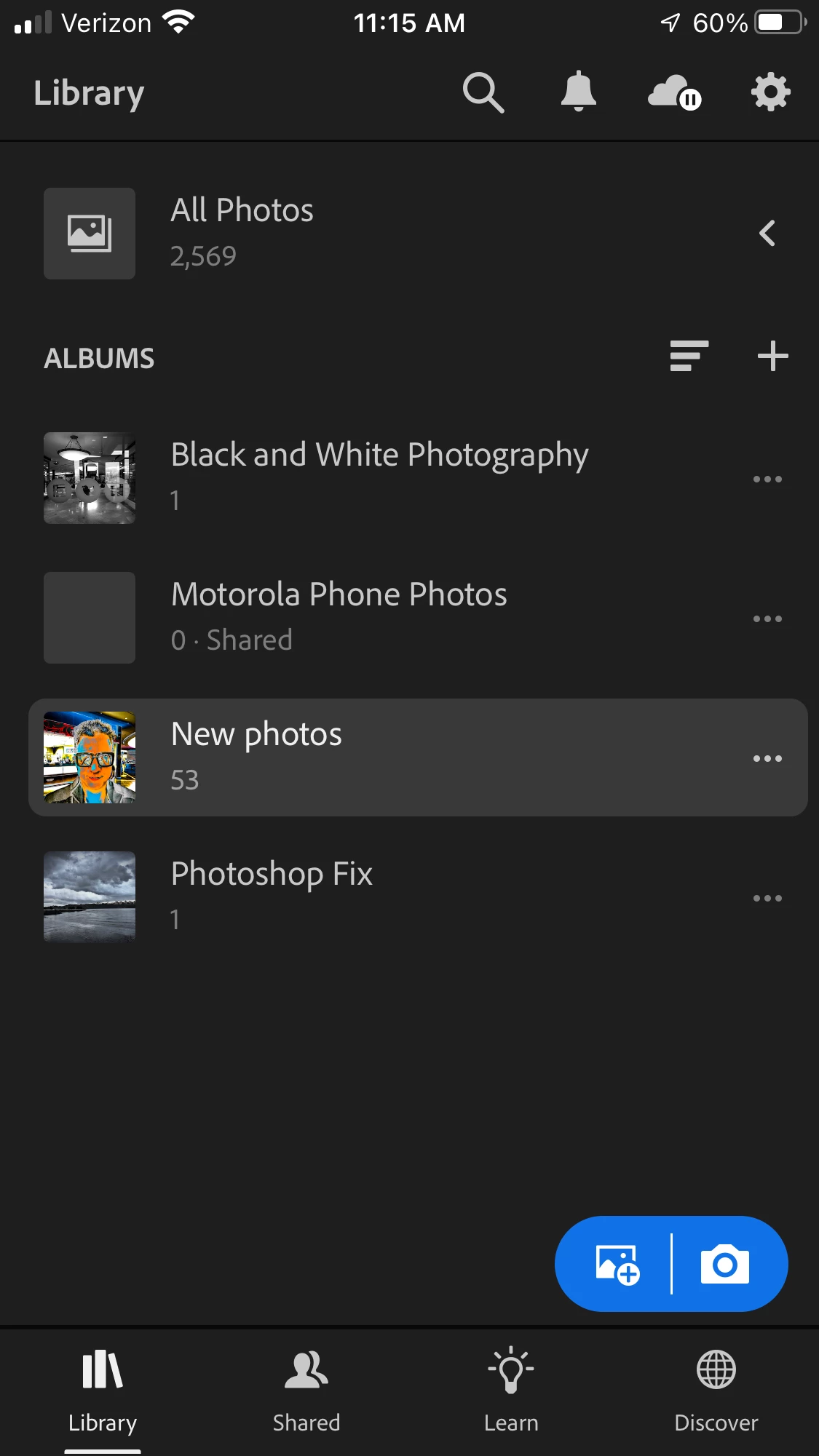
When I am in my iPhone I see what is below. But as I stated, I can't find them from my Mac.


Also, I see that my iPhone wants to sync all of my iPhone photos to the Lightroom library. I have syncing turned off. I'm not sure if keeping my sync turned off has anything to do with the issue.


Does Lightroom and Lightroom classic have two different libraries?


Is there a record of all the previous downloads I peformed from Lightroom?

Thanks! 🙂 Sorry for so many questions. 
This topic has been closed for replies.

2 replies

Jim Wilde
Community Expert
Community Expert
January 24, 2023
quote

Also, I see that my iPhone wants to sync all of my iPhone photos to the Lightroom library. I have syncing turned off. I'm not sure if keeping my sync turned off has anything to do with the issue.


By @AnotherMe


That has everything to do with the issue! How do you expect your iPhone photos to get to your desktop if you have syncing permanently paused? The idea is that you sync to the cloud, and from the cloud they can sync to any other connected device/app (which is logged into the same account and doesn't have syncing turned off!).

JohanElzenga
Community Expert
Community Expert
January 22, 2023

Yes, Lightroom Classic and Lightroom use different libraries. The library of Lightroom Classic is called the catalog and is not related to the library of Lightroom on your iPhone. If you want your computer to match your phone, then it's best to use Lightroom, not Lightroom Classic, so to use the Lightroom Plan subscription and not the Photography Plan.


-- Johan W. Elzenga
AnotherMeAuthor
Inspiring
January 23, 2023

I pay for the Adobe Cloud subscription. Does that include the Lightroom Plan?  

I'm still a bit confused. 🙂 

Rob_Cullen
Community Expert
Community Expert
January 24, 2023

Every Adobe user needs the Creative Cloud Desktop App to manage their subscription and Apps, so just saying "Adobe Cloud subscription" does not tell us which Plan you have.

These are the photography plans from Adobe-

https://www.adobe.com/creativecloud/photography/compare-plans.html

'Free' and 'Premium' Lightroom plans for iPhones & iPads do not sync to Macs or PCs.


To have 'everything'- you need the PHOTOGRAPHY Plan (20GB) , (and pay extra if you need 1TB Cloud storage). It includes both Lightroom-Desktop and Lightroom-Classic

BUY LIGHTROOM-CLASSIC etc


If you need an Adobe Plan ChangePLAN CHANGE 


Regards. My System: Windows-11, Lightroom-Classic 15.0, Photoshop 27.0, ACR 18.0, Lightroom 9.0, Lr-iOS 10.4.0, Bridge 16.0 .