
2Charlie
Inspiring
June 16, 2024
Question

Why does my Lightroom Classic not importing?

  • June 16, 2024
  • 1 reply
  • 361 views

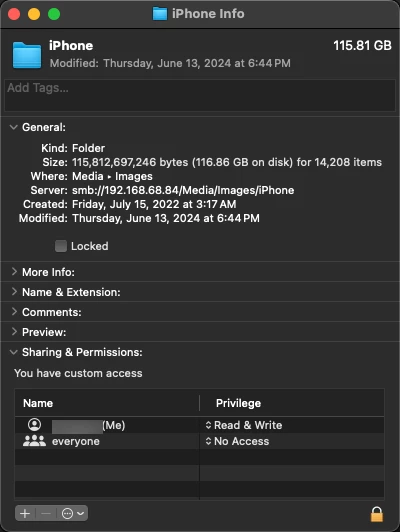
I'm adding images my library. This is how many images/items are in my iPhone folder.
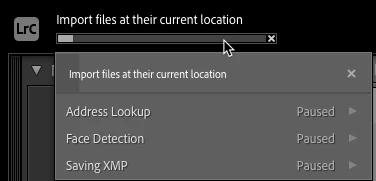
And it seems to be stuck here. 
And this is how many LR has imported and stopped importing.
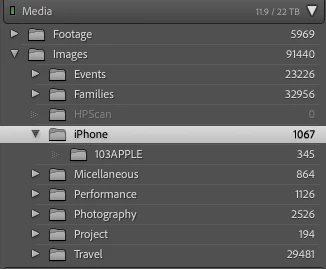
I have tried restarting LR twice already and it does not seem to import. This is a permanently mapped NAS system hard drive. Any suggestion is much appreciated. Thank you.


This topic has been closed for replies.

1 reply

GoldingD
Legend
June 16, 2024

Looking at your screenshots and your text, I suspect that in the Import dialog you choose ADD, not Copy, or Copy as DNG. Especially in that one screenshot it states "Import files at their current location"


And your NAS does not appear to be involved at all, (Oh, see inquiry at bottom, something I do not understand) not the source or the destination.


As such you are importing (ADD in this case) photos on a media source that LrC can have issue with. Not sure of what sort of internal drive is on that iPhone.


You should really really be copying those photos from the iPhone onto a hard drive in or connected to your computer. And I would not recommend a NAS other than for backup and/or copy's.


Additional inquiry:


This screenshot, that I do not understand, is Media your mentioned NAS map.


2Charlie
2CharlieAuthor
Inspiring
June 16, 2024

The iPhone folder is already in the NAS media so I don't need to copy. This external drive is permanently mapped to my MBP. I just need to add it to LrC library so I can manage the images that way. Since the iPhone folder is already showing up in the LrC library I can only Sychronize folder and import. I'm tring to copy since I do not want duplicates. It does seem to import some files, about a thousand images then it just stalls. LrC is not froze either, just not doing anything.