Participating Frequently
September 12, 2022
Question

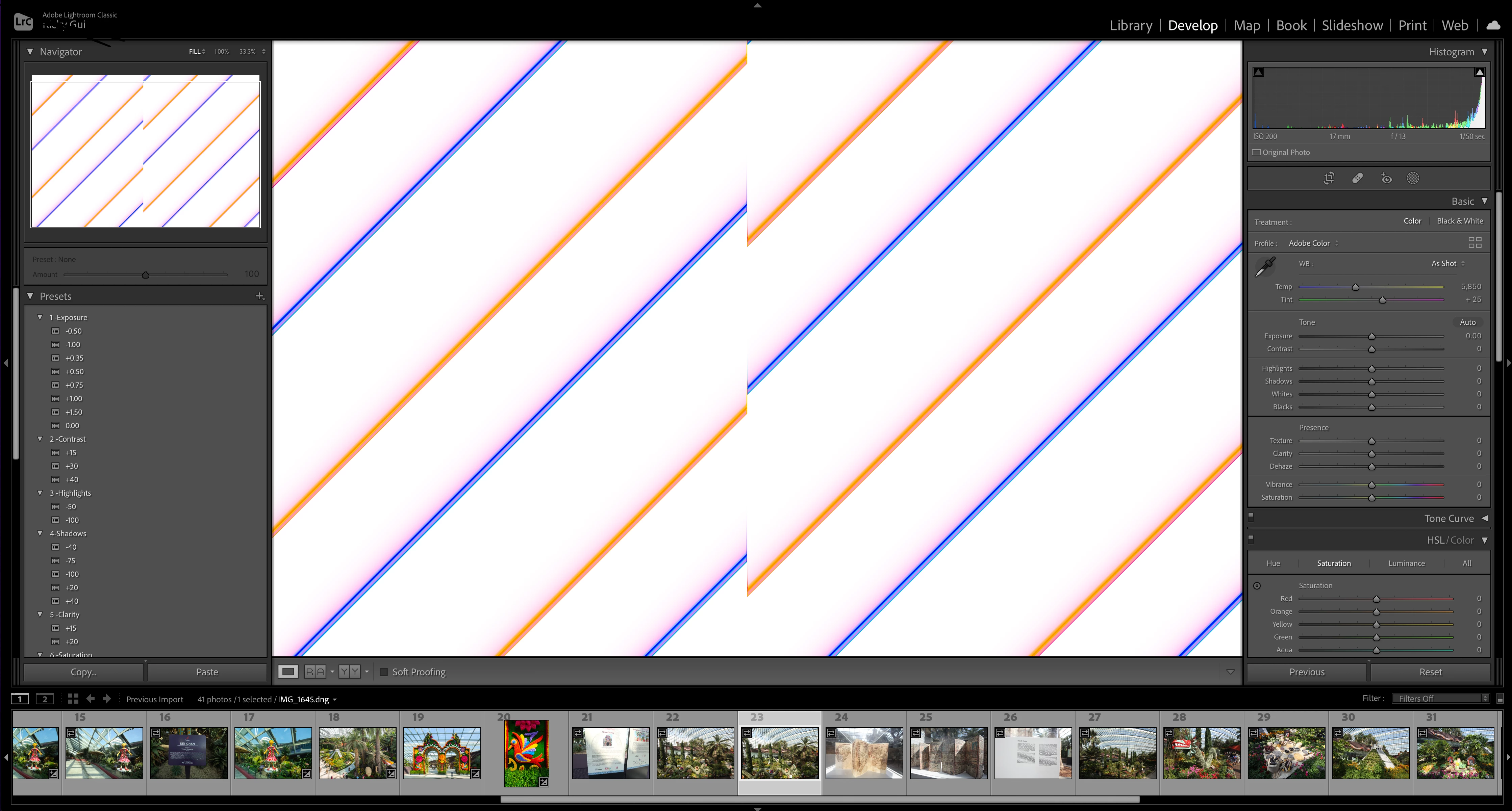
Why I can't edit the file and this weird stripes but can see the thumbnail.

  • September 12, 2022
  • 2 replies
  • 334 views

This is very annoying, why the thumbnails can be read but the file show in stripes? This had happened to many images. 
This topic has been closed for replies.

2 replies

GoldingD
Legend
September 12, 2022

I see this is a DNG file. Does your camera produce DNG RAW files, or is this a converted file, RAW converted to DNG, perhaps at import?


What you are showing is often a corrupt RAW file, either in camera (bad memory card) or during copy (bad card reader or cable)

JohanElzenga
Community Expert
Community Expert
September 12, 2022

Don't despair just yet. I would think that a currupt file also results in a currupt thumbnail, because thumbnails are previews generated by Lightroom from the raw data.


If it's not the GPU, then it's more likely a corrupt monitor profile.


-- Johan W. Elzenga
Participating Frequently
September 13, 2022

How to resolve it? I can't keep having issue like that. Imagine that one important moment shot is unable to read. Although the files that are unable to open in Lightroom, however it is able to open in Photoshop. Hence is not the case of corrupted file. 

JohanElzenga
Community Expert
Community Expert
September 12, 2022

Go to Preferences - Performance and uncheck the option to use the GPU. Does that help?


-- Johan W. Elzenga
Participating Frequently
September 13, 2022

Hi, i went exactly you mention and did not saw GPU. Perhaps you can assist again?

Jim Wilde
Community Expert
Community Expert
September 13, 2022

See this screenshot: select Lightroom Classic>Preferences, the select the "Performance" tab (shown in the red box in my screenshot), then click in the blue box and select "Off" from the resulting drop-down list.


Does that fix the problem or not?
