Inspiring
January 27, 2019
Answered

Why I have so many Catalogues?

  • January 27, 2019
  • 2 replies
  • 921 views

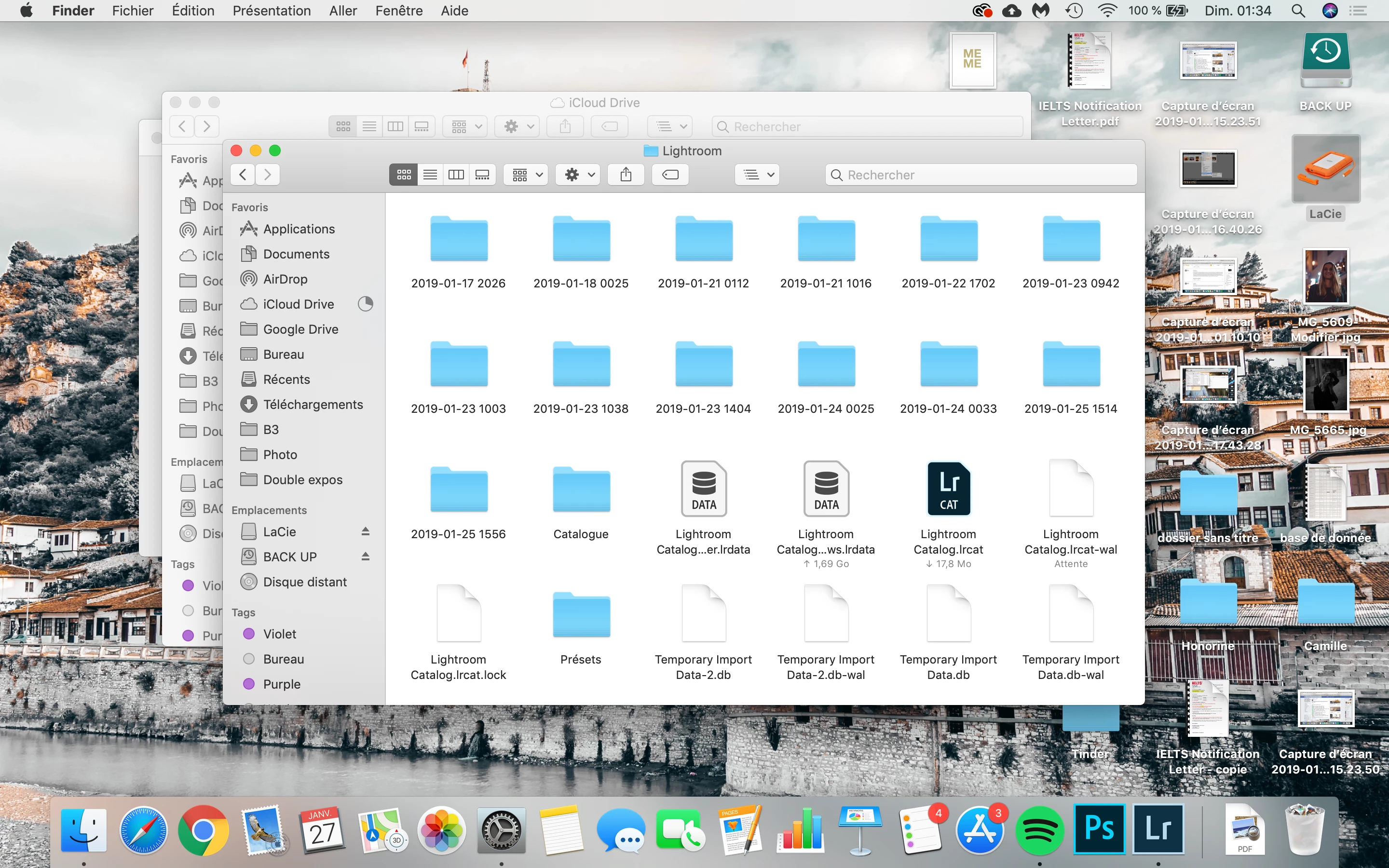
Hi, think I just put a special setting on Lightroom, but do you know what are all these folder with the date? can I delete them? what Is the big catalog...ws.lrdata?Why is it too big? can I delete?

Basically, I just want the ONLY Lightroom catalogue.lrcat....

Can someone help?   
This topic has been closed for replies.
Correct answer Rob_Cullen

what Is the big catalog...ws.lrdata?

This is the 'Previews' cache. It contains all the preview thumbnails, etc, that Lightroom needs to display your photos.

You can delete this 'Data' file, but Lightroom will just recreate it and re-build the previews slowly! so you may see just grey blank thumbnails until all previews are re-built.

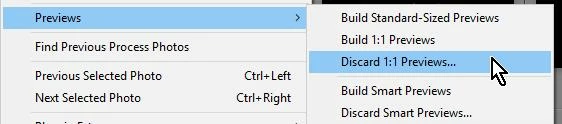
There are some menu items to help control the size of the .LRDATA cache, like deleting all 1:1 size previews:

2 replies

Rob_Cullen
Community Expert
Rob_CullenCommunity ExpertCorrect answer
Community Expert
January 27, 2019

what Is the big catalog...ws.lrdata?

This is the 'Previews' cache. It contains all the preview thumbnails, etc, that Lightroom needs to display your photos.

You can delete this 'Data' file, but Lightroom will just recreate it and re-build the previews slowly! so you may see just grey blank thumbnails until all previews are re-built.

There are some menu items to help control the size of the .LRDATA cache, like deleting all 1:1 size previews:

Regards. My System: Windows-11, Lightroom-Classic 15.1.1, Photoshop 27.3.1, ACR 18.1.1, Lightroom 9.0, Lr-iOS 10.4.0, Bridge 16.0.2 .
Just Shoot Me
Legend
January 27, 2019

Dated folders are Backup of the actual Catalog file. By default LR creates a backup every week.

Bad part is LR stores those backups in the same folder as the Working Catalog. you should change that so they are stored on some other Physical drive. Like an External drive.

You can Delete all of the Dated Folders except the most recent 2 or 3.

Inspiring
January 27, 2019

Great thanks!