Inspiring
August 10, 2023
Answered

Why: LR doesn't have access to some Standard folders?

  • August 10, 2023
  • 1 reply
  • 1730 views


And what to do?

Just restored 2023 Macbook Pro using TM. (Ventura 13.5)

Maybe that's it? 

Thanks guys.
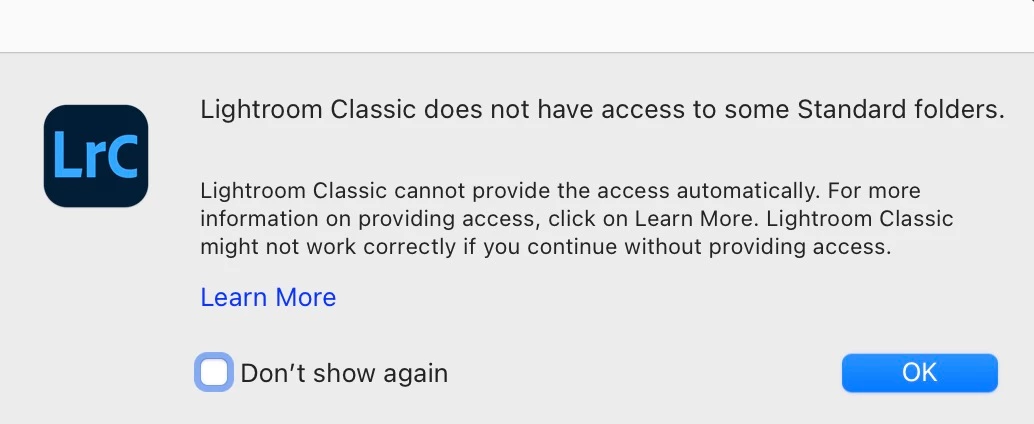


This topic has been closed for replies.
Correct answer JohanElzenga


Hmmm ....  I don't see Adobe Lightroom Classic in this screen shot.


This screen shot only shows the overview of all items that belong to 'Privacy and Security'. Click on 'Full Disk Access' in the right panel...


1 reply

JohanElzenga
Community Expert
Community Expert
August 10, 2023

Apple changed the security requirements in MacOS Monterey and later. Go to MacOS 'System Settings - Security & Privacy' and add Lightroom Classic to "Full Disk Access". Click on the lock icon to unlock the settings (not needed in Ventura), then click on the plus icon to add Lightroom Classic if it isn't already listed. If it is listed, then just enable the checkbox (or the switch in Ventura). See also Quick Tips: How to give Full Disk Access to Lightroom Classic on macOS


-- Johan W. Elzenga
Inspiring
August 10, 2023

Thanks!


How about adding Adobe Lightroom App - which is what comes up?

JohanElzenga
Community Expert
Community Expert
August 10, 2023

I'm sorry, but I do not understand what you mean. The error dialog you posted is from Lightroom Classic. Adobe Lightroom Classic and Adobe Lightroom are not the same apps.


-- Johan W. Elzenga
