
Won't Relink / Find Groups of Images. Have to Relink Each Image Individually.
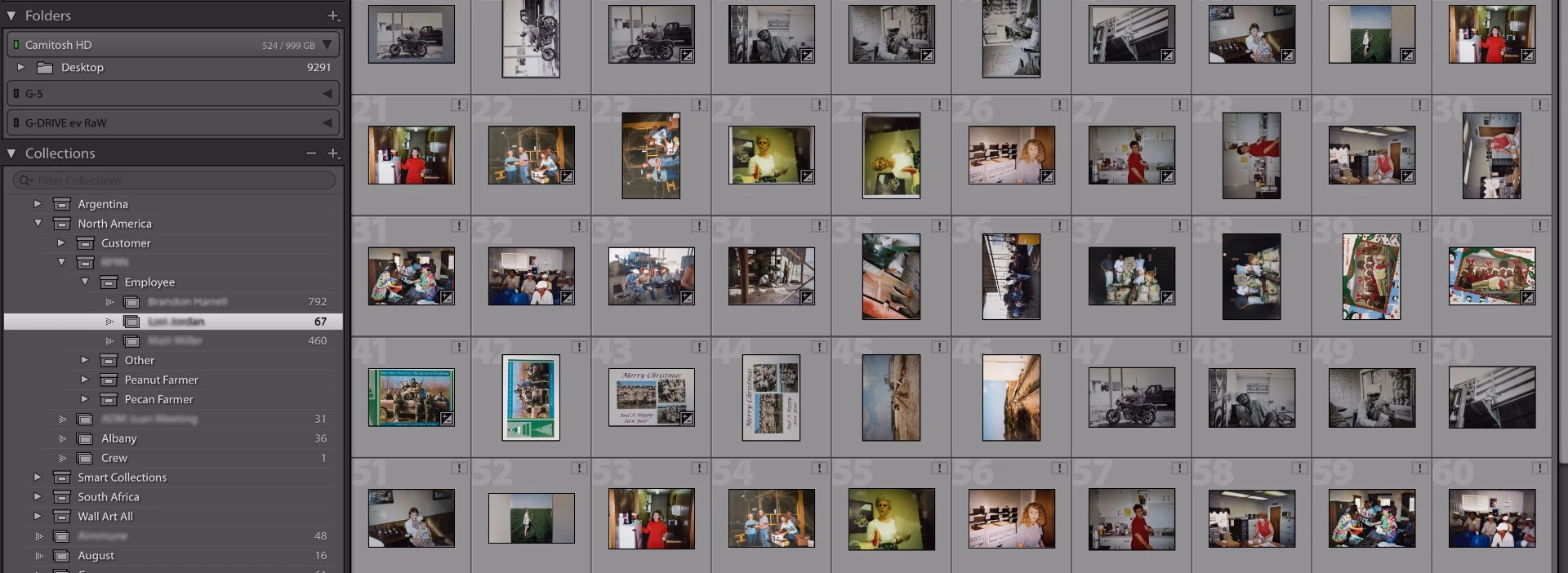
I have a huge, very well organized catalog of photos for a big client (why I have some info blurred out). Although the LR catalog was organized, the photos were somewhat.
I had three locations for the images (desktop, G-drive, and another G-drive). All have the same folder structure with the exception of some subfolders that varied in name slightly. Image names never changed. A mess I know.
I recently moved all of the photos, removing duplicates, to one location on my desktop. The way I will keep it. The folder structure that I use is in the Lr catalog you see on the left, and this is how I have the folder structure on my desktop with the raw, original images.
The Problem:
When I go back to relink the images, some will relink every image I have selected in that collection by finding just the first image in that group and then the rest will be discovered (what I want).
Other folders I have to relink each individual image even though they are in the same catalog and all the originals are in the same folder (problem).
-the names of the photos have not been changed
-the images might have been pulled from different drives and folders before, but other groups have relinked just fine.
I have discovered it will relink all the same file types at the same time, but not a mixture (jpeg,tiff,CR2). Though this trick does not work with those.
I’ve tried everything. And I really don’t want to relink 2,000 images individually. Any speedbumps I might be missing?
Really appreciate any help!
 AdChoices