


Inspiring
September 25, 2011
Open for Voting

P: Allow use of Drive Letters A: and B:

  • September 25, 2011
  • 72 replies
  • 4752 views

In the import dialogue in Lightroom 3 on Windows the drive letters A: and B: does not show up. I have A: assigned to an HDD and B: assigned to an SSD where I like to save my DNG files. (It was a VERY long time ago since those drive letters were reserved for floppy drives).
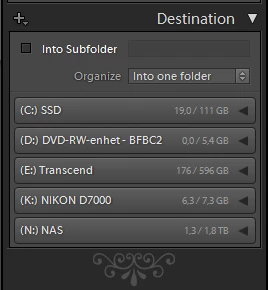


My suggestion is to make all drive letters assigned to an attached storage device visible as a destination in the import dialogue.

72 replies

Inspiring
June 14, 2012
Hiding the A and B drives is silly.

How long has it been since any of us have used a floppy? Those drive letters should be monitored just like any other.

V 4.1.x ? I think so!!!
johnrellis
Legend
September 25, 2011
I agree that LR should show drive letters A and B.

As a workaround, if you don't want to change the drive-letter assignments for some reason, you could add mount points for them. For example, you could mount the HDD to C:\MyHDD and the SSD to C:\MySSD. Then in LR, you could browse to those two mount points to import from there.

You can add a mount point by doing Start > Control Panel > Administrative Tools > Computer Management > Storage > Disk Management. Right click the desired drive, select Change Drive Letter And Paths, Add.