
steinars29274111
Participant
March 2, 2020
Answered

Can't import from memory card in LR6 after installing Catalina

  • March 2, 2020
  • 4 replies
  • 1608 views

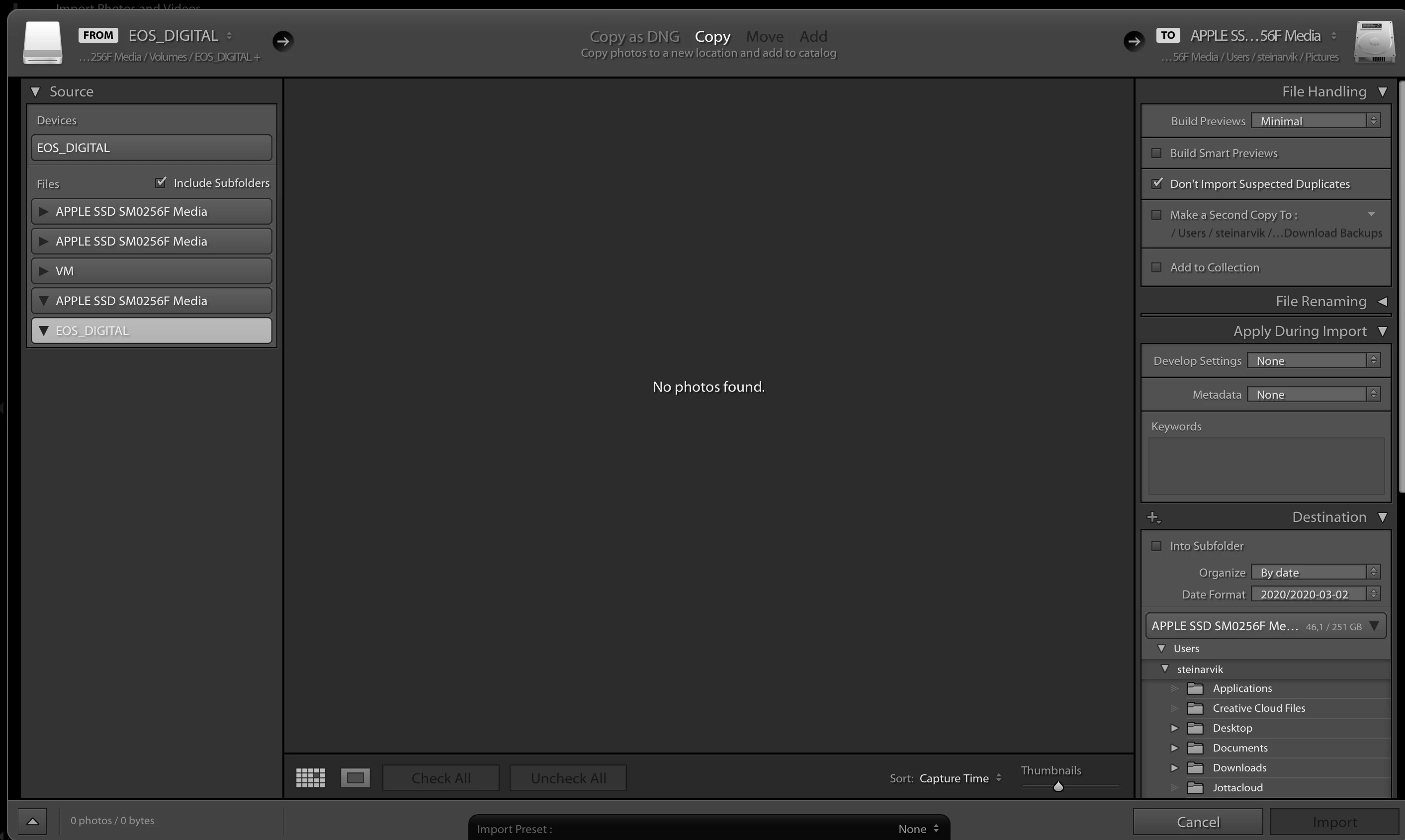
Crisis here.... after upgrading my Mac to Catalina i cant see any files on my memorycard in the import module in my LR 6.14.....


What am I doing wrong, or is it Catalina..... everything working just great before the upgrade..... I have a big job coming up soon and... yea I´m fxxxed
 

This topic has been closed for replies.
Correct answer ManiacJoe

Welcome to Catalina....  😞


There is a new security and permissions program for Catalina. Give that a go and see what permissions need to be turned on for Lightroom. (Edit: David beat me to it.)


If you are using a card reader (preferred over directly connecting the camera), in the "source" panel of the Import dialog, try the "files" section instead of the "device" section.


4 replies

Participant
April 12, 2020

hi and thanks for sending these responces. i did the permission update, and for some reason it is working but under 'devices' not 'files', if i use the 'files' with Lumix showing there, it will either give me the wheel of death or a corrupted image.

ManiacJoe
ManiacJoeCorrect answer
Inspiring
March 3, 2020

Welcome to Catalina....  😞


There is a new security and permissions program for Catalina. Give that a go and see what permissions need to be turned on for Lightroom. (Edit: David beat me to it.)


If you are using a card reader (preferred over directly connecting the camera), in the "source" panel of the Import dialog, try the "files" section instead of the "device" section.


steinars29274111
Participant
March 3, 2020

Thx a lot Joe..... this made my day..... regret I upgraded, hope they come up with lots of bug fixes. 

GoldingD
Legend
March 3, 2020

Outside of Lightroom, bring up on your MAC System Prferences. Select Security and Privacy. Select the Privacy tab. Scroll down to Files and Folders. For Lightroom, and while you are at it, if you have it, for Photoshop, make sure all boxes are checked. It is likely that Removable Volumes is not.


Mind you, above is not exactly what you will see, different versions.


https://nektony.com/duplicate-finder-free/folders-permission


If Lightroom is not listed, then you will  have to add it.


steinars29274111
Participant
March 3, 2020

Thanks a lot, saved my day.... 100% I was looking for permissions, but didnt find it... Awsome, -thx so much

Akash Sharma
Legend
March 3, 2020

Hi there,


Sorry that you can no longer import from your memory card in Lightroom 6.14.


Please note that older versions of Lightroom Classic were neither designed nor tested to work on macOS Catalina. They are not supported in any way for use on macOS Catalina.

Adobe does not recommend that customers using old versions of Lightroom Classic upgrade to macOS Catalina.

Older versions use 32-bit licensing components and installers. Therefore, they cannot be installed and activated after upgrading to macOS Catalina. Although upgrading to macOS Catalina with an older version already installed on your computer may allow the app to function in some capacity, you will not be able to reinstall or activate the app after the macOS upgrade.


Regarding the issue with importing, are you able to import to your desktop directly? If so it might be related to permissions on your memory card. 


Thanks,

Akash