
Participating Frequently
July 8, 2017
Answered

Color banding on files

  • July 8, 2017
  • 4 replies
  • 3346 views

In the last month I've started getting color banding on my .nef files.  I shoot with Nikon - mostly a D500 with XQD card.  However, I have got this problem with a D7200 using an SD card so it may not be the camera hardware.

About 5% of the images have banding.
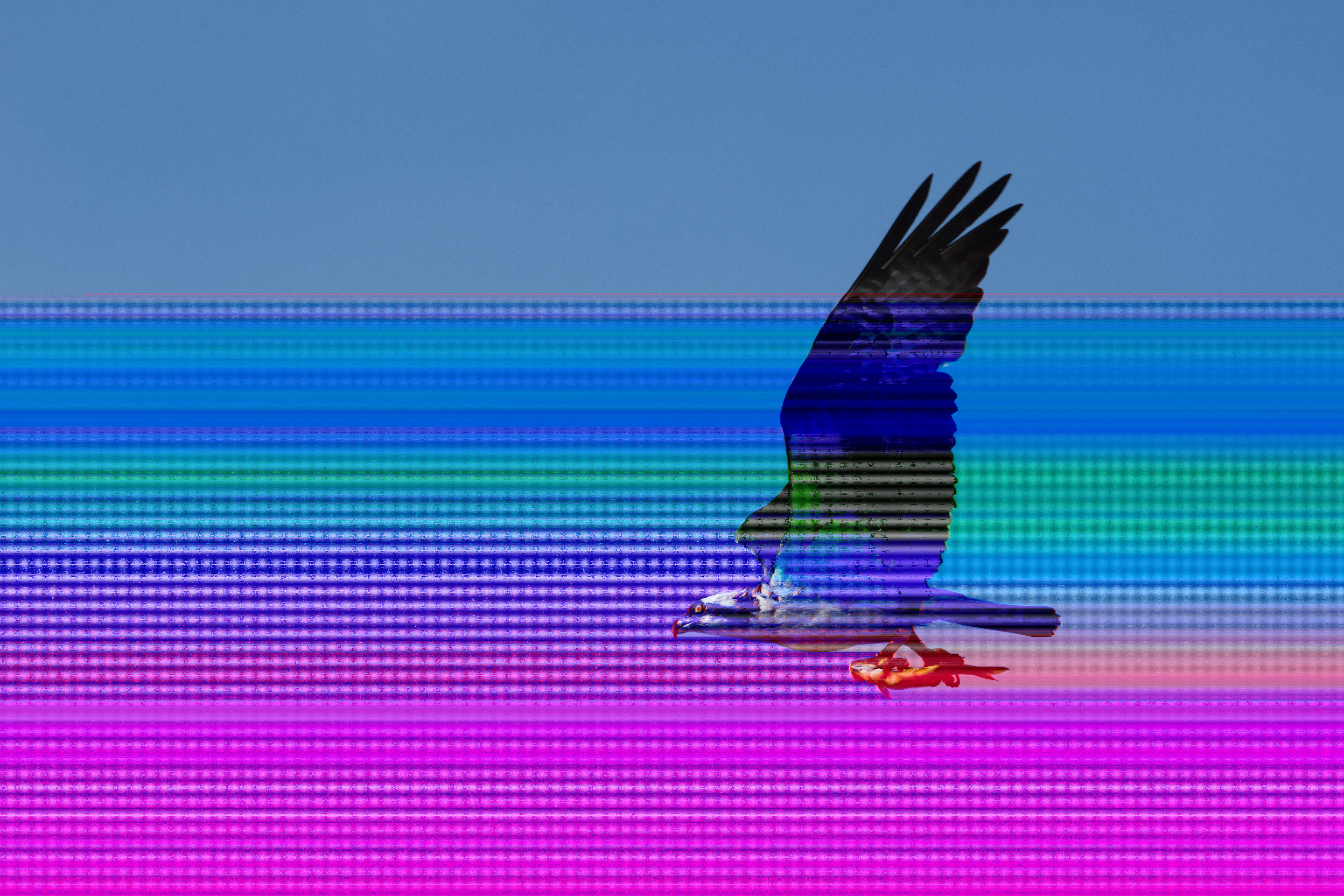
Sometimes the banding does not appear right away.  Sometimes when I go from Library to Develop, the banding shows up.  Sometimes going from one view mode to another causes the banding to come or go. 

I suspect the issue is either LR or my hard drive.  I use an external 8TB western digital.  I'm running an experiment with a catalog on my mac's SSD.  Also, uninstalled LR and reinstalled.

Anyone seen this before?

    This topic has been closed for replies.
    Correct answer JP Hess

    This is reported occasionally. It is most often associated with hardware problem. It could be a failing hard drive or some other problem with the hardware. Lightroom does not write anything to the raw files so it seems that it would have to be something related to your computer system that is causing this problem.

    4 replies

    Brad_Polt-Jones
    Participating Frequently
    July 13, 2017

    All the files open with no banding on my computer. It is definitely a hardware problem on your machine. My guess is it's the video card as I've seen similar issues with other cards in the past.

    The good news is, the files you've downloaded are most likely fine •.

    I would recommend copying the Lightroom catalog from your SSD to the external 8 TB hard drive. Install Lightroom on your wife's computer, connect the external drive to your wife's computer, launch the Lightroom catalog and the banding should disappear.

    Bill8125Author
    Participating Frequently
    July 14, 2017

    Thanks.  I shot about 450 images today and had no banding.  Clearly intermittent.  I'll track over the next month.  I agree that the problem is with my mac.

    cmgap
    Community Expert
    Community Expert
    July 9, 2017

    Have you looked at these images in your finder window or Ps? If you see the banding in any other software you can rule out Lr.

    dj_paige
    Legend
    July 9, 2017

    Have you looked at these images in your finder window or Ps? If you see the banding in any other software you can rule out Lr.

    Often Finder or other software shows the embedded JPG preview, which often does not have the file corruption. So this really doesn't help unless you can force the software to show you the actual RAW image.

    Bill8125Author
    Participating Frequently
    July 9, 2017

    Yes, I see the banding in Photoshop as well as Nikon Capture NX.  Oddly, the ones that show banding in the Nikon software are different than the ones showing banding in LR.  I've imported the files showing banding to an external HD as well as to my Macbook SSD and get banding on each HD.

    Up to this point, I have tried different cameras, different media cards, different hard drives, and different viewing software.  Not sure what else I can look at other than my Macbook Pro OS.

    Just Shoot Me
    Legend
    July 9, 2017

    As stated above it is file corruption cause by some type of hardware problem.

    JP Hess
    JP HessCorrect answer
    Inspiring
    July 8, 2017

    This is reported occasionally. It is most often associated with hardware problem. It could be a failing hard drive or some other problem with the hardware. Lightroom does not write anything to the raw files so it seems that it would have to be something related to your computer system that is causing this problem.