
guided upright vs rotation
Hi there,
I'm writing because I have a question regarding the guided upright tool, maybe someone has an answer to this.
I'm often documenting in an art- and architectural context. many of my photos are taken without tripod, as quickly as possible. that's why often my images are not very straight, but for sure I want the result to be straight.
Usually I do that with the "guided upright"-tool, but there's something that's really bugging me: when i only use "guided upright" then the images often end up being distorted. the better way to do it is to first rotate the image, then export the image, then use the "guided upright"-tool.
To illustrate what I mean, here's some examples (sorry, not the best photo, but it illustrates the point):
1) original image
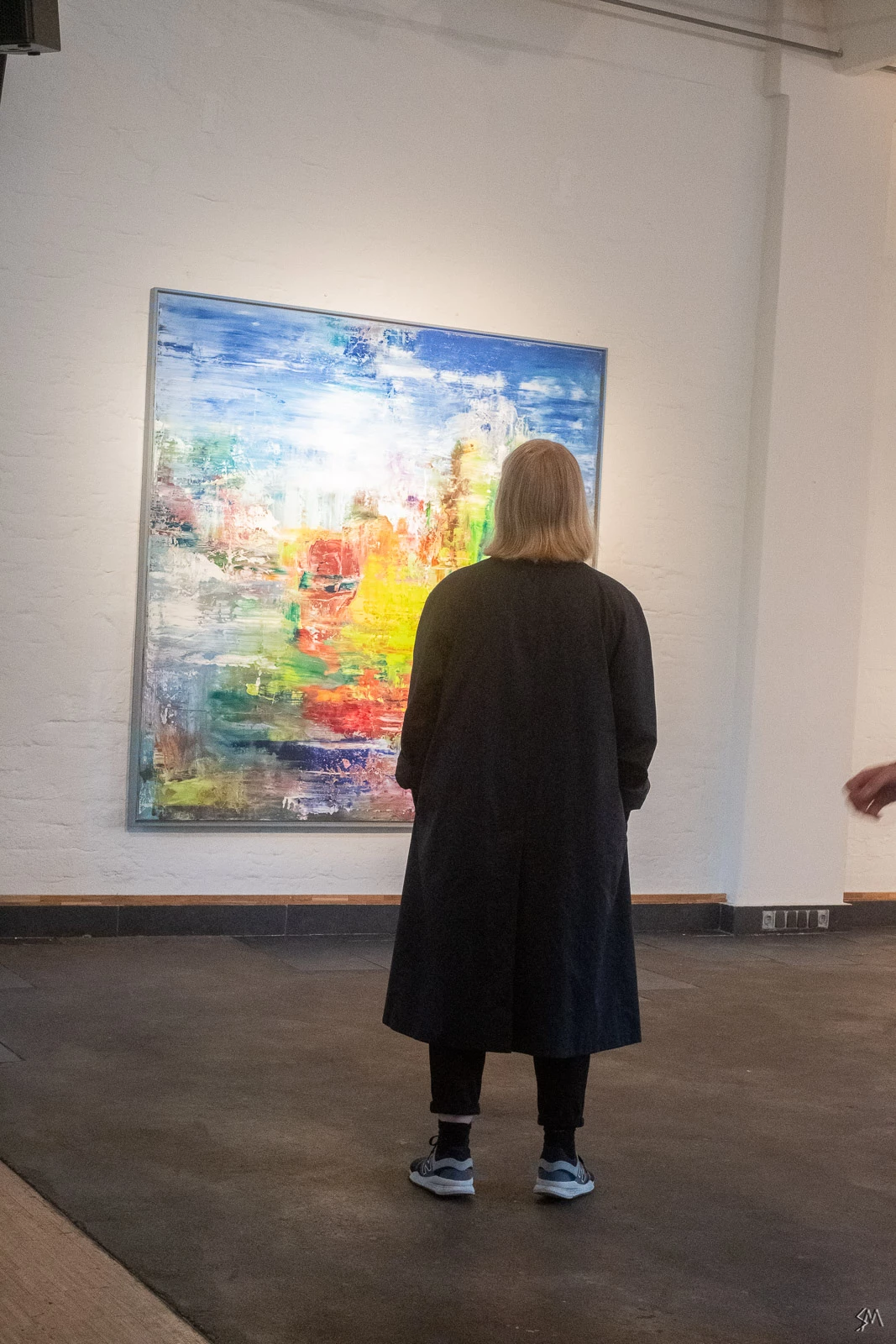
2) straightening using only "guided upright"-tool
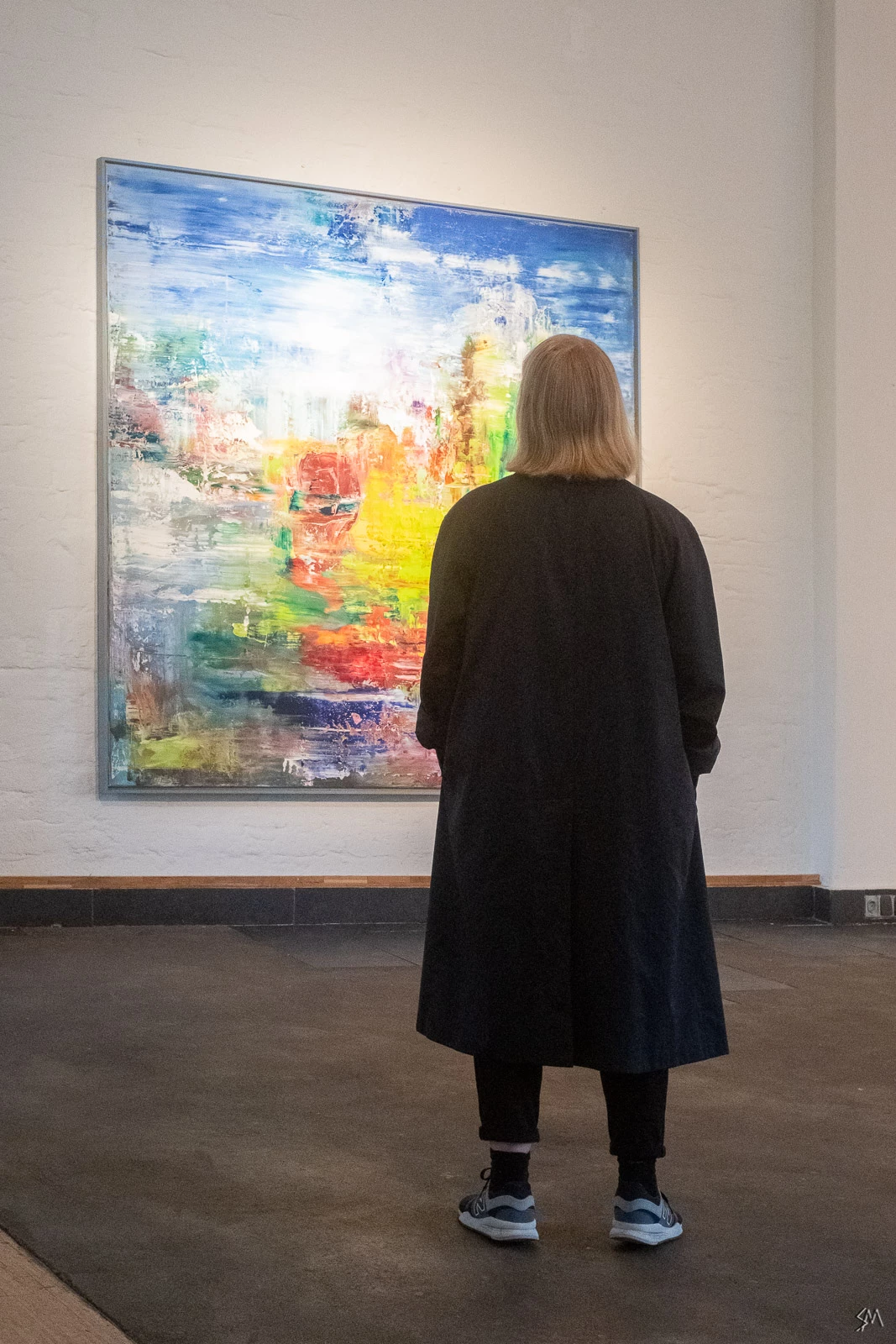
3) straightened by first rotating, then exporting and re-importing, then "guided upright"-tool
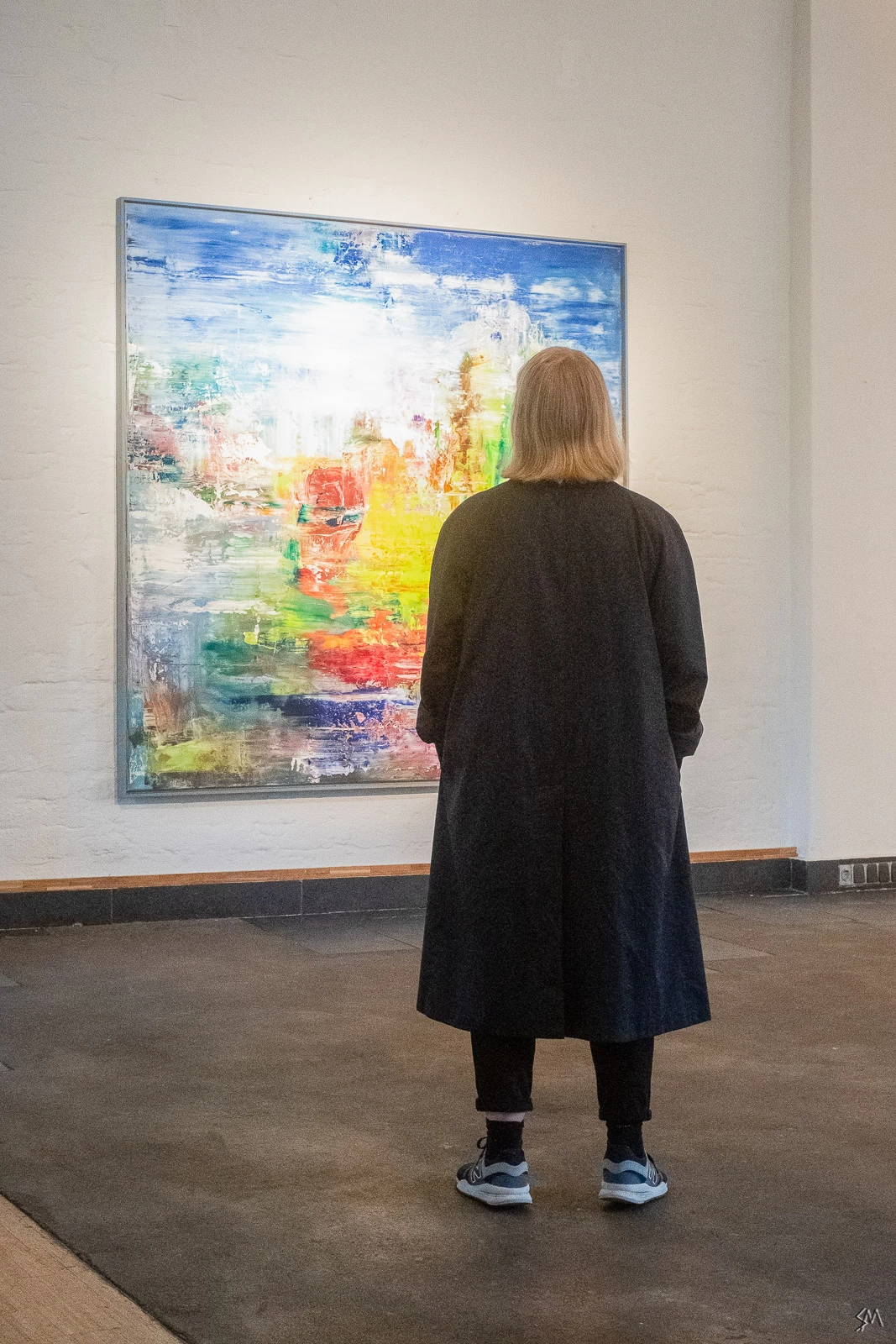
As one can see, there's a significant difference between the results. Here's the two last results again for easier comparison:
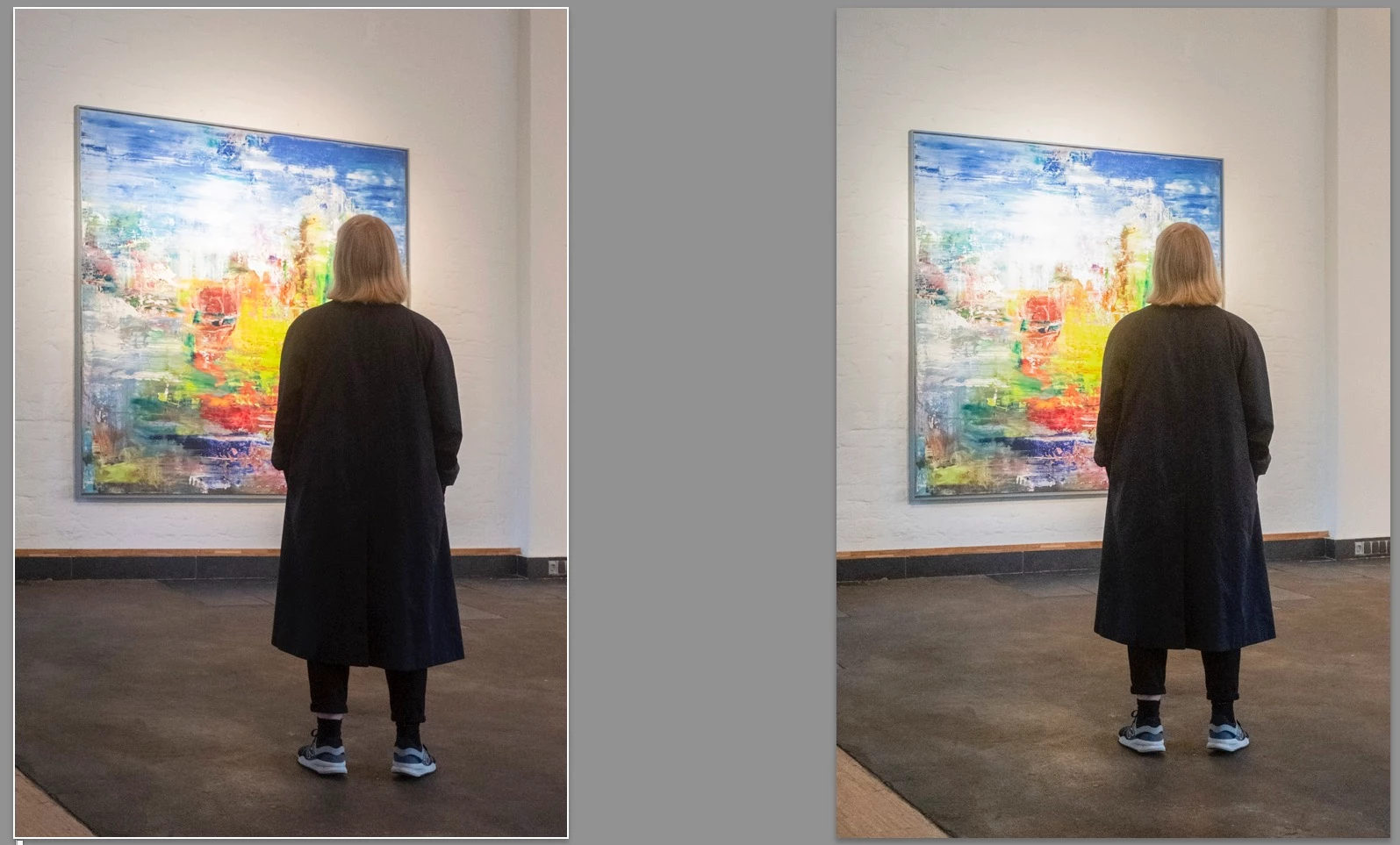
Usually the "guided upright"-tool is resetting any rotation of the image (resulting in a distorted image). There's also the option to press the "option-key" while using the "guided upright"-tool, so the rotation is not being reset. Problem is: that doesn't work at all, it gives me the same result as without resetting the rotation.
My only workaround is to first rotate the image, then export and re-import, then use the "guided upright"-tool.
My question is:
- is this a bug in the application? "Guided Upright" should work in the way that the image is being less distorted not more, shouldn't it? Is it maybe just sloppy programming?
- Why does the pressed "option-key" result in the same distorted image as when i don't press it?
Any feedback would be really helpful, because all that exporting, re-importing is just a waste of time and storage...
Thanks,
Sebastian
 AdChoices