
How do I enable sync in Lightroom for a catalog I just restored?
I also have a Re: Can't repair corrupt Lightroom catalog problem with my Catalog. What has changed in my setup is that at the beginning of the year moved the Catalog to a folder that is monitored by Synology Drive Application in order to automatically backup changes to the catalog to my NAS.
My last backup is a couple of weeks old and I can live with that. However when after I restore it, it says I need to restart Lightroom and enable Sync since it reports my backup is old. I do not see where I should enable Sync in Lightroom.
As I was writing this I thought I may as well use my Synology backup and restore the most recent catalog. That works and I was able to open the catalog. Now it still says I need to restart Lightroom and enable Sync since it reports my backup may not be current (see screenshot below).
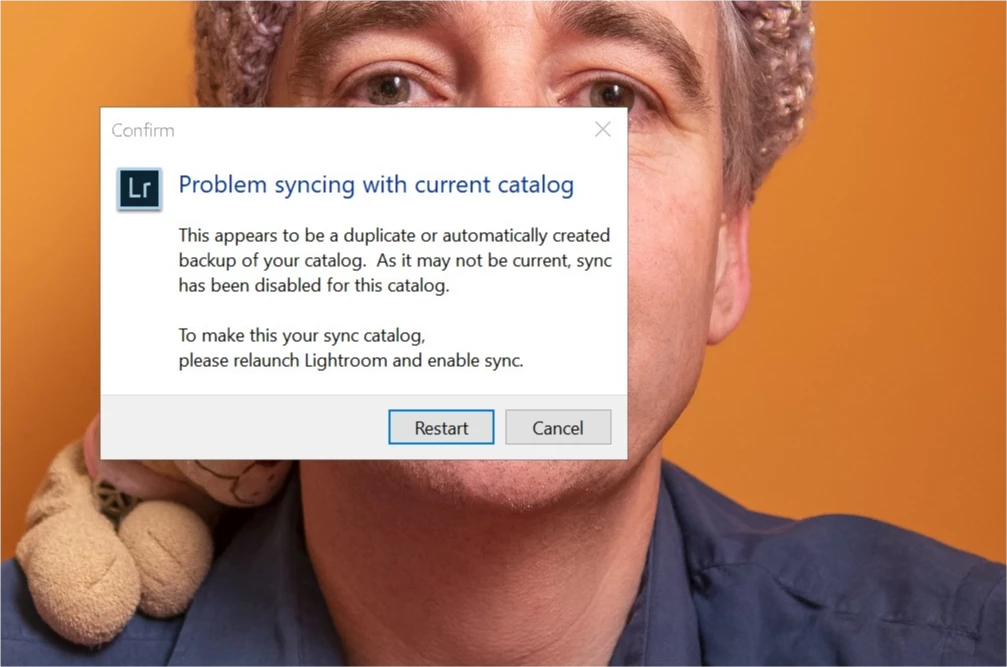
I was getting that message after enabling Sync via the Activity Center accessible at the Identity Plate. A search to activate sync reveals pages like. Sync Lightroom Classic with Lightroom CC Ecosystem | which does not seem to be the expected procedure to enable Sync after relaunching Lightroom.
After several unsuccessful restarts getting the same pop-up, I decided to:
- Request Lightroom to optimize the catalog.
- Synchronize some folders that were recently added.
- Enable Sync via the activity center
Now the "Problem syncing with current catalog" dialog no longer comes back.
My question is: What is the expected procedure a user should follow to successfully enable sync as per the above dialog?
 AdChoices