
Inspiring
November 30, 2016
Answered

how to read the histogram for blown colors in LR

  • November 30, 2016
  • 3 replies
  • 1682 views

can someone point me to a tutorial for LR so i can better understand out of gamut color/ blown color chanels? i als need info on the numbers and what they mean.

for instance if  I have a yellow flower and the numbers read       R 245    G 182      B 0    what is that telling me?

I know their is a short video here that Julian kost did but it is not detailed enough. THANKS!
    This topic has been closed for replies.
    Correct answer D Fosse

    There's no major blue clipping here. The narrow blue spike at 0 isn't a problem as long as this is just a one-off sRGB export.

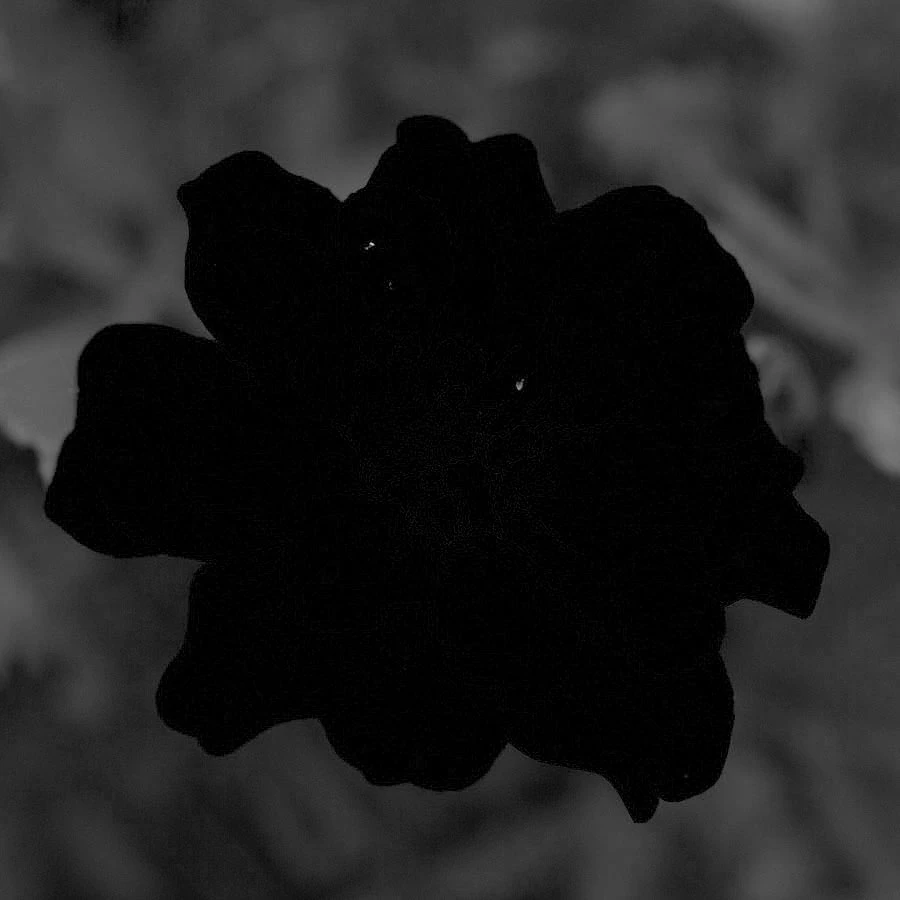
    Pulled up in Photoshop, this is how the blue channel looks:

    As you can see, there are no solid black areas, just specks of noise and this is what causes the spike. I wouldn't worry about this.

    The high end is nicely kept in sRGB gamut.

    3 replies

    D Fosse
    Community Expert
    D FosseCommunity ExpertCorrect answer
    Community Expert
    December 1, 2016

    There's no major blue clipping here. The narrow blue spike at 0 isn't a problem as long as this is just a one-off sRGB export.

    Pulled up in Photoshop, this is how the blue channel looks:

    As you can see, there are no solid black areas, just specks of noise and this is what causes the spike. I wouldn't worry about this.

    The high end is nicely kept in sRGB gamut.

    7865436Author
    Inspiring
    December 1, 2016

    thank you so much!

    D Fosse
    Community Expert
    Community Expert
    November 30, 2016

    The histogram is a bit of a misunderstood tool. It doesn't mean much by itself - but if you have a problem getting the image to "snap", it can be a great diagnostic aid. It can tell you precisely where the problem is.

    Low-end clipping, for instance, can be very hard to identify visually - but it tends to kill the "air" and light in an image. It just feels dense and heavy-handed.

    7865436Author
    Inspiring
    November 30, 2016

    wow that is big!

    so here is my problem this image is within gamut according to the soft proofing for screen, that is what i need, but I'm constantly being told it is out of gamut and there is no detail. I know the focus is soft that is not my worry.

    they are only looking at it and do not pull it into lr to check.

    what is your opinion! is it in ok or do i not know what im doing? I added the histogram also below. Please help! I'm lost!

    D Fosse
    Community Expert
    Community Expert
    November 30, 2016

    7865436 wrote:

    the numbers read R 245 G 182 B 0 what is that telling me?

    That color is at the clipping point/gamut boundary in that particular color space. Any channel that hits 0 or 255 is starting to clip at that point.

    But you don't know how much out of gamut. You don't know how much lower than 0 or higher than 255 it really "wants" to go.

    This is where the histogram gives you a visual clue. If a channel is solidly backed up against the low or high end, the clipping is significant and you should consider taking steps to remap. Proofing to your target space will show you the histogram for that space.

    7865436Author
    Inspiring
    November 30, 2016

    Thanks so as i wrote above that B is showing 0  i need to bring down the saturation on blue?

    Do you know of any tutorials that i can watch?

    D Fosse
    Community Expert
    Community Expert
    November 30, 2016

    Actually B=0 means a saturated dark yellow. The absence of blue means yellow, the complementary color in the color circle.

    A fully saturated light blue would have B=255. A fully saturated dark blue would have R and possibly G at 0.

    Yeah, it's a bit counter-intuitive...play around with it, and you'll see for yourself.