craigt24224581
Participant
May 5, 2017
Answered

I can't sign into Lightroom mobile on my desktop

  • May 5, 2017
  • 5 replies
  • 13900 views

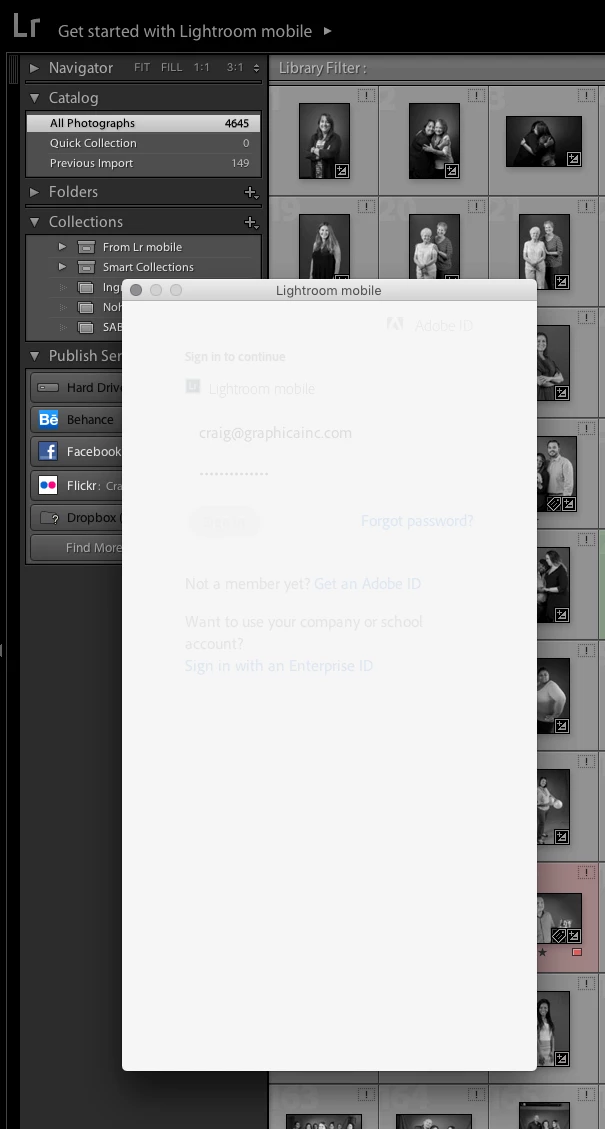
I was able to do this before. Now I just get a blank window and nothing happens. My collection of the images being synched with Lightroom Mobile is now empty. I tried signing out and signing back in and that didn't work. I can access my images online so I know there is still a collection.

Has anyone else experienced this and have any suggestions.

Here is the window that I get. Nothing happens.

This topic has been closed for replies.
Correct answer craigt76106792

Just some suggestions from me (another user)

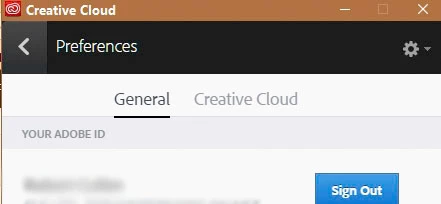
1. Have you tried to Sign-Out  and then Sign-In, using the  Creative Cloud Desktop App?  (with Lightroom closed)
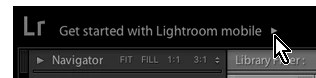
2.  Have you clicked on the Identity Plate where is says-
3. I notice that all the photos visible in your screen-clip are "Missing".  They show the '!' icon in the corner.  So Lightroom does not know where your photos are located- a problem.

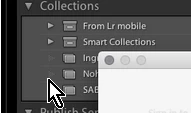
4. I notice that you do not have any Collection showing the Sync icon.

My collection of the images being synched with Lightroom Mobile is now empty.

Is this because you deleted a Collection or maybe started a new catalog? (only one catalog can Sync with mobile)
5. Have you looked in the Preferences  (Ctrl+, ) - [Lightroom Mobile] Tab, Account panel.


Thanks for all of the tips. I tried all of them but nothing changed. However, I finally got it to work. I had to delete all versions of Lightroom from my hard drive and reinstall Lightroom CC. It looks like my computer was getting confused by the older version of Lightroom (5) still on my computer. Once I got rid of version 5, it was easy.

The ! shows up on the images in my screen shot because those items are on an external server. I wasn't connected to it at the time. As soon as I connect, the ! goes away.


5 replies

Participant
August 4, 2019

I will continue to use Lr6 for now, but I'll be taking a serious look at Affinity Photo. So long, Adobe. Thanks for the memories.

Participant
October 18, 2017

I was having the same problem until a few minutes ago when I updated my "Classic" LR to the brand new version of it (not the new LR CC that just came out, too). After updating, my unsynced LR mobile photos synced immediately. Problem solved, at least in my case.

Known Participant
July 17, 2017

Thanks for responding.  I'm using CC and here is the info.  When I open the CC app, it does not give me an option to update LR.  According to the CC app, I have the latest version.

Lightroom version: 5.7.1 [994254]

License type: Creative Cloud

Operating system: Windows 8.1 Home Premium Edition

Version: 6.3 [9600]

Application architecture: x64

System architecture: x64

Logical processor count: 4

Processor speed: 3.3 GHz

Built-in memory: 24471.3 MB

Real memory available to Lightroom: 24471.3 MB

Real memory used by Lightroom: 440.7 MB (1.8%)

Virtual memory used by Lightroom: 397.8 MB

Memory cache size: 13.0 MB

Maximum thread count used by Camera Raw: 4

System DPI setting: 96 DPI

Desktop composition enabled: Yes

Displays: 1) 1920x1200, 2) 1920x1200

Application folder: C:\Program Files\Adobe\Adobe Photoshop Lightroom 5.7.1

Library Path: C:\Users\pcour_000\Documents\LR Catalog\Catalog-2-3.lrcat

Settings Folder: C:\Users\pcour_000\AppData\Roaming\Adobe\Lightroom

Installed Plugins:

1) Behance

2) Canon Tether Plugin

3) Facebook

4) Flickr

5) Leica Tether Plugin

6) Nikon Tether Plugin

Config.lua flags: None

Adapter #1: Vendor : 10de

Device : 10c3

Subsystem : 13023842

Revision : a2

Video Memory : 972

Adapter #2: Vendor : 1414

Device : 8c

Subsystem : 0

Revision : 0

Video Memory : 0

Adapter #3: Vendor : 1414

Device : 8c

Subsystem : 0

Revision : 0

Video Memory : 0

AudioDeviceIOBlockSize: 1024

AudioDeviceName: Speakers (Sound Blaster Audigy Fx)

AudioDeviceNumberOfChannels: 2

AudioDeviceSampleRate: 44100

Build: LR5x89

CardID: 4291

Direct2DEnabled: false

GPUDevice: D3D

MaxTexture2DSize: 8192

OGLEnabled: true

Renderer: NVIDIA GeForce 8400GS

ShaderModel: 10.1

Vendor: Nvidia

VendorID: 4318

Version: 10de:10c3:13023842:00a2

Known Participant
July 10, 2017

I am having the same issue.  I just get a white screen in the dialogue box when I enter my logon on PW.  It has worked in the past (but there have been similar sign-in issues, seemingly fixed by newer versions).  I tried logging in and out of the CC app but that didn't work.  Frustrating!

arjunhaarith
Adobe Employee
Adobe Employee
July 17, 2017

Hi ,

I assume you are using the version 6.0. However, for sync to work, you must be atleast on version 6.5 (2015.5). The latest version available now is CC 2015.10.1

I will forward this to the tech support team, who will help you in this regard.

Thanks,

Arjun

Participant
August 3, 2019

So I bought 6.0 a few years back for my desktop, liscense-perpetual. Does this mean I have to repurchase Lr in order to sync with the cloud? Are the only options now cloud-based? I'm a casual user and don't want to pay a perpetual $10 per month. Kind of bummed out about it.

Participant
June 2, 2017

I'm having the same problem and growing increasingly frustrated at not being able to find a solution! Without it, I can't use lightroom mobile because I cannot sync my raw images from my computer to lightroom on my iPad. How can I fix this?

JP Hess
Inspiring
June 3, 2017

Are both of you subscribers to the Creative Cloud?

craigt76106792
Participant
June 3, 2017

Yep. It used to work for me and then it stopped.