
Import from Catalog: image previews and import button are greyed out
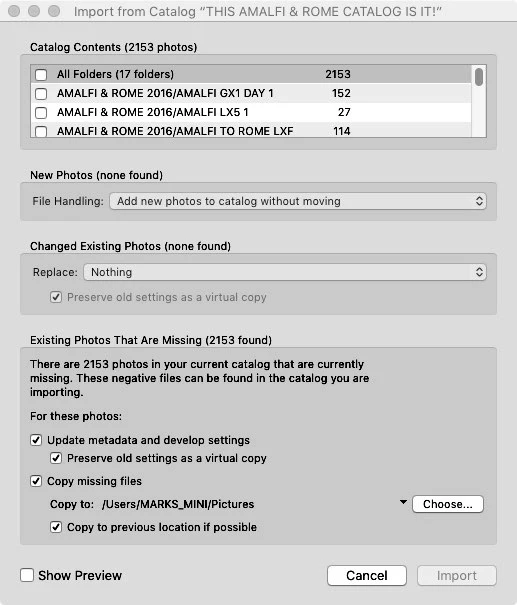
I have a similar problem to an earlier post: http://tinyurl.com/zskyzvj I did find that by unchecking the "Copy Missing Files" checkbox, I am able to then check the upper left checkboxes such as "All Folders," etc. But the previews remain greyed out, plus the IMPORT button on the lower right corner of the "Import from Catalog" box remains greyed out as well. That would lead me to think that the images are already in the target catalog(i.e. the open catalog into which I'm trying to import from another catalog) BUT... in the Library module I cannot locate the folders from the catalog I'm trying to import. Plus, when I choose IMPORT in the Library module, the photos in the folders I want to import are not greyed out, so they do not seem to be in the target catalog.
I'm running LR CC 2015.7 on Mac OS X 10.11.6.
I'm at a standstill. Any help would be greatly appreciated.
 AdChoices