 Adobe Community

Lightroom classic Point curve

Copy link to clipboard
Copied
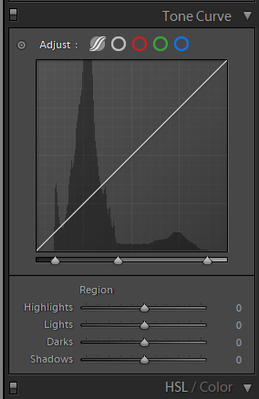
since The 9.4 classic update i Cant Find the Old point curve. how Do I find That Check box?


 8
Replies
8
8
Replies
8



Copy link to clipboard
Copied
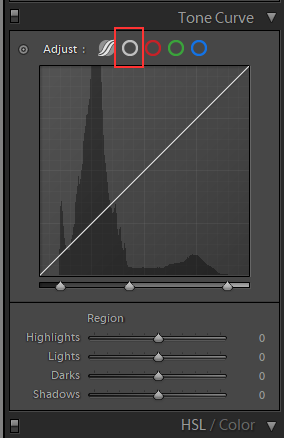
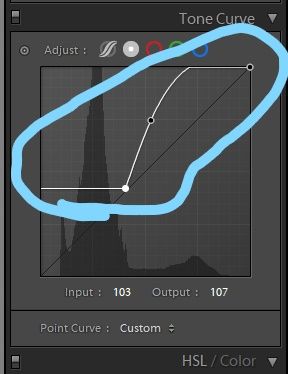
Click in the red oulined area.
Copy link to clipboard
Copied
and the point curve i can only do is linear medium or strong contrast, it doesnt act the same as previous versions of the point curve. right?
Copy link to clipboard
Copied
From Lr 5.7.1
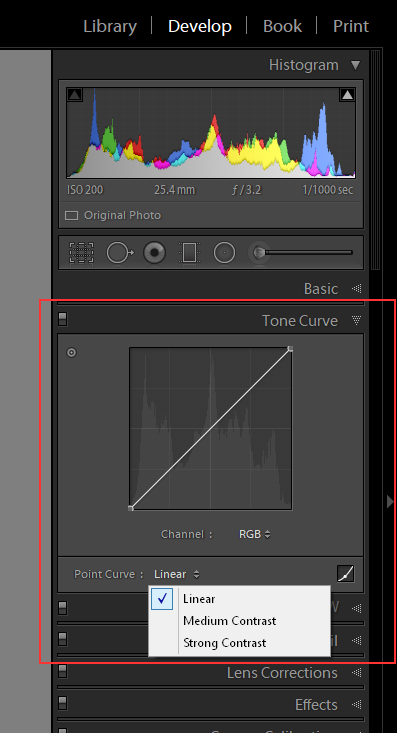
From LrC 9.4
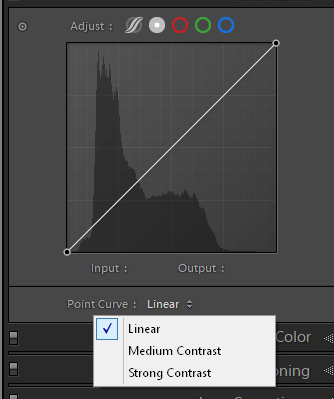
The only difference is how you access the point curve. Lr 5.x.x you click the little square in the bottom right hand corner and in LrC 9.4 you click the white circle which puts a white dot in the center of the white, Now turned light grey, circle.
Looks the same to me.
Copy link to clipboard
Copied
Sorry, I just want to better understand when I use the bottom of the S-curve for example the rest of the curve moves not only that part how do I make it we're only one part of the curve moves as im editing like previous versions
Copy link to clipboard
Copied
You will need to post a screen shot of what you are describing. That ToneCurve dialog works exactly the same as it always has in both realms (parts).
Copy link to clipboard
Copied


Copy link to clipboard
Copied
Why? Because you moved the 0/0 corner post from the corner.
Don't move the corner post (unless you want to)- just click on the line to add another 'handle' point.
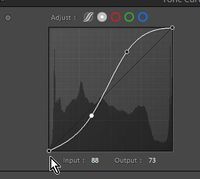
and maybe it does not matter- if that is the result you want 🙂
https://helpx.adobe.com/lightroom-classic/help/whats-new/2020-3.html#ui-improvements
and a tutorial (using the old UI )
https://digital-photography-school.com/make-color-adjustments-using-tone-curves-lightroom/
Copy link to clipboard
Copied
As above you move the bottom left corner post/point Up and to the right.
Maybe you need to look at some tutorials on using the Curves dialog box in both LrC and Ps.


 AdChoices