Participant
February 16, 2020
Question

Lightroom classic RAW photos dark

  • February 16, 2020
  • 5 replies
  • 3283 views

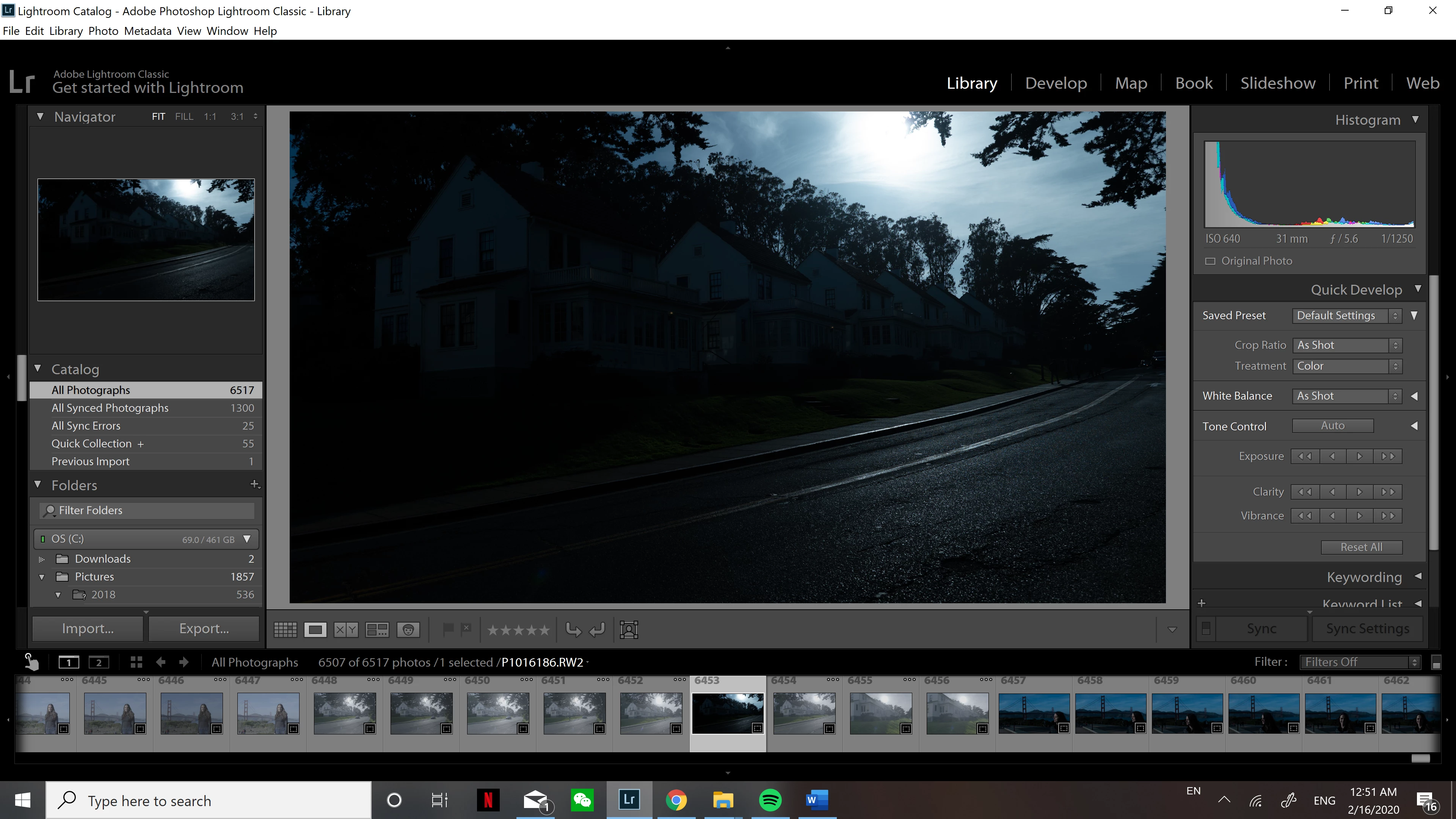
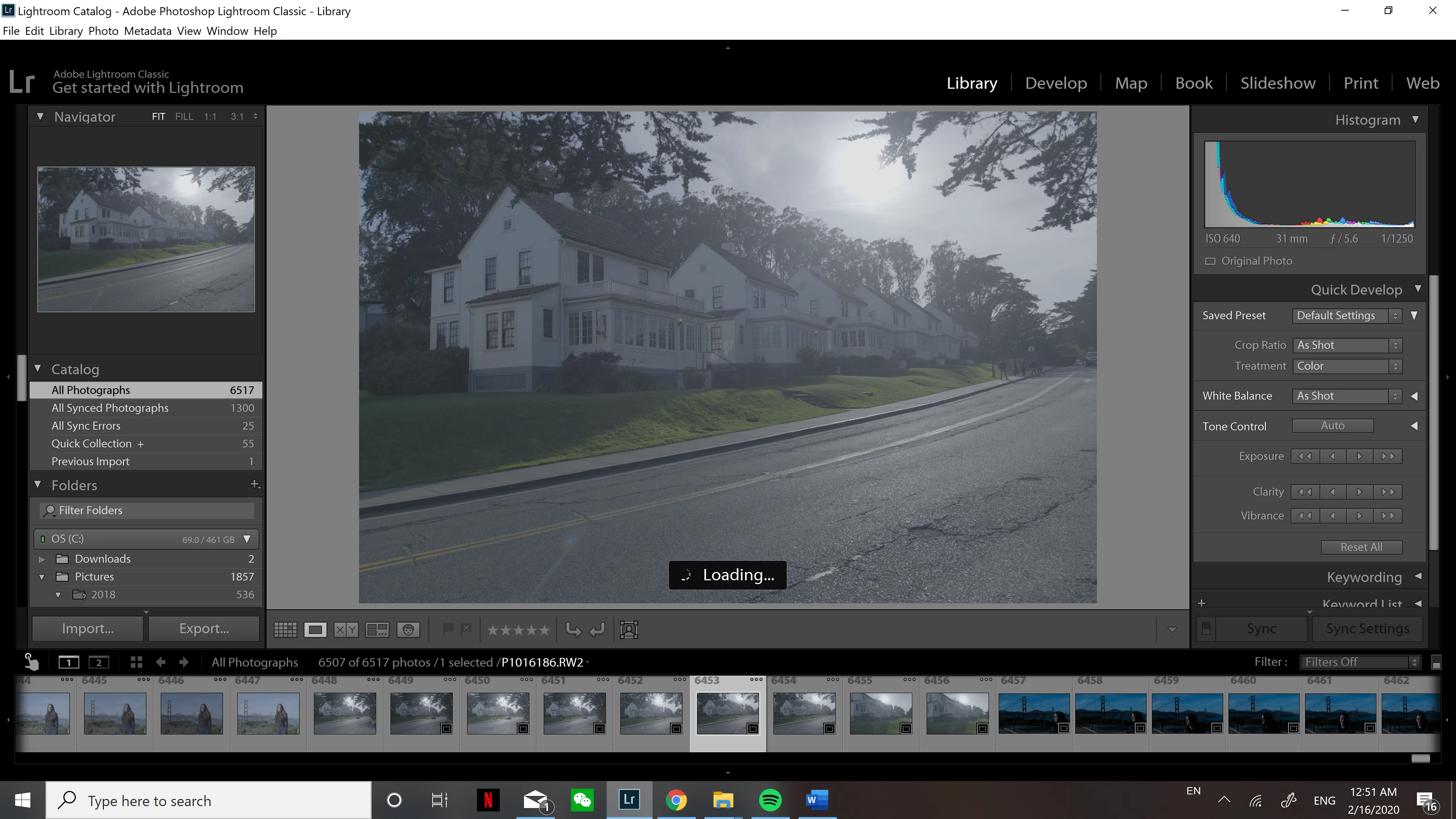
So I see other people have experienced this same issue but I couldn't find a good solution. When I import my photos I get the flat look that I shot them in with the same look. After a few seconds, the photo darkens dramatically and I am not sure how to fix this. Is there a setting need to change in Lightroom, or is it a physical thing and I need to shoot more overexposed on my camera? Thanks in advance for the help. 
 

This topic has been closed for replies.

5 replies

Rob_Cullen
Community Expert
Community Expert
February 17, 2020

Serious under-exposure! Likely caused by aiming the camera towards the sun.

Regards. My System: Windows-11, Lightroom-Classic 15.1.1, Photoshop 27.3.1, ACR 18.1.1, Lightroom 9.0, Lr-iOS 10.4.0, Bridge 16.0.2 .
GoldingD
Legend
February 16, 2020

On the processed a RAW file, the Histogram shows that the photo is extremely underexposed, so dark


Actual in the early shot of the embedded JPEG file this is also indicated. Your in camera settings are probably applying adjustments so that you can view the preview the photo, but is not showing you the truth. If shooting manual exposure this will involve some auto WB/Exposure for display, 


Lauca
Participating Frequently
February 16, 2020

To add to the preceding comments, 2 other explanations that come in mind :

- A develop preset is declared in the import process. This can be verify by checking the tab "Apply during import" in the right panel of the import window

- A default develop settings has been set (up to version 9.1)


Just Shoot Me
Legend
February 16, 2020

The top screen shot is from the Preview LR creates from the Embedded JPG image in every RAW file.

The bottom one is another preview that LR creates from the actual RAW data.

The Camera may have BOOSTED the input of the RAW data to create the Embedded JPG and the actual JPG image file, that is IF you are capturing RAW + JPG, and that BOOST does not get applied to the RAW data.


If you are going to work from RAW files for editing in any RAW converter it is best to set the camera to be as neutral as possible. No extra sharpening or color corrections or settings that may BOOST brightness and or contrast and the like.

Per Berntsen
Community Expert
Community Expert
February 16, 2020

Please post a screenshot of the image in Develop.

Make sure that the History panel is visible and expanded on the left, and the Histogram on the right.

Participant
February 16, 2020

Here is a screenshot of the history tab and the histogram, the histogram does show it being super dark.