

Lightroom to Photoshop and back. Colour preset performs differently when re-applied
Hi there,
I am a designer and have quite a lot of experience in Photoshop, but I am much less experienced in Lightroom. I am understanding how I need to adjust my workflow to keep my Lightroom colour work and still do my image editing and retouching in Photoshop (Removing the shadow in this instance).
I am working with a photographer and encountering one problem that I am unable to fix whereby I am following this work flow:
1. Photographer has imported and completed colour work
2. I created a virtual copy of the image
3. Reset the colour to as imported, to be reapplied once finished in Photoshop (I don't want to flatten all of the photographer's colour settings)
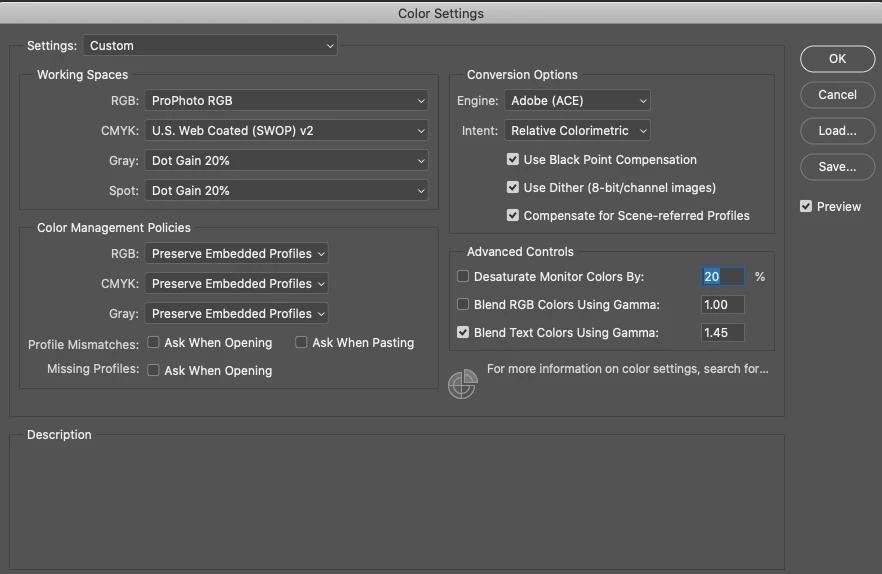
4. I do some edits in Photoshop (Edit in photoshop > Edit original) (I have my photoshop colour settings set to 'Preserve Embedded Profiles')
5. Save the image and come back to Lightroom
6. Copy and paste the colour work from original to my new photoshopped image.
Here is where my problem lies.
The colour is completely different and I have discovered a couple of things, but not been able to fix.
1. The color profile changes.
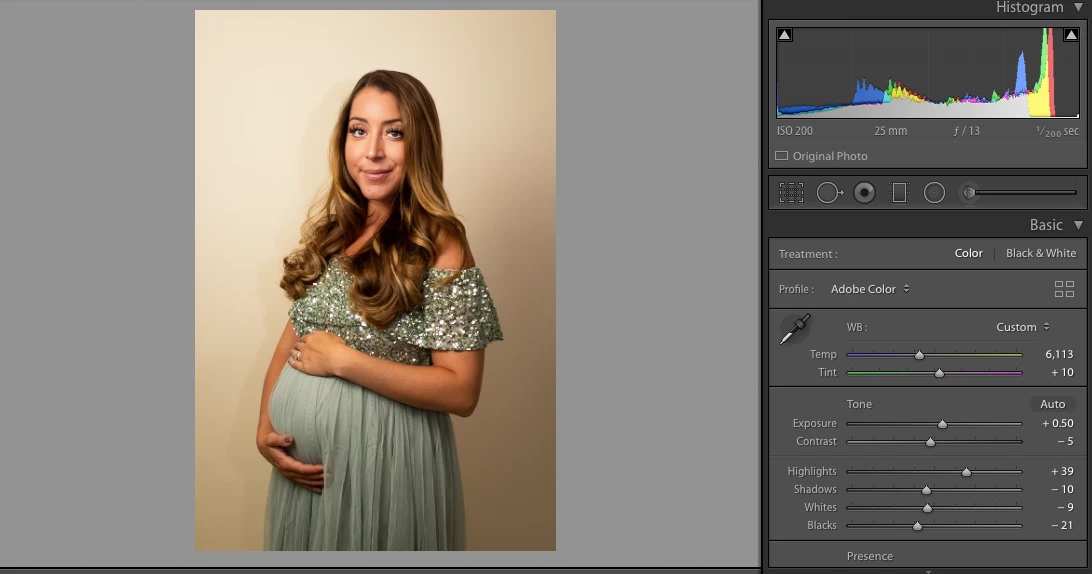
The original was set to 'Adobe Color', after using Photoshop that option is not available and just says 'Color'
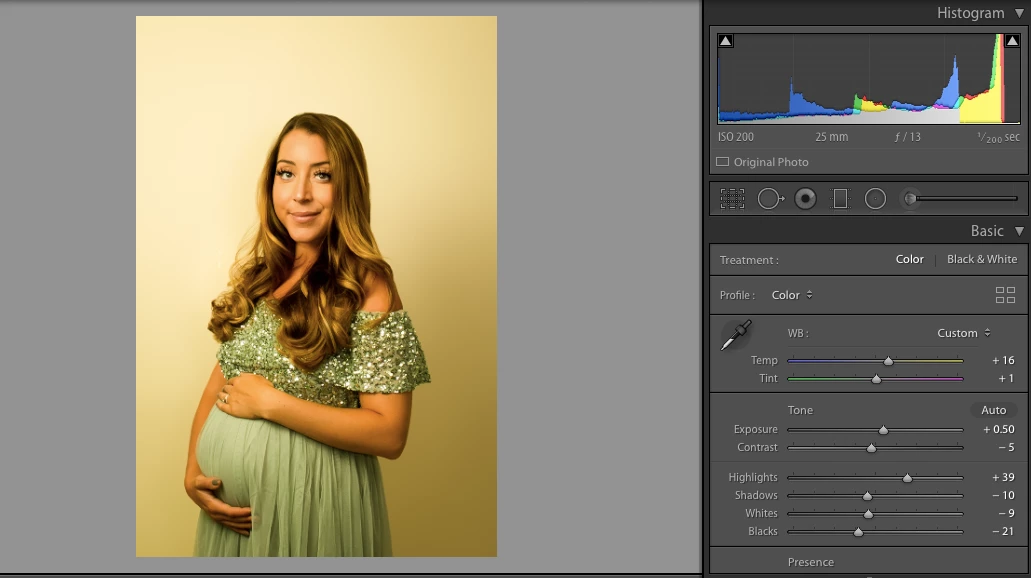
2. Temperature and Tint are both changed in the effects panel. And the temperature setting on the original have high numbers 6,113 that I cannot replicate.
3. It changes the crop
I have attached two screengrabs, the much more yellow version is the new one that is incorrect.
My two current options are:
1. Flatten the colour work to do photoshop edits
2. Try to match photographers colour grade after work
Has anyone encountered this and have a solution?
 AdChoices