Known Participant
January 31, 2020
Answered

Set up new collection for 2020
  • January 31, 2020
  • 2 replies
  • 499 views

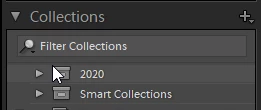
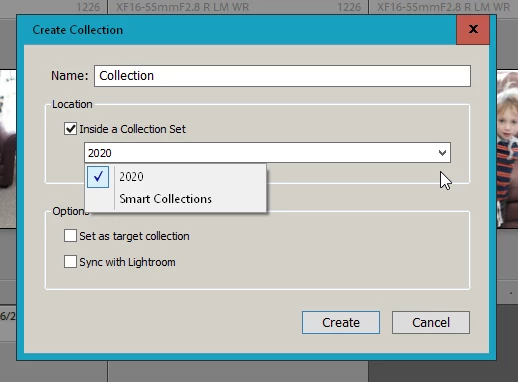
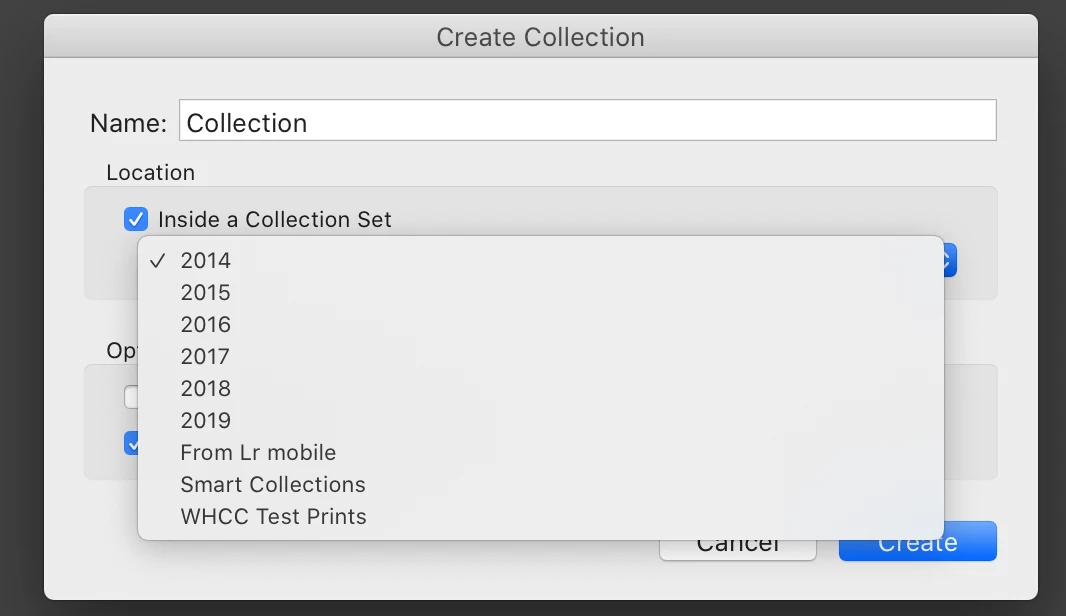
I am having trouble remembering how to add 2020 as an option to select for collection set. When I currently select the + sign for "add to collection" for importing new images, I don't get the option to create a new year collection. I can only choose from 2019 going back. How do I add 2020 as a collection option for importing images into?
This topic has been closed for replies.
Correct answer Just Shoot Me

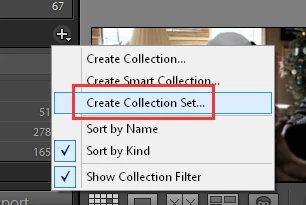
Click the Plus sign then select Create Collection Set.


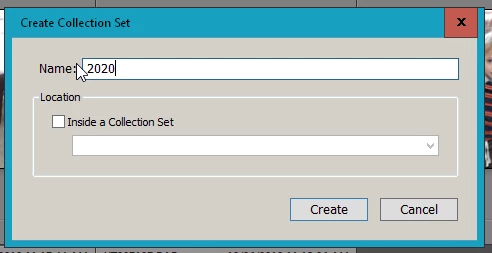
Type in 2020 then click Create button.


Then to create an actual Collection inside the 2020 Collection Set click the plus sign again and select Create Collection, give the new collection a name and place a check mark in the option Inside a Collection Set. Select the collection set you want to create the new collection in and and click Create.


You can NOT place image file names (there are no images inside a collection. All collections are just LISTS of image file names) in a Collection Set. you have to actually create a Collection inside the Collection set to move image file names to it.

2 replies

TheDigitalDog
Inspiring
January 31, 2020

Can I suggest a Smart Collection that will populate as add images throughout the year:

Author “Color Management for Photographers" & "Photoshop CC Color Management/pluralsight"
skorg264Author
Known Participant
January 31, 2020

Thanks for the suggestion. I remembered what I needed to do.

Just Shoot Me
Just Shoot MeCorrect answer
Legend
January 31, 2020

Click the Plus sign then select Create Collection Set.


Type in 2020 then click Create button.


Then to create an actual Collection inside the 2020 Collection Set click the plus sign again and select Create Collection, give the new collection a name and place a check mark in the option Inside a Collection Set. Select the collection set you want to create the new collection in and and click Create.


You can NOT place image file names (there are no images inside a collection. All collections are just LISTS of image file names) in a Collection Set. you have to actually create a Collection inside the Collection set to move image file names to it.

skorg264Author
Known Participant
January 31, 2020

Thanks. I did figure out what I couldn't remember so it's all good