Participant
October 20, 2018
Question

Sony a7iii RAW much darker in Develop mode

  • October 20, 2018
  • 4 replies
  • 12981 views

Hi everyone,

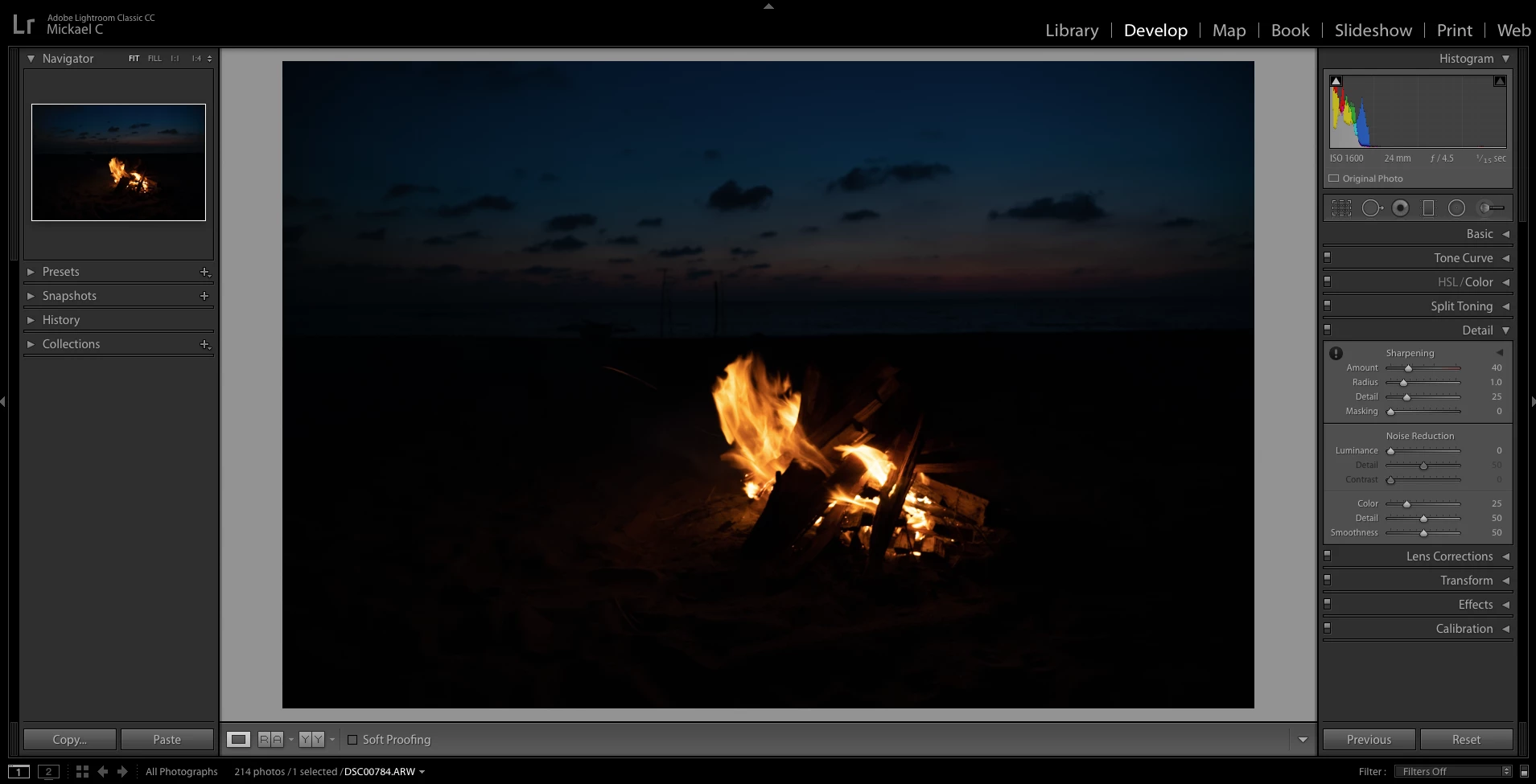
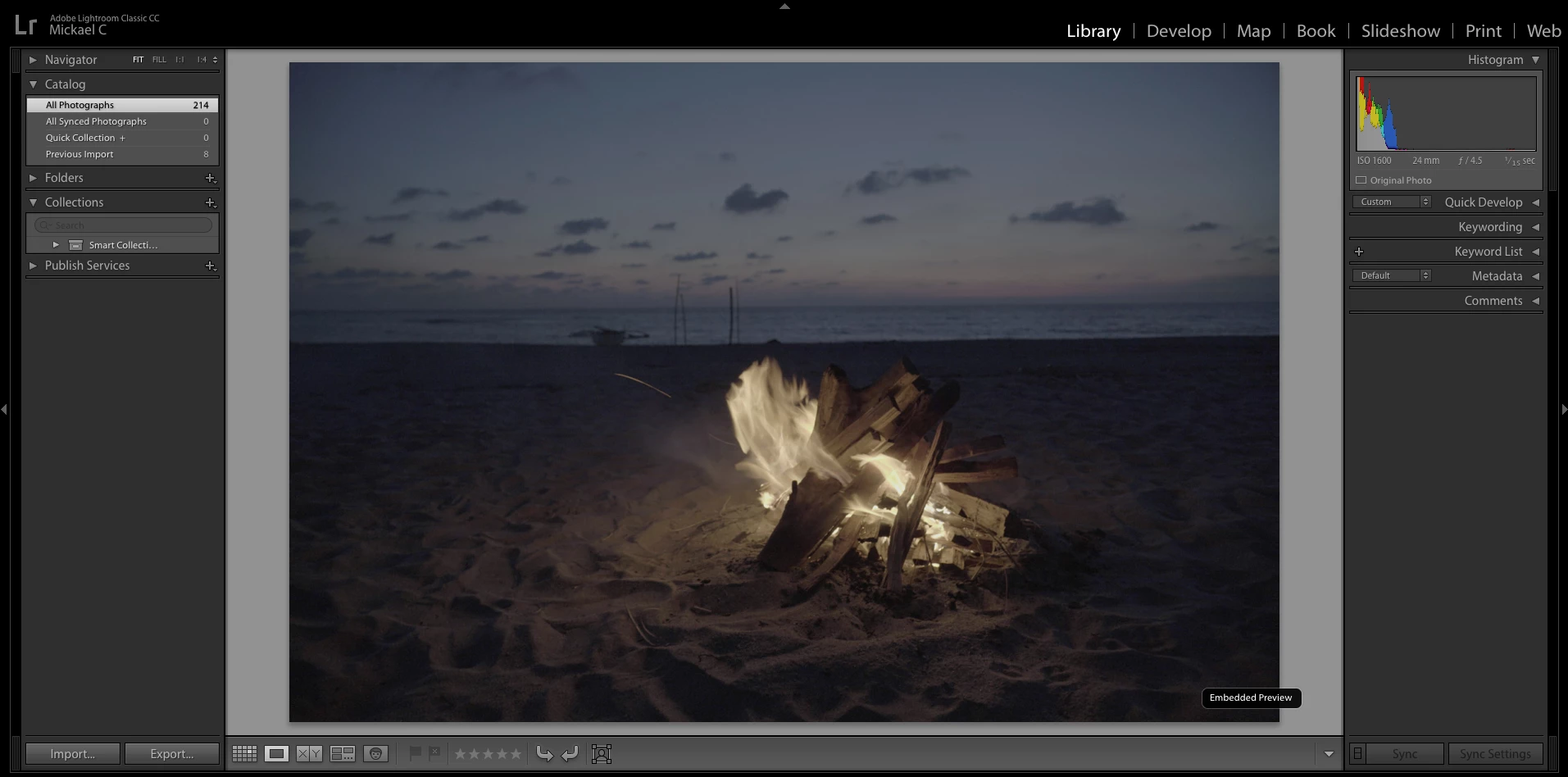
I imported some pictures I took last weekend with a Sony a7iii in RAW format and the results in Lightroom are significantly different from what shows on the camera and on the histogram. As long as Lightroom is on Library mode the results are not very different from what shows on the camera but once I try to edit it in Develop mode, it loses significant exposure.

I expected a difference between what shows on the camera and Lightroom but in this case the photo in Lightroom is really underexposed (several steps). This is particularly the case with darker images.

I have attached 2 screen shots: the first one is the preview in Library mode and the 2nd is the same photo once I open Develop. No edits were done, it is pretty much the same raw file before and after I click on Develop.

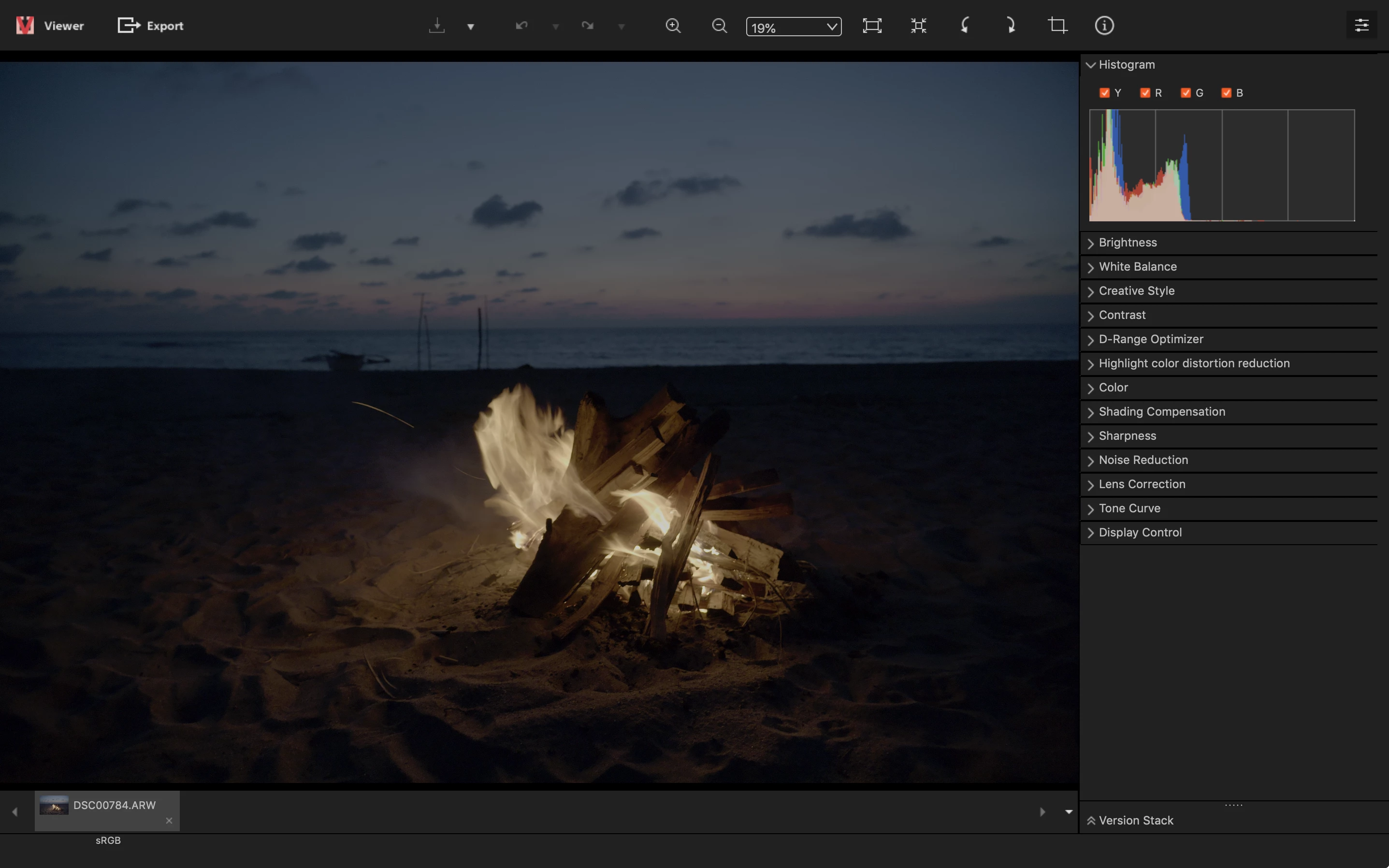
Also, the same RAW file opened with Sony Imaging Editor maintains a similar exposure as the one showed in the camera (screenshot also attached).

Has anyone experienced anything like this and has a fix for this?
Thanks,

Mike

This topic has been closed for replies.

4 replies

Participant
October 18, 2019

It's simple 

Open you sony setting and turn off your HDRO

And it's solved your problem 

robertc95330167
Participant
September 3, 2020

Thank you.   I've been having the same problem lately and I couldn't figure it out.   Sanity (somewhat) restored

alexandera63719047
Participant
October 11, 2020

where is this HDRO setting? i'm having the same issue and trying to find this to turn off?

D Fosse
Community Expert
Community Expert
October 20, 2018

Yes, there is obviously something very off with the Sony rendering. The Lightroom version makes a whole lot more sense.

I use an a7rII (not III) - but going through the menu there is at least one "Picture Profile" that will produce something like this. And then there are "creative styles" and DRO and whatnot. Plenty of ways to ruin a shot...

The very first thing I do when I get my hands on a new camera is to go through the menu, item by item, partly to weed out all these things and make sure everything is off. Not because it will impact the raw file (it won't), but to get a useful preview on the camera LCD.

JohanElzenga
Community Expert
Community Expert
October 20, 2018

The first preview is the embedded preview, meaning the one that the camera has produced. The develop preview is how Lightroom sees this image. Differences like this can have three causes:

1: You have enabled DRO in the camera. That is an option to protect highlights and the way the camera does this is by underexposing the image, and then cranking up the shadows. Because Lightroom does not automatically corrects the shadows too, it shows you the real underexposed image.

2: You have changed the camera defaults by mistake, so now Lightroom applies some corrections automatically on import. Check the Basic tab in the Develop module. Are all sliders set at zero?

3: You apply a Develop preset on import and included an exposure correction in that preset. This too should be visible in the Basic tab by having sliders not at zero even though you did not do any editing yet.

-- Johan W. Elzenga
Participant
October 20, 2018

HI Johan, thanks for your explanation.

1. DRO was off for this photo

2 & 3. All sliders are at zero

Thanks,

JohanElzenga
Community Expert
Community Expert
October 20, 2018

Check what happens when you press the Reset button in the Develop module while holding the shift key. Its name changes ‘Reset (Adobe)’, so you will reset the image to the default camera settings this way. If your image changes when you do this, then you do apply some edits on import, either because the camera defaults are changed, or because you apply a preset.

If nothing changes, then what Lightroom shows you is the correct view. This is what the raw file looks like (with the Adobe raw engine, of course). If your embedded previews are a lot different, then you have to check your camera settings to find out why, because then these previews are not correct. Maybe resetting your camera to factory defaults will solve it.

-- Johan W. Elzenga
99jon
Legend
October 20, 2018

Mike, you are comparing the camera jpeg (embedded preview) in the Library with the updated camera raw data in Develop. So the Adobe defaults have no doubt been applied. Also does the Basic panel include a profile?

Participant
October 20, 2018

HI John,

Thanks for the quick response. You are right, I would expect them to be different but in this case the difference is quite significative.

My main issue is that if I look at the histograms between the camera and what comes out it Lightroom it is much darker in Lightroom. Trying to recover the details in the Develop mode would not get me back to the original preview showed on the camera - over saturation, noise... This makes it quite difficult to predict how each photo is going to turn out in post treatment.

The Profile is Camera neutral. I tried other profiles but again I do not get close to the initial Preview.

Thanks again