
Participant
June 26, 2018
Question

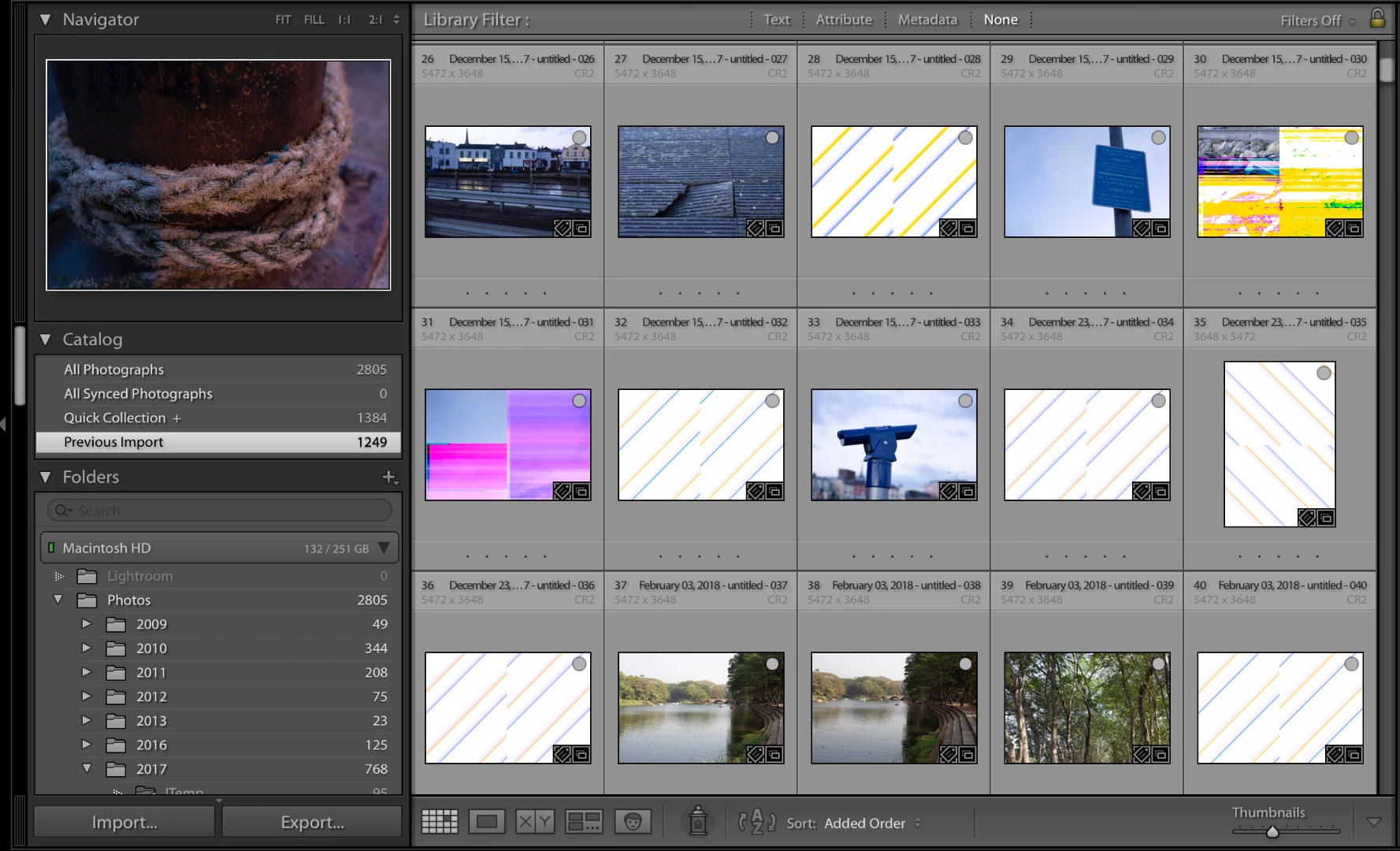
Standard image previews appear distorted

  • June 26, 2018
  • 1 reply
  • 349 views

On my most recent import, the first of Lightroom Classic CC, some of the standard image previews appear distorted - as in the screenshot below. 1:1 and smart previews don't have this issue.

I've tried disabling GPU support which had no effect. Also tried deleting the previews data file and rebuilt the previews which also had no effect.

If I create a 1:1 or smart preview for one of the affected images, then immediately discard that preview, the remaining standard preview displays correctly!

Has anyone encountered this before?

Thanks in advance!

Lightroom version: Classic CC 7.4

OS: macOS 10.13.5

Hardware: 2017 MacBook Pro
This topic has been closed for replies.

1 reply

dj_paige
Legend
June 26, 2018

There is some corruption of the files. This is caused by a hardware malfunction somewhere. The hard disk might be failing, so I would run diagnostics on it. Other possible causes of corruption are memory, and the hardware used to transfer the photos from camera to computer.

SquifferAuthor
Participant
June 26, 2018

Thanks for your reply dj_paige

If the affected photos are opened in the Develop tab they load perfectly fine, they also load fine in other software such as Photoshop and Preview.

Could the files still be corrupt in this case?

dj_paige
Legend
June 26, 2018

Yes, your previews are corrupt somehow, but apparently not your actual photos.