

GadgetComa
Inspiring
January 24, 2021
Answered

Sync to Lightroom option is missing from Lightroom Classic

  • January 24, 2021
  • 2 replies
  • 5689 views

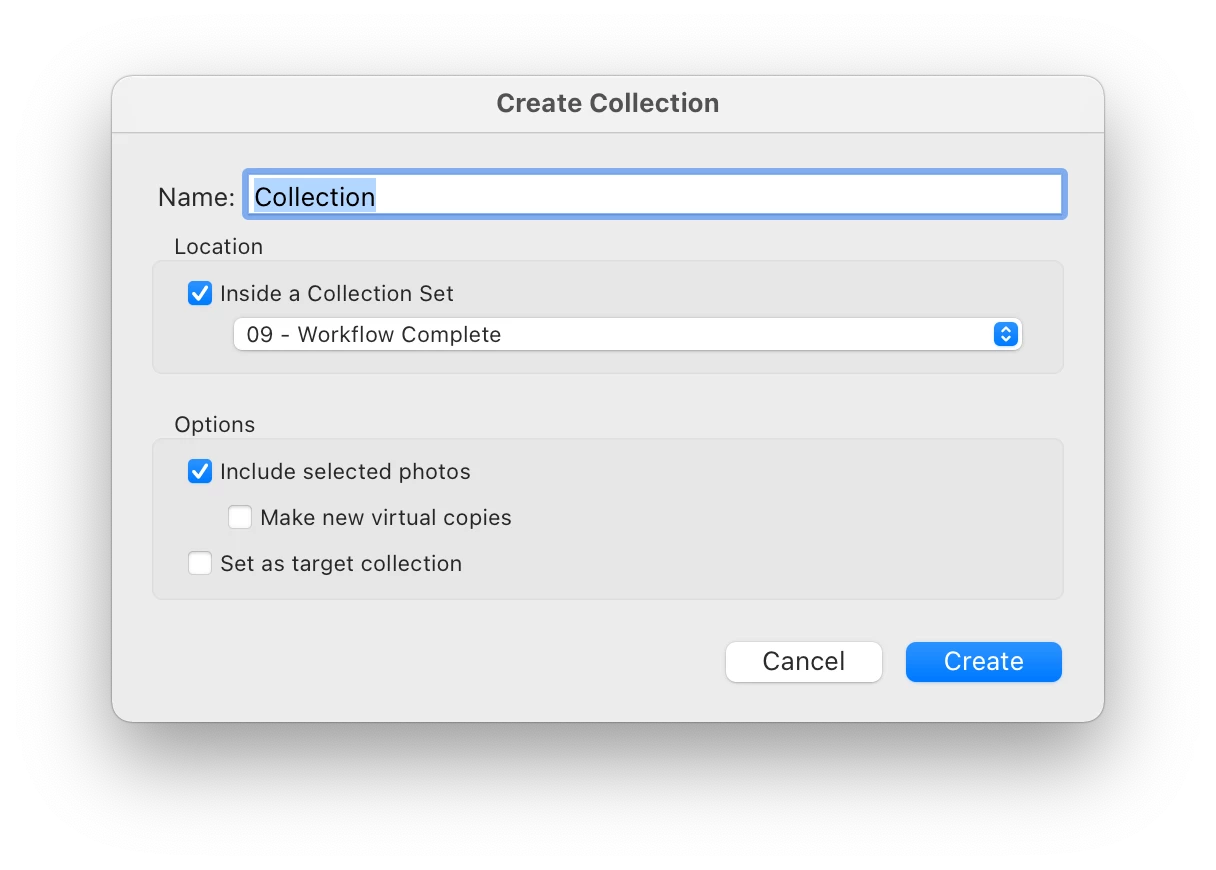
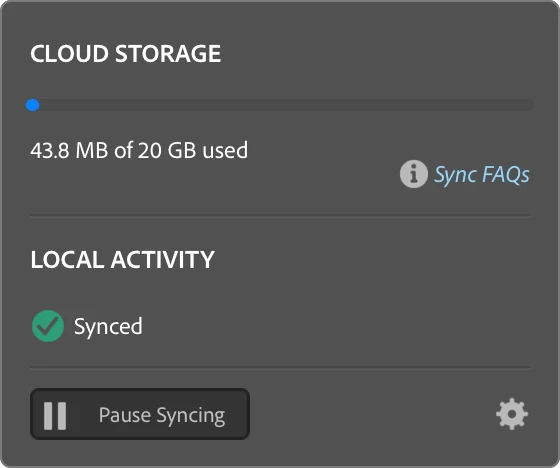
I've been using Lightroom Classic for years and have created many collections that I've synced to the cloud. As recently as a few hours ago, I was able to create a new collection and check the Sync with Lightroom option. All of the photos synced fine. I closed Lightroom and came back to it a few hours later and now there is no option to Sync to Lightroom. It's missing from the create collection dialog, from the context menu for collections, and there is no sync icon next to collections that I should be able to sync. I've confirmed that syncing is enabled and I checked Lightroom Web for sync errors. No errors are seen. I'm running Lightroom Classic 10.1.1 on a Mac Mini (2020 M1), 8G RAM, 256G SSD running Big Sur 11.1. After reading threads here about similar issues, I also tried deleting the sync data and rebooting. I've attached screenshots of the create collection dialog and sync options for clarity. I'd appreciate any suggestions.
This topic has been closed for replies.
Correct answer GadgetComa

Sorry, I'm a bit of a forum noob, so my screenshots are attached and appear to require downloading. Here they are in a (hopefully) easier way to access. (Thanks for indulging me. 😉 )

2 replies

JP Hess
Inspiring
January 30, 2021

Have you opened a different catalog from the one that you synchronized with the cloud? It is only possible to synchronize a single catalog. If you open a different catalog then the option to synchronize will not be available.

GadgetComa
Inspiring
January 30, 2021

I have only had this catalog syncing. Also, as I mentioned in earlier posts, the syncing works fine for a while, then the option disappears. This happens with the same catalog, same Mac, even just a few hours apart. No change other than opening and closing Lightroom.

Participant
February 21, 2021

I just experienced the same problem. I had made some changes to a collection via LR Cloud on my laptop. When I sat down at my desktop, the changes hadn't synced. When I went to troubleshoot I realized all the little sync icons were missing. Restarting LR solved be problem but it was really weird. I hope Adobe can track this problem down and resolve it. 

GadgetComa
GadgetComaAuthorCorrect answer
Inspiring
January 24, 2021

Sorry, I'm a bit of a forum noob, so my screenshots are attached and appear to require downloading. Here they are in a (hopefully) easier way to access. (Thanks for indulging me. 😉 )

GadgetComa
Inspiring
January 25, 2021

I connected with Adobe support via chat and got it fixed. The support rep made several changes to my system before testing, so I'm not sure if all of the changes were needed, but at least it's working.

The changes made were:

  1. Turned of the malware protection option of Malwarebytes
  2. Disabled WiFi (I've got Ethernet connected too)
  3. Removed *.local, 169.245/16 from the Network Proxies preferences
  4. Turned off the macOS firewall
  5. Renamed ~/Library/Preferences/Adobe/Lightroom folder to Lightroom.old


I suspect the real culprit was either #1 or #5. I've already turned WiFi back on and reenabled the firewall. If either of those is the cause, I would be surprised and concerned, but it does make sense to try them for troubleshooting. Anyhow, my problem is solved. Maybe this info will help others.

GadgetComa
Inspiring
January 30, 2021

Well, the problem is back, so the solution still eludes me. At one point, I suspected it might be due to using NextDNS, which provides DNS-based ad-blocking, but I turned that off, too. A new behavior I noticed is that syncing works fine after I reboot. I've even tried closing LrC after seeing sync work and opening it again, but I can't reliably reproduce the issue that waay. It seems as if the problem crops up if I've used LrC after a reboot, then leave the computer idle for a while. This Mac is used for home automation functions, so while the screen is set to go to sleep, the Mac never sleeps or hibernates. I also don't have any problems with other apps and network connectivity. 


I think I have some ideas to continue trying to isolate the problem, but if anyone has suggestions, I'd love to hear them. I wonder if it might be an Apple Silicon / Rosetta 2 issue. Since there probably aren't many people running LrC on the new Macs, yet, it wouldn't be surprising that there aren't more reports of issues like mine. The good news is that everything else in LrC works fine and I don't rely on sync constantly, so it's not a huge interruption to my workflow.