



Question
Tethering issues w Canon 5D Miii
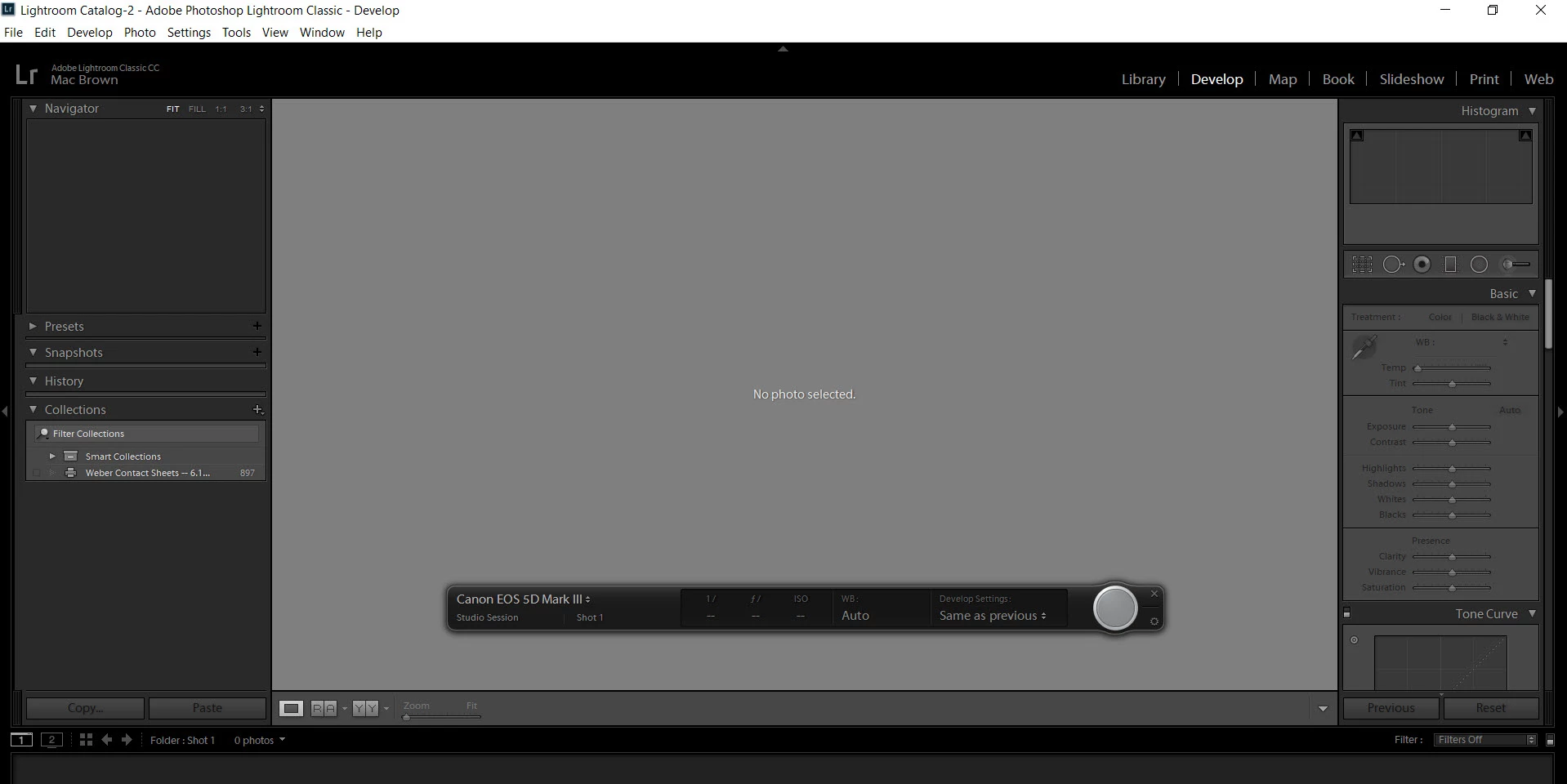
I shoot with a Canon 5D Mark III and a 5D Mark IV. I want to shoot tethered to Lightroom. I run Adobe Photoshop Lightroom Classic CC. My computer is a PC running Windows 10. When I connect my camera and computer Lightroom gives me the option to begin "Tethered Capture" but it does not work.
Here's what I've tried:
- Tethered capture with Canon EOS Utility on and off. Seems to make no difference.
- Canon website for help. It wasn't
- Canon technical support phone call. He was even less help
- Adobe technical support documents. No help
- Google search. No help
Here's what happens. I plug everything up.
- I get the black bar to show me Lightroom "sees" my camera because it shows a 5D Mark III connected to it but my settings (shutter speed, f stop, ISO and WB) are not showing up.
- There is a big gray box in the middle of the screen with the message "No photo selected"
- The gray button in the black bar at the bottom of the screen "appears" active because it brightens up when I hover over it and it gets darker when I click it but nothing happens with my camera when I do.
- Sometimes when my camera is connected to my computer the trigger on the camera does not function.
If I need to, I can shoot tethered with the Canon EOS Utility, but I would really prefer to import and shoot tethered directly with Lightroom.
Can someone please help? The frustration is real. haha
 AdChoices