You had all the flagged photos selected that is why they all got removed.
In LR it is hard to tell which images are selected and which ones aren't, unless you know what to look for.
Look at this screen shot I did for another thread.
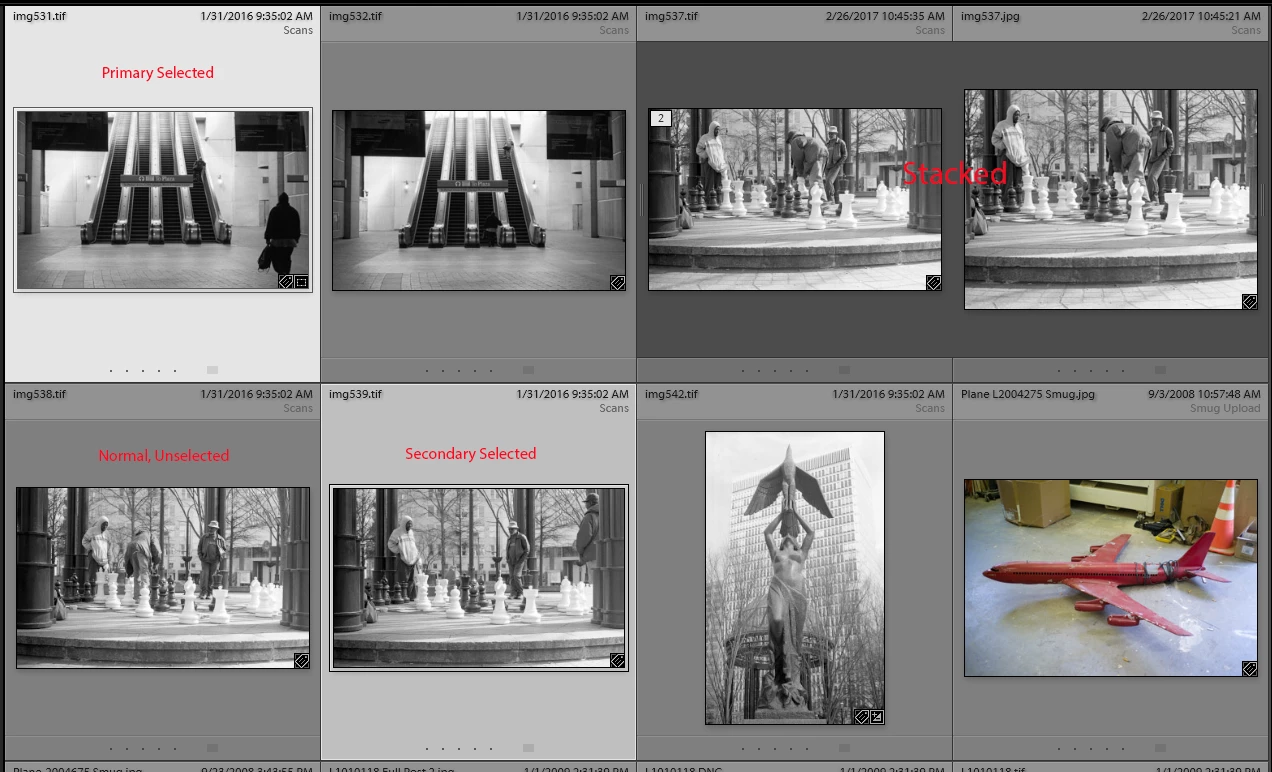
In the images above there are 2 images selected. The brighter gray is the Primary selected and the slightly darker gray is what all secondary selected images will look like.
The mid gray is un-selected.
If you select all images displayed in the grid view and then you click on one of the image itself, Not the gray boarder surrounding a image, that image goes from secondary selected to Primary selected but all of the images are still selected. To select only one of the multiple selected images you have to click on the gray boarder surrounding that image. Then only that one image is the selected image.
Sorry to say but once you remove an image from the LR catalog any edits, changes, you have made to it, including flags, color labels, keywords or stars are also gone. you can re-import them but all the changes you made before you removed them will be gone





 AdChoices