
Exit
  • Global community
    • Language:
      • Deutsch
      • English
      • Español
      • Français
      • Português
  • 日本語コミュニティ
  • 한국 커뮤니티
7

1TB Upgraded to 5TB (lightroom)

Community Beginner ,
Dec 12, 2023 Dec 12, 2023

My LR storage was upgraded from 1TB to 5TB last year.

5tb.png


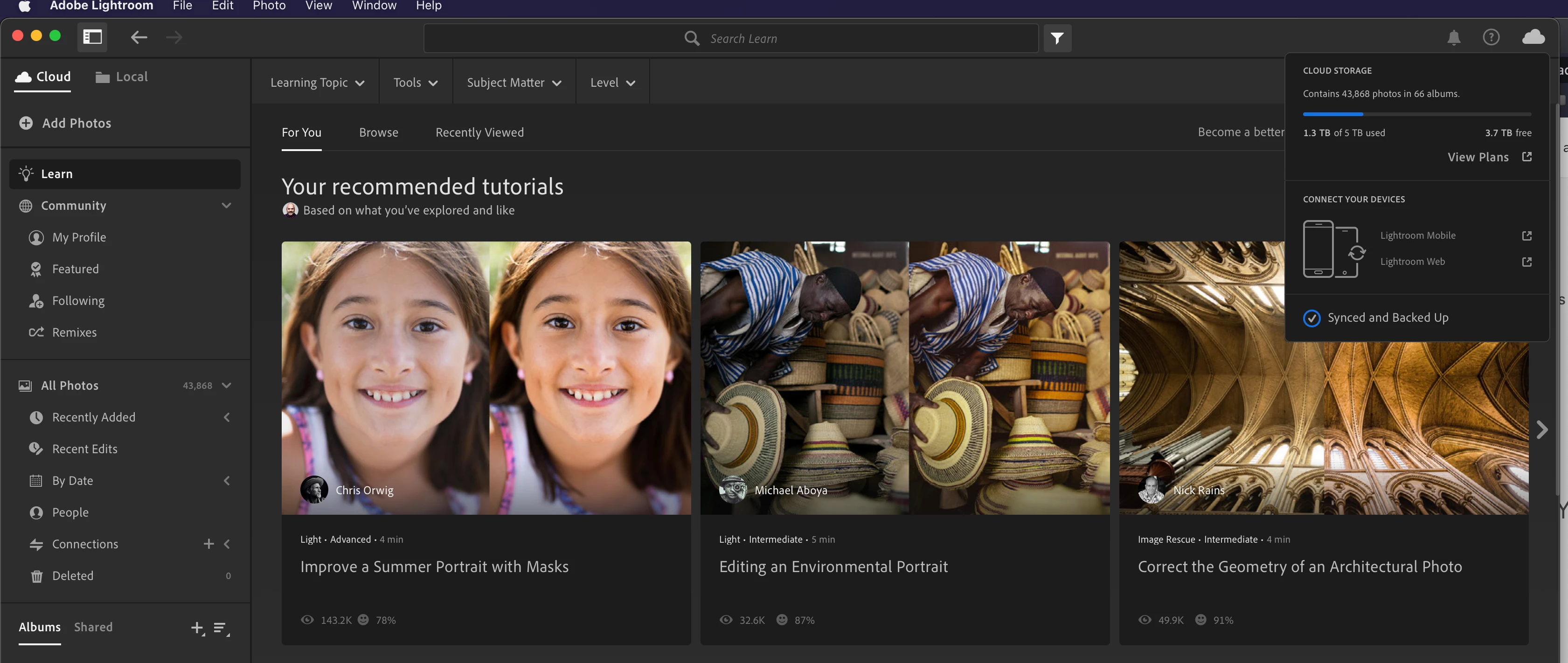
I am currently using 1.3TBs of 5TBs with 3.7TBs free.
lightroom.png


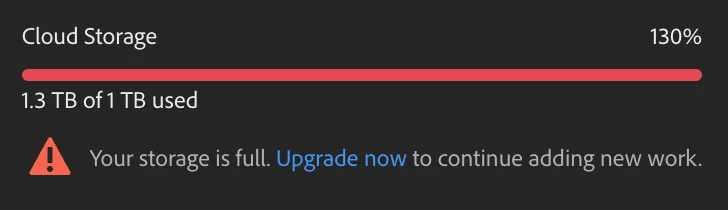
I recently demoed Illustrator and then removed it.  After removal, my LR continued to show 3.7TBs free, but now Creative Cloud shows I have over 300GBs in storage.
Screenshot 2023-12-12 at 5.45.20 PM.png


I engaged in a discussion with Adobe support, and regrettably, as is customary, the organizational coherence within the corporate structure appears to be severely lacking. Adobe support indicates an apparent discrepancy, asserting an exceeded limit, yet Lightroom (LR) persists in provisioning 5TBs of storage. Is this a recurrent stratagem where Adobe entices users with features only to subsequently coerce them into upgrading? My confidence in Adobe's competence and the security of my file storage has been eroded. Despite maintaining backups, I am actively disengaging from Adobe services. I can securely store images across multiple platforms at a significantly reduced cost compared to Adobe's offerings.

In my interaction with Adobe, I was routed through four distinct engineers, none of whom demonstrated a discernible understanding, even when presented with accompanying visual evidence. It appears as though their support script is fundamentally flawed, incapable of processing information beyond what is explicitly presented to them.


Why is this valuable to me?  I need Adobe to fix the problem they created and explain why they upgraded users from 1TB to 5TB.  So far they have no clue what is going on. 

TOPICS
macOS
771
Translate
Report
Community guidelines
Be kind and respectful, give credit to the original source of content, and search for duplicates before posting. Learn more
community guidelines
Community Beginner ,
Dec 15, 2023 Dec 15, 2023

Screenshot 2023-12-15 at 1.07.03 PM.png

Translate
Report
Community guidelines
Be kind and respectful, give credit to the original source of content, and search for duplicates before posting. Learn more
community guidelines
Community Beginner ,
Dec 15, 2023 Dec 15, 2023

They fail to understand that it is not a technical glitch, but since this department has no understanding of the issue, they just use it as a scapegoat. 

Translate
Report
Community guidelines
Be kind and respectful, give credit to the original source of content, and search for duplicates before posting. Learn more
community guidelines
Community Expert ,
Dec 15, 2023 Dec 15, 2023

How did you upgrade from 1 to 5tb last year? Does that show in your account/subscription??

Is it in fact an error??

Translate
Report
Community guidelines
Be kind and respectful, give credit to the original source of content, and search for duplicates before posting. Learn more
community guidelines
Community Beginner ,
Dec 16, 2023 Dec 16, 2023
LATEST

Lightroom displayed a message at the top of the application that my storage was increased to 5TB.  I am not the only one with Lightroom who received the same message and increase. 

5tb.png

Translate
Report
Community guidelines
Be kind and respectful, give credit to the original source of content, and search for duplicates before posting. Learn more
community guidelines
Community Expert ,
Dec 15, 2023 Dec 15, 2023

Lightroom and Creative Cloud Storage are separate entities. What does Lightroom show as storage? Illustrator doesn't use Lightroom Cloud storage.

Translate
Report
Community guidelines
Be kind and respectful, give credit to the original source of content, and search for duplicates before posting. Learn more
community guidelines
Community Beginner ,
Dec 16, 2023 Dec 16, 2023

Lightroom shows 3.7TBs free top right. 
lightroom.png


Creative Cloud shows I am over 300GBs
creative.png

Translate
Report
Community guidelines
Be kind and respectful, give credit to the original source of content, and search for duplicates before posting. Learn more
community guidelines