


nikunj.m
Community Manager
Community Manager
July 12, 2024
Question

7/12 - ☀️ Summer Workshop with Lightroom Academy

Enhance your photography skills with Lightroom Academy


Elevate your photography with Lightroom Academy - a site dedicated to improving, exploring, and updating photography skills across a wide field of subjects. Whether you're a beginner or a pro, there's something for everyone. Lightroom Academy offers inspiration and learning, covering creative ideas, essential principles, image processing, and visual thinking from expert professionals. Many of the articles include hands-on exercises to hone your photography and Lightroom skills. Every two weeks, we'll spotlight more Lightroom Academy —don't forget to share your learnings in the comments below!
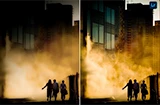

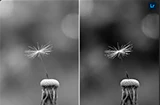

Identify distractions before pressing the shutter button and practice adjusting your position to avoid unwanted elements. Get started here.
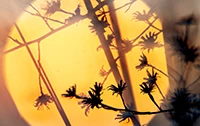


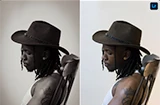
Create visual interest by emphasizing contrast in light, color, structure, scale, and subject to create images that engage the viewer’s eye and mind. Get started here.



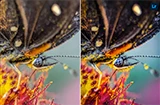
Discover the beauty in the shapes, forms, surfaces, and textures of the world around us. Get started here.



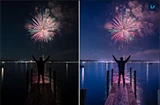
Learn to see and use compositional frames within the image to emphasize the subject. Get started here.
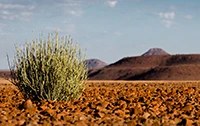


Explore how camera orientation, whether vertical or horizontal, is the better and more exciting way to fit the subject into the frame. Get started here.



Breaking the rules is just as important as knowing the rules of image composition. Get started here.


We are excited to see what you create! Be sure to share your links to your work in the comments below and check back on Friday, August 2 as we highlight more Lightroom Academy resources to check out!


Ce sujet a été fermé aux réponses.

13 commentaires

creative explorer
Community Expert
Community Expert
July 25, 2024
melissapiccone
Community Expert
Community Expert
July 19, 2024

https://lightroom.app.link/ATDXeyjDmLb

Dark Sky pic with Cell phone - the phone really pics up all light sources. Darkened the foreground to make the stars pop. 

Melissa Piccone | Adobe Trainer | Online Courses Author | Fine Artist
@mj
Community Expert
Community Expert
July 19, 2024

Exploring juxtaposition


Monika Gause
Community Expert
Community Expert
July 17, 2024

Lots of patterns and textures to explore on Berlin's U7

https://adobe.ly/4d3s6mT

Imaginerie
Community Expert
Community Expert
July 16, 2024


Juxtaposition of shapes and colours

EuanWilliamson
Community Expert
Community Expert
July 15, 2024

Color separation, depth of field separation


Best regards, Euan.
derekwatson
Community Expert
Community Expert
July 15, 2024

 Colour as original shot but played with depth of field, blurring more of the lower flowers

Derek Watson
derekwatson
Community Expert
Community Expert
July 15, 2024

 Tweaked the colour a little but the light really did give such rich colours. First time I have removed things using Lightroom, I would always normally jump to PhotoShop

Derek Watson
Michael Ambroise
Community Expert
Community Expert
July 13, 2024

https://adobe.ly/3zDrjeb

Frame within a Frame

_______Senior graphic designer | United Nations Population Fund
didiermazier
Community Expert
Community Expert
July 13, 2024

https://adobe.ly/465fjhp

Lightroom was unable to get rid of the woman in the background,  wether based on object or generative. It showed up a mix of the blurred red coat… Sincerly it is realy deceiving.

I did the same with Photoshop and succeeded to get what I want. Watch the vid about the process here : https://youtu.be/xIOEBfCYTJw