
Participant
March 22, 2022
Question

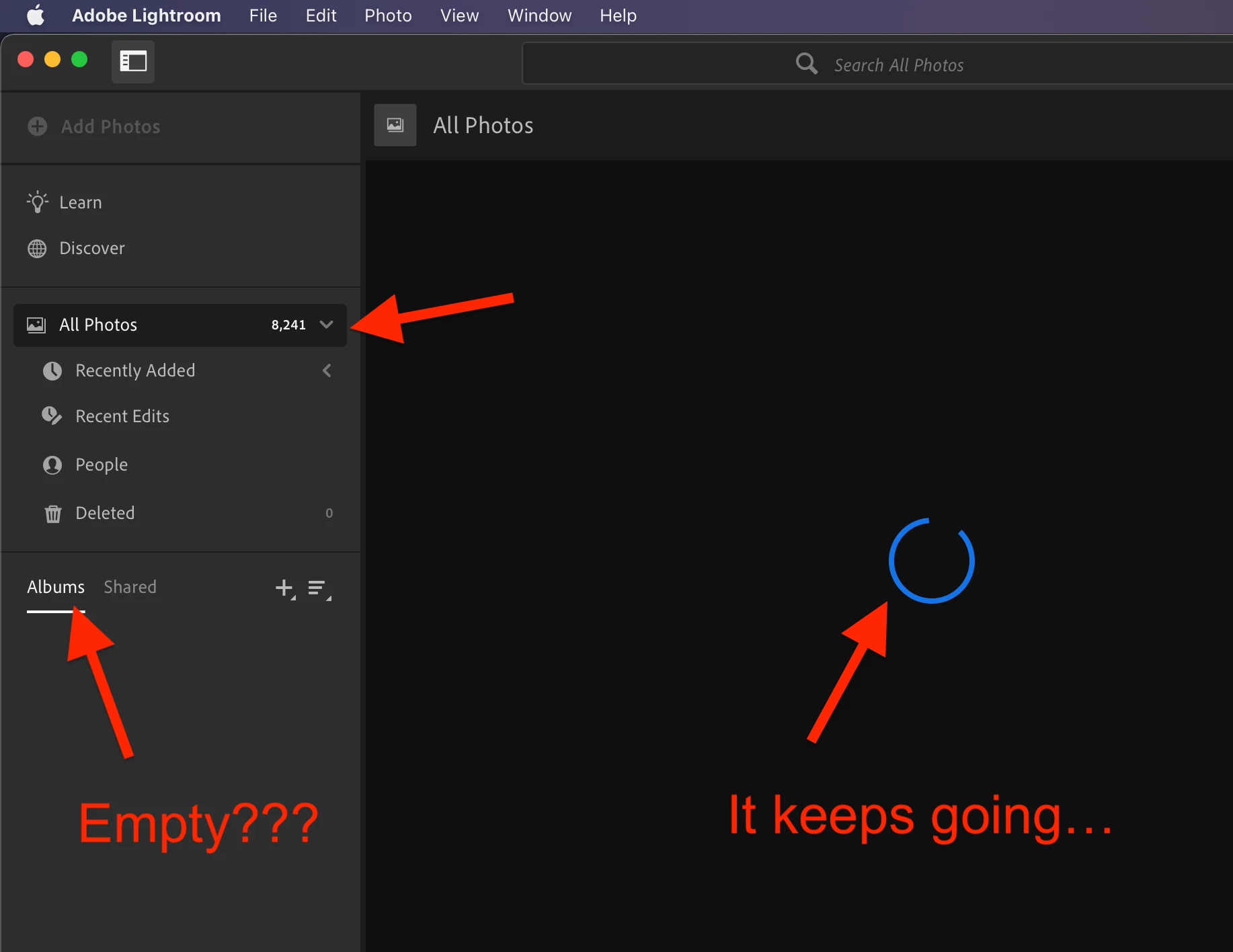
+8,000 pics in All Photo NO ONE VISIBLE

  • March 22, 2022
  • 1 reply
  • 150 views

Good morning, 

I have more than 8,000 photos in my All Photos, and many Albums. No one is visible anymore!

  • Basic Steps: just open Lightroom
  • Expected results: see my photos
  • Actual result: No one is visible anymore!
  • What is valuable: Restore my photos

Can you help me? Thanks in advance.

FYI:

  • Adobe Photoshop Lightroom ver 5.2
  • MacBook Air, macOS Monterey ver 12.0.1

Valentina
 

This topic has been closed for replies.

1 reply

Ranjisha Sengupta
Legend
March 22, 2022

Hi there,


We're sorry about the trouble experienced with Lightroom. We're here to help.

Where are the files located? Have you changed any settings recently? Did you try re-logging in?

I have got some steps for you to follow.

  1. Quit Lightroom CC
  2. Navigate to the catalog folder
    1. In Mac Finder, go to Pictures.  Right-click on Lightroom library.lrlibrary and choose "Show Package Contents."
    2. In Windows Explorer, go to c:\users\<username>\AppData\Local\Adobe\Lightroom CC\Data
  3. You'll see a folder with a long string of characters for the name.  Open that.
  4. Select any file that starts with "Managed Catalog" and delete or move the files to the desktop location in one single folder. Note: if you see an error trying to remove any of these files, reboot the computer, and then try to delete again.  If any of these files are left behind, corruption will reoccur. 
  5. Start Lightroom CC. It will sync down your images from the cloud. 


Let us know if the above steps help you fix this issue.


Thanks

Ranjisha