
LaserK
Inspiring
January 29, 2019
Answered

Adobe CC 2.1.1 (Desktop) does not Sync and does not allow to add photos

  • January 29, 2019
  • 1 reply
  • 354 views

Hi,


I installed Adobe Lightroom CC 2.1.1 via Adobe Cloud Installer on a Windows 10 (1803) 64x computer.

Lightroom CC does not allow to add photos (the plus sign is greyed out). At the top right hand side there is no sync indicator (where usualy the cloud icon should be displayed). Via mobile version and the web version I added a few photos and albums and edited some of them, but they do not show up in lightroom desktop.

I already tried to downgrade to 2.1 and 2.0 via Adobe Cloud Installer, but theses version have the same issue.

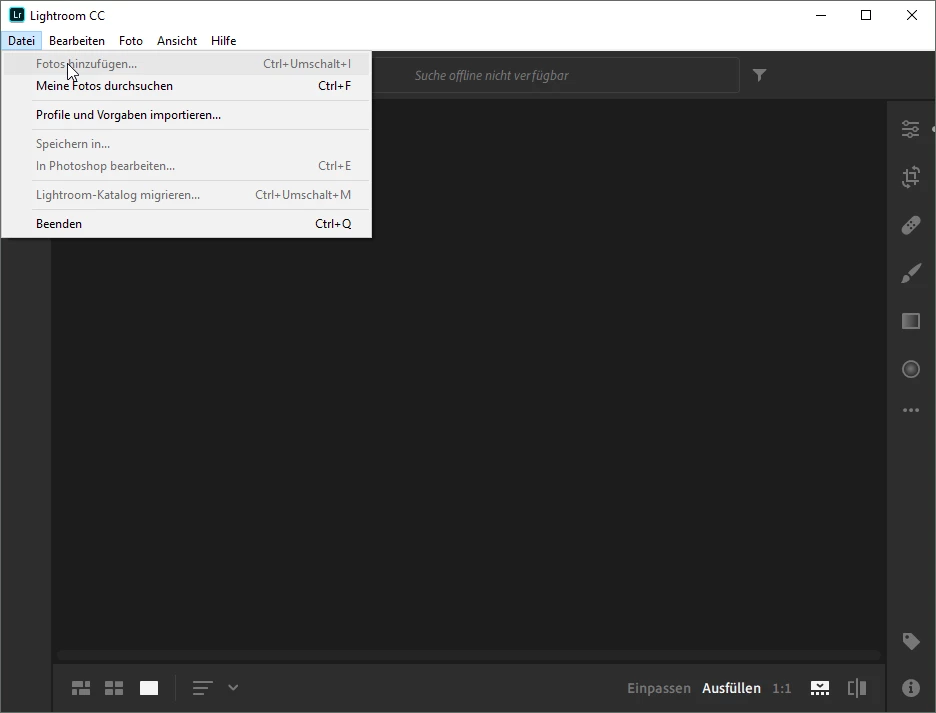
Screenshot from desktop version: the plus sign is not functional (even the blue tool tip is missing)

from the menu the import function is also deactivated.
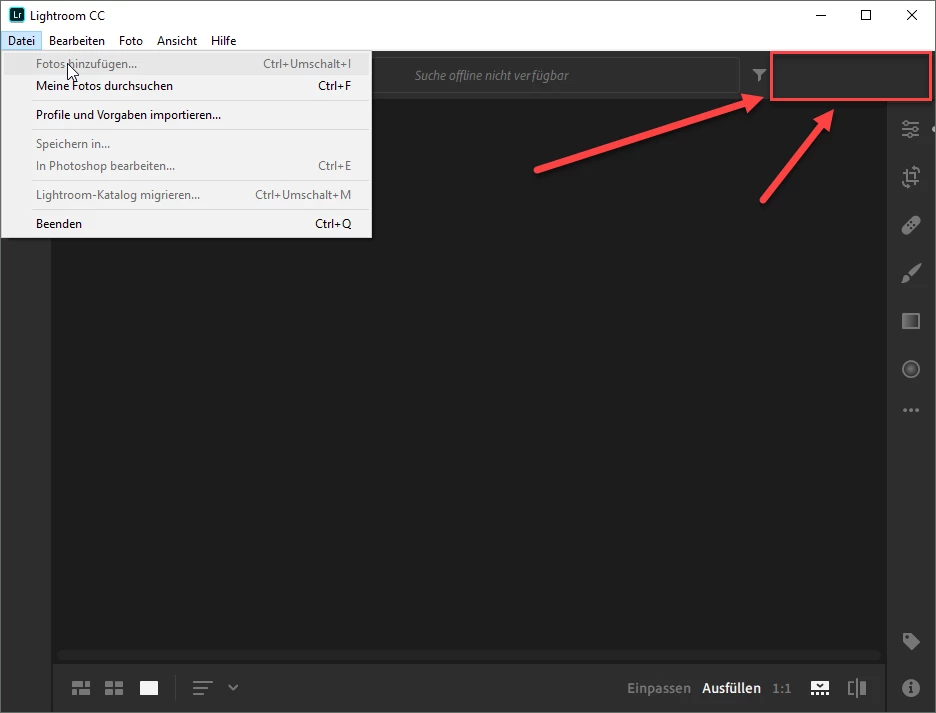
the area where the cloud activity is shown remains empty.
Of course I am logged in with my Adobe ID. I would be very thankful for any tip solving this problem.

regards

This topic has been closed for replies.
Correct answer LaserK

Hello,

thanks for the hint,

I think I know why it is not working. I am using this in my company and when I am connected to the company network, LR CC does not show the icons and does not sync (and also does not allow to add new photos). When I disconnect the comany network and connect to a free internet connection. it instantly is working.

So - this is a network topic by our comapny.
Pls. close this thread.

But thanks for the help and the attation.
regards
Lars

1 reply

Sahil.Chawla
Adobe Employee
Adobe Employee
January 29, 2019

Hi there,

Not sure why these three icons are not available at your end:

Could you try using the Creative Cloud cleaner tool and do a clean re-installation of Lightroom CC and let us know if that helps?

Use the Creative Cloud Cleaner Tool to solve installation problems

Regards,
Sahil

LaserK
LaserKAuthorCorrect answer
Inspiring
January 30, 2019

Hello,

thanks for the hint,

I think I know why it is not working. I am using this in my company and when I am connected to the company network, LR CC does not show the icons and does not sync (and also does not allow to add new photos). When I disconnect the comany network and connect to a free internet connection. it instantly is working.

So - this is a network topic by our comapny.
Pls. close this thread.

But thanks for the help and the attation.
regards
Lars