
Adobe Lightroom Downloader Sign In not working
All,
I have a paid account with adobe lightroom and I am trying to download adobe lightroom on my laptop. When I use adobe lightroom downloaded ( which is the default option ) and try and use my log in ID and password, it keeps displaying this message below:
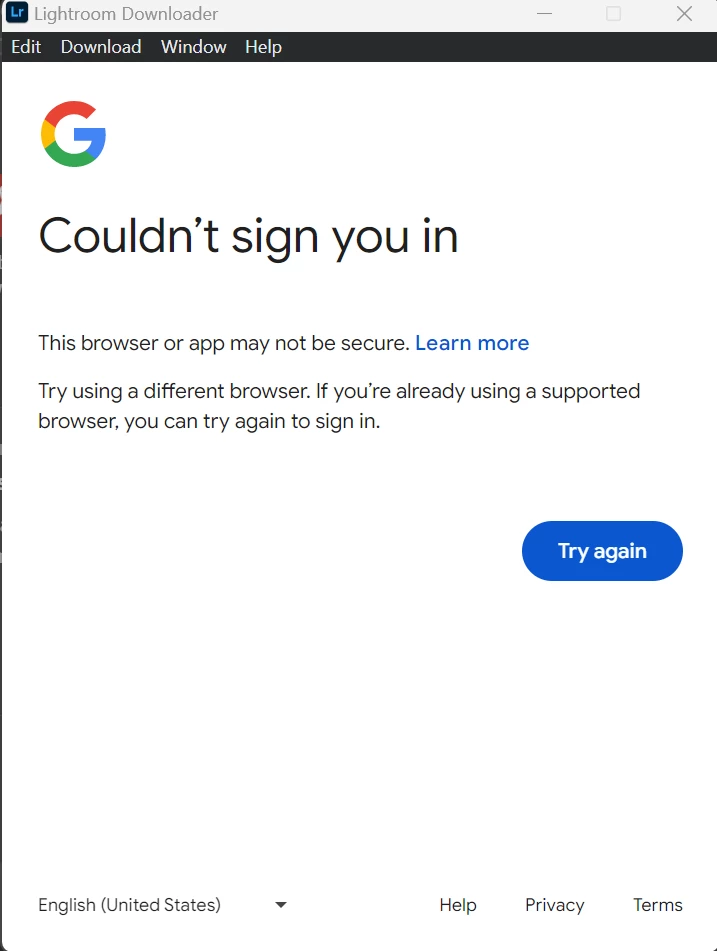
I have used the approved list which is Chrome, Edge, Mozilla and have java script enabled on all of them and it does not work. When I press the help button or the contact me button, that yields no response.
To make sure the AI in your system can actually process my list, I AM REPORTING A BUG AND HERE ARE THE REQUIREMENTS YOU NEED:
1) Version of the App : May 2024
2) Platform and OS: PC and Windows 11 64-bit Pro
3) Basic Steps to reproduce the problem: Open the laptop, go to google chrome, sign in to my adobe account, navigate to the adobe lightroom downloader section, download the files, unzip them, place them on my C drive, press the "Set-up" file, go through the steps, reach the adobe lightroom downloader page, fill out the account details and then the above screenshot shows up.
4) Expected Result & Actual Result:
Expected Result: That Adobe Lightroom downloads and can run
Actual Result: The above screenshot shows up and the realisation that money has been wasted on people who choose to not deliver a product because they are so complacent and happy with their mediocre life.
 AdChoices