Participant
July 19, 2023
Answered

Can´t change dpi from 240 to 300dpi when i export in Lightroom Photoshop (Not classic)

  • July 19, 2023
  • 1 reply
  • 601 views

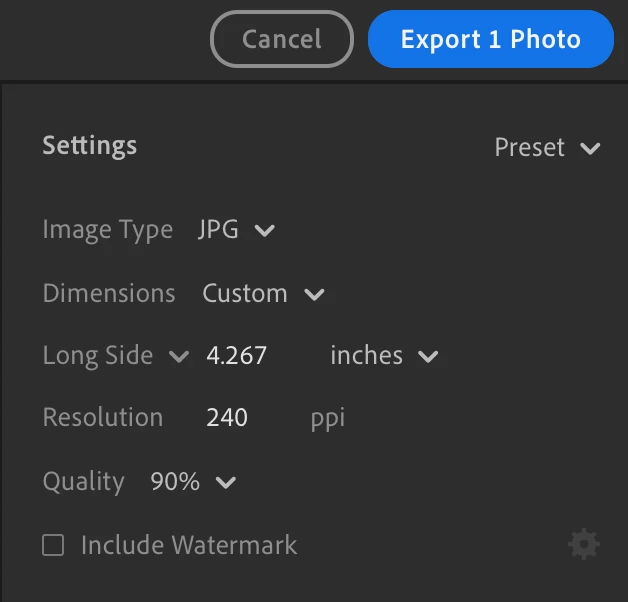
Every time i want to export any image i just can´t change 240 to 300 or 72dpi.  The options just doesn´t appear in this version. All images are exported in 240!!!!!

I refuse to believe that i have to make some kind of bridge using Photoshop to do this, considering that this is a so simple thing! 


Anyone can help?
Correct answer Rikk Flohr_Photography

Export as Custom Settings

Choose Dimensions = Custom

Set Long side to "Inches" instead of Pixels 

Resolution will appear.  


1 reply

Rikk Flohr_Photography
Community Manager
July 19, 2023

Export as Custom Settings

Choose Dimensions = Custom

Set Long side to "Inches" instead of Pixels 

Resolution will appear.  


Rikk Flohr: Adobe Photography Org