
Inspiring
June 21, 2019
Question

Can't import presets to CC

  • June 21, 2019
  • 2 replies
  • 1248 views

Hi,

Would love some help.  I can't seem to import Presets into CC from Classic no matter what I try.  After following what I understand the be the correct import process they do not appear.

Classic version 8.3.1

CC Version 2.3

I understand that CC is supposed to import Presets automatically from Classic on startup but the test preset I created in Classic did not appear in CC as expected.

I then tried to manually import the preset into CC

In Classic I located the presets folder where I can see my preset... Test Preset 1.xmp

/Users/paulwright/Library/Application Support/Adobe/CameraRaw/Settings/User Presets
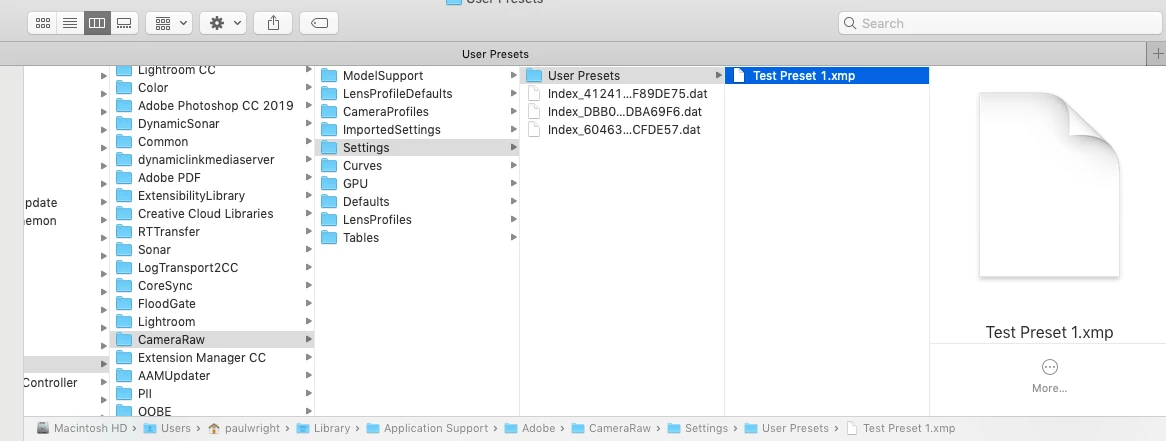
I then open CC, navigate to Presets and chose Import Presets.
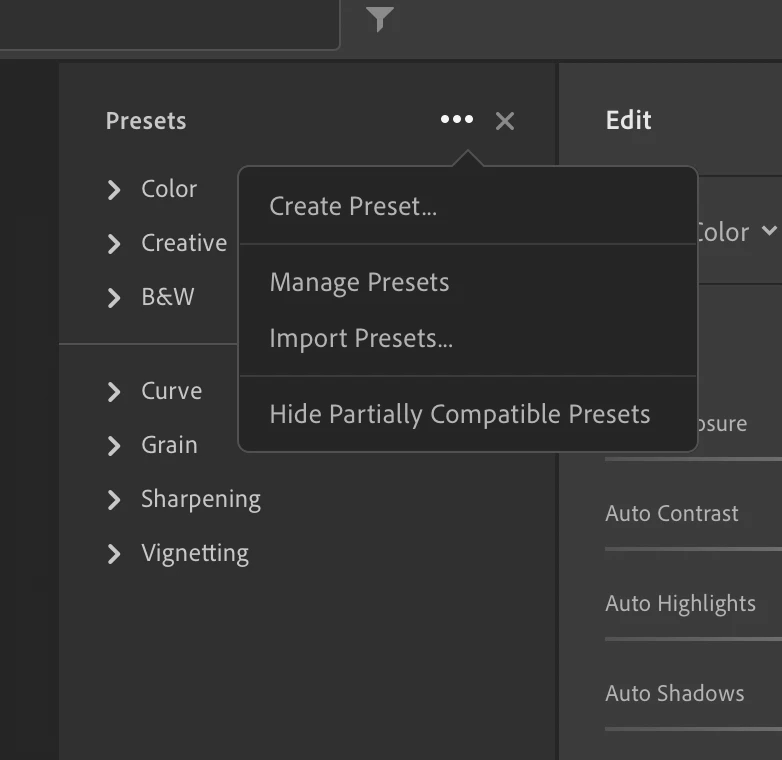
After import I see a brief message pop up saying "1 Preset imported" but then if I look at the presets list nothing new has appeared.

I have made sure the "hide partially compatible presets" option is not checked.

Any ideas?

This topic has been closed for replies.

2 replies

Inspiring
June 23, 2019

That seemed to work in some cases but not with others I created.

I suspect it’s also got something to do with Profiles used in Presets.

Will continue to investigate.

Rob_Cullen
Community Expert
Community Expert
June 27, 2019

Try this article- It is June 2018 but may still be helpful.

https://www.lightroomqueen.com/sync-presets-profiles-lightroom-classic-mobile/

Regards. My System: Windows-11, Lightroom-Classic 15.1.1, Photoshop 27.3.1, ACR 18.1.1, Lightroom 9.0, Lr-iOS 10.4.0, Bridge 16.0.2 .
99jon
Legend
June 21, 2019

Presets are usually nested by User or Creator. Have you expanded all sections in the presets browser?

I'm assuming this is a preset created by yourself and not a profile?

Inspiring
June 21, 2019

Yes I checked all the drop down nests. The current nests I see in CC are all the defaults Presets offered by Adobe.

In Classic I see the new Preset I created under a new “User Presets” nest. This is what I am hoping to import into CC but so far no luck.

99jon
Legend
June 21, 2019

It’s working OK for me. Sorry you are having problems.

Try copying Test Preset 1.xmp to the desktop.

Then import into Lightroom from the desktop. Does that work?